What if the only thing blocking conversions is your color scheme picked in five minutes? Small visual choices often carry more weight than the message you spent hours refining.
Most websites focus on the message. Visitors notice the colors first. Getting people to your site is easy. Getting them to do something once they’re there is the part nobody warns you about. Buy, sign up, fill out the form, pick up the phone, or whatever it is you actually need.
Color decides more of that than people expect. It’s the first thing a visitor notices, and it already tells them what kind of brand you are before they read a single line. When it works, the page feels trustworthy and easy, and the eye goes where you want it to go. When it doesn’t, something just feels cheap, even if the visitor can’t say why.
This guide is the foundations and nothing fancier. What color does on a page, the psychology under it, the slice of color theory that’s actually useful, how to pick colors that fit your brand, and how to build a palette that doesn’t fall apart in practice.
The Purpose of Color in Website Design
People treat website color as decoration. Pick something nice, ship it, done. That’s the mistake. Color works alongside your website layout to shape how people read your brand and get around.
Think it through, and it pays off. A scheme that’s been considered sets the first impression, keeps you recognizable, and points people at the next step without a billboard. Skip that thinking, and you get a site that technically works but quietly annoys everyone who uses it.
• Color Creates First Impressions
People decide how they feel about your site almost before they’ve looked at it. Lindgaard and colleagues, writing in Behaviour & Information Technology, clocked that visitors form an opinion on a page’s visual appeal in roughly 50 milliseconds. Google and the University of Basel later found some of those judgments forming in about 17 milliseconds. Quicker than you can blink.
Color is the loudest thing in that first half-second. Calm blue reads as the kind of company that won’t lose your money. Loud orange reads as the kind that might be fun. Get it cluttered or clashing and people start doubting you before they’ve learned what you do.
• Color Builds Brand Recognition
Picture a famous brand, and a color usually shows up before the logo. Not magic, just years of seeing the same thing. A heavily cited University of Loyola, Maryland, study put the lift at up to 80% for consistent color use. Mind the "up to," though. It’s the ceiling, not a guarantee you’ll hit it.
The general point holds anyway: color is sticky.
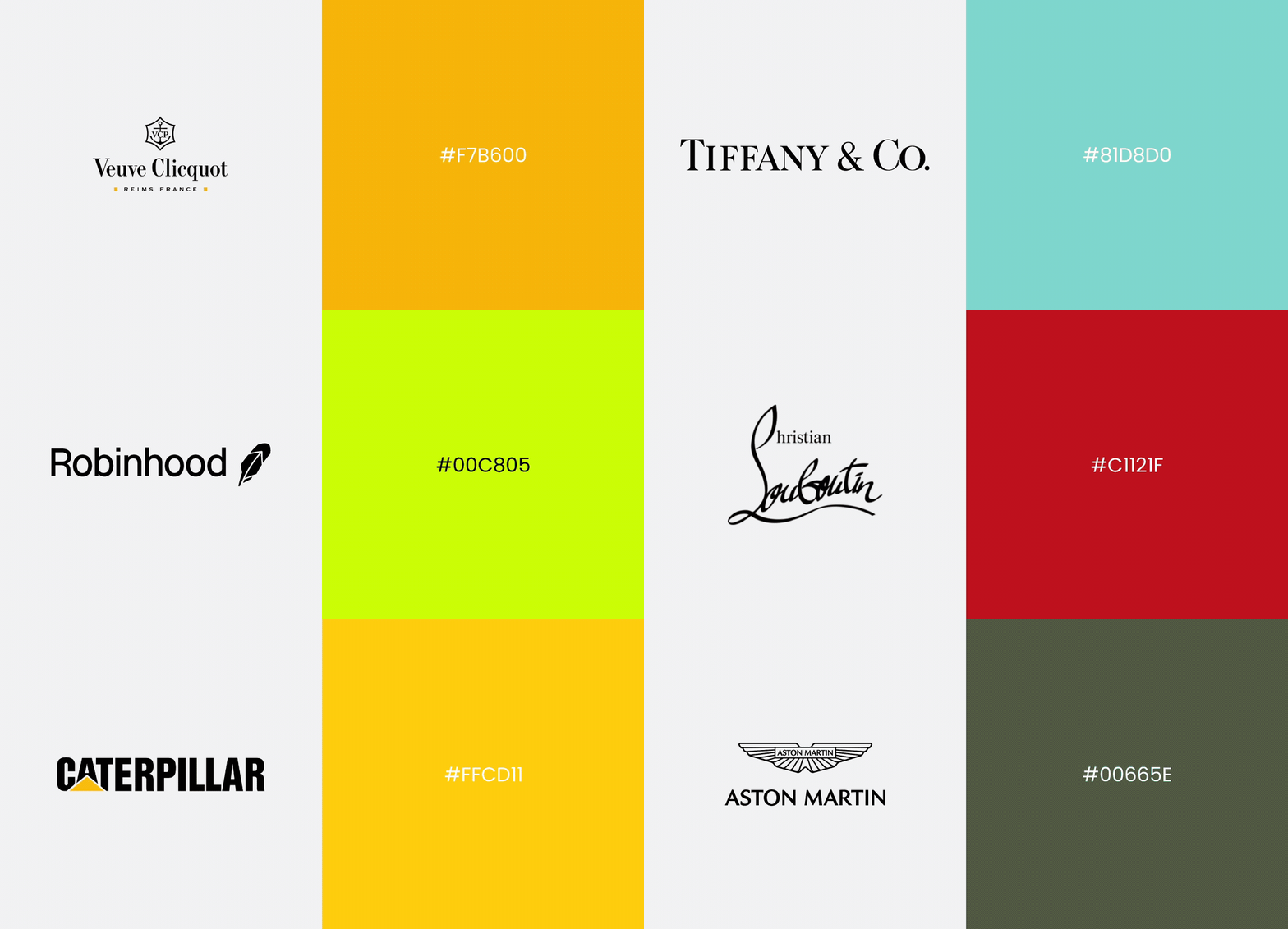
Use the same colors across the website, social profiles, ads, and packaging, and people will start associating that color with you on their own. You don’t have to push it. The brands that get remembered are usually just the ones that didn’t reinvent their look every eighteen months.
Which means don’t pick colors off how you feel this afternoon. Pick the ones you can live with on everything, everywhere, for years. That’s a harder question and a better one.
• Color Guides User Behavior
Color is how you tell people where to look and what to do without writing "look here" on the page. Done with intent, it builds a clear visual hierarchy, and people follow it without noticing they’re being led.
- Navigation. A link should look like a link. Color is what separates the clickable stuff from the rest, so nobody has to hover around hunting for the menu.
- Engagement. Got a featured article or an offer you want people to actually see? Contrast drags the eye over to it. Everything else gets scrolled past, and color is mostly what decides which pile something lands in.
- Conversions. Here’s where color earns its rent. "Buy Now" or "Get Started"—that button has to shout a little. Make the important action loud, and more people will click it. That really is most of it.
• Color Improves User Experience
Half of good UX is just letting people read and move without effort. Prioritizing accessible color choices helps ensure your website remains readable and usable for visitors with varying visual abilities. The right pairings keep text legible, reduce cognitive load, and let them skim instead of grind through paragraphs.
Contrast is the big one. Dark-enough text on a light-enough background stays readable on a phone, on a laptop, and on some washed-out monitor in a sunny office. Keeping colors consistent helps too, since people learn an interface faster when the same color always means the same thing.
The end result is a site that feels obvious to use. People read, move, find the button, and stick around long enough to do the thing. Their goal and yours turn out to be the same goal.
The Psychology Behind Website Colors
Color psychology isn’t an exact science, but the patterns are reliable enough to design around, and they show up when you measure them. It moves how people feel and, more to the point, how they act. None of this is exact science, but the patterns are reliable enough to design around, and they show up when you measure them.
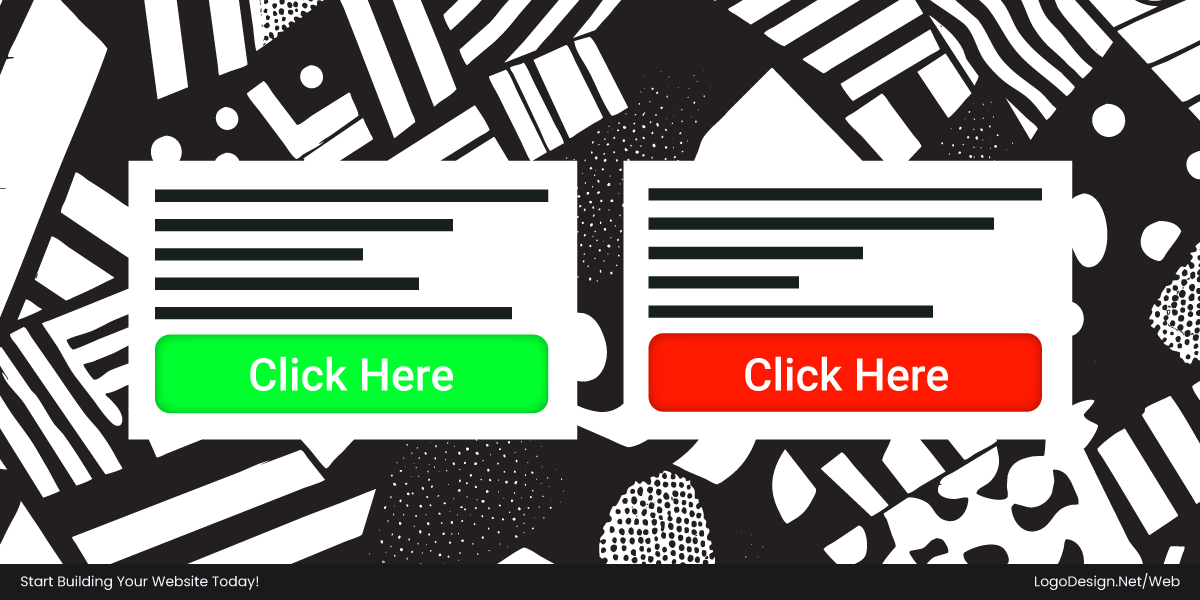
HubSpot ran the classic version: a red button against a green one, same page, same words, color being the only difference. Red won by 21% on click-through. One swap.
You can test CTAs yourself by using HubSpot’s CTA (Call-to-Action) tool. Thanks to the tool, you can create and manage buttons, banners, and pop-ups without writing code. You can personalize offers for different audiences, track performance, and connect everything to your CRM to generate more leads and improve conversions.
The goal isn’t to trick anyone. It’s to line the experience up with your brand and with what people already half-expect when they arrive.
How Color Shapes Human Perception and Emotion
People size you up fast, with their eyes, before the words get a turn. Color is one of the first things they take in, and it’s already coloring their read on your mood and your credibility.
- Emotional responses. A color can nudge a feeling, calm or urgent or upbeat. But the nudge depends entirely on what’s around it and how strong it is. On its own, a color barely means anything.
- Cultural and personal influences. There’s no universal dictionary for this; culture shapes color choices as much as personal history does. For a global audience, that’s a real problem to think about, not a line to skip.
- Context matters most. Same color, opposite messages, depending on where it sits. Red on a button says, "Do this." Red filling the whole background just says "AAAH." Placement beats the swatch nearly every time.
What Different Colors Communicate in Web Design
Context first, every time. That said, a few associations come up often enough to be a decent place to start a palette. These associations become even clearer when you look at industry color conventions, where certain colors consistently appear across sectors because they align with customer expectations.
• Blue
Blue is the color brands reach for when they want you relaxed enough to hand over a card number. Finance, banking, SaaS, cybersecurity, healthcare, and all of corporate, basically. It feels safe and competent, which lowers the little voice asking whether this is a scam. When in doubt, brands pick blue. Sometimes too readily.
Download the Color Palette
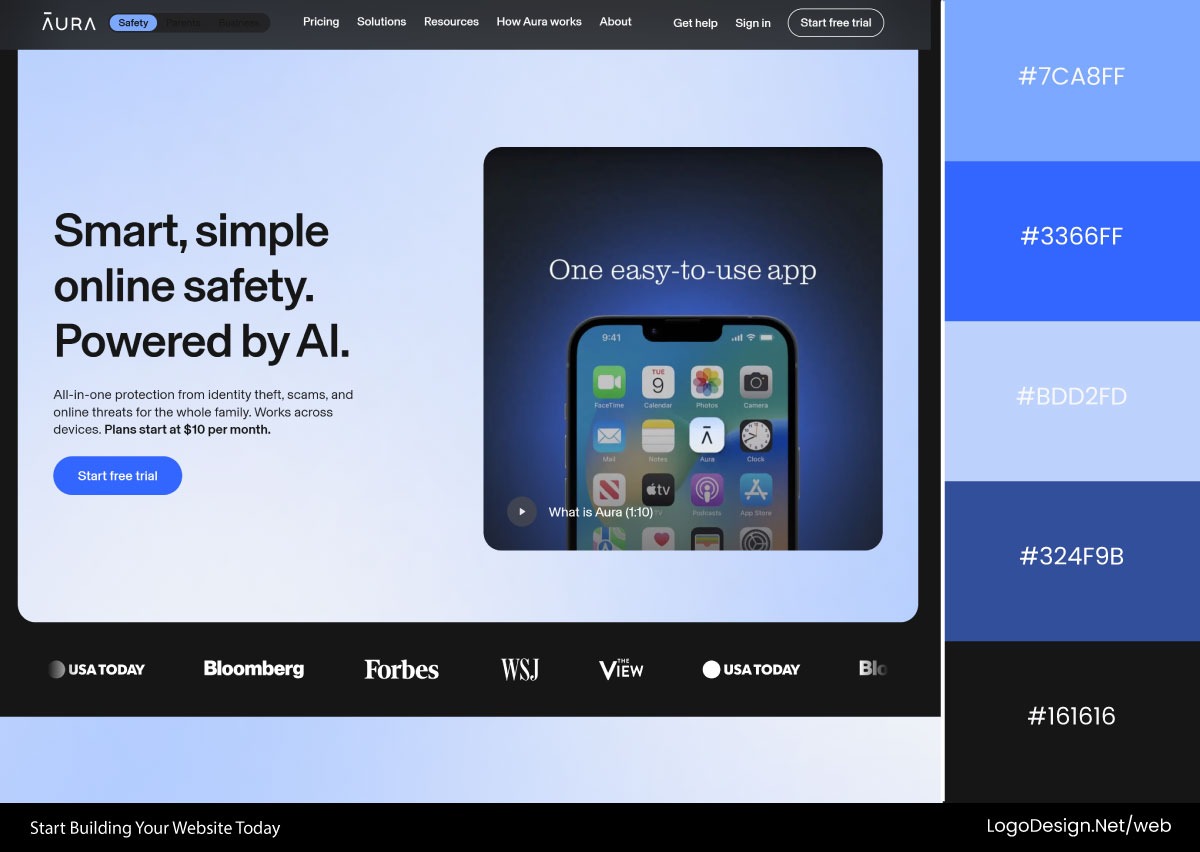
Aura mixes soft and vivid blues to make digital security feel approachable instead of paranoid, while still coming off as something you’d trust with your data.
Download the Color Palette
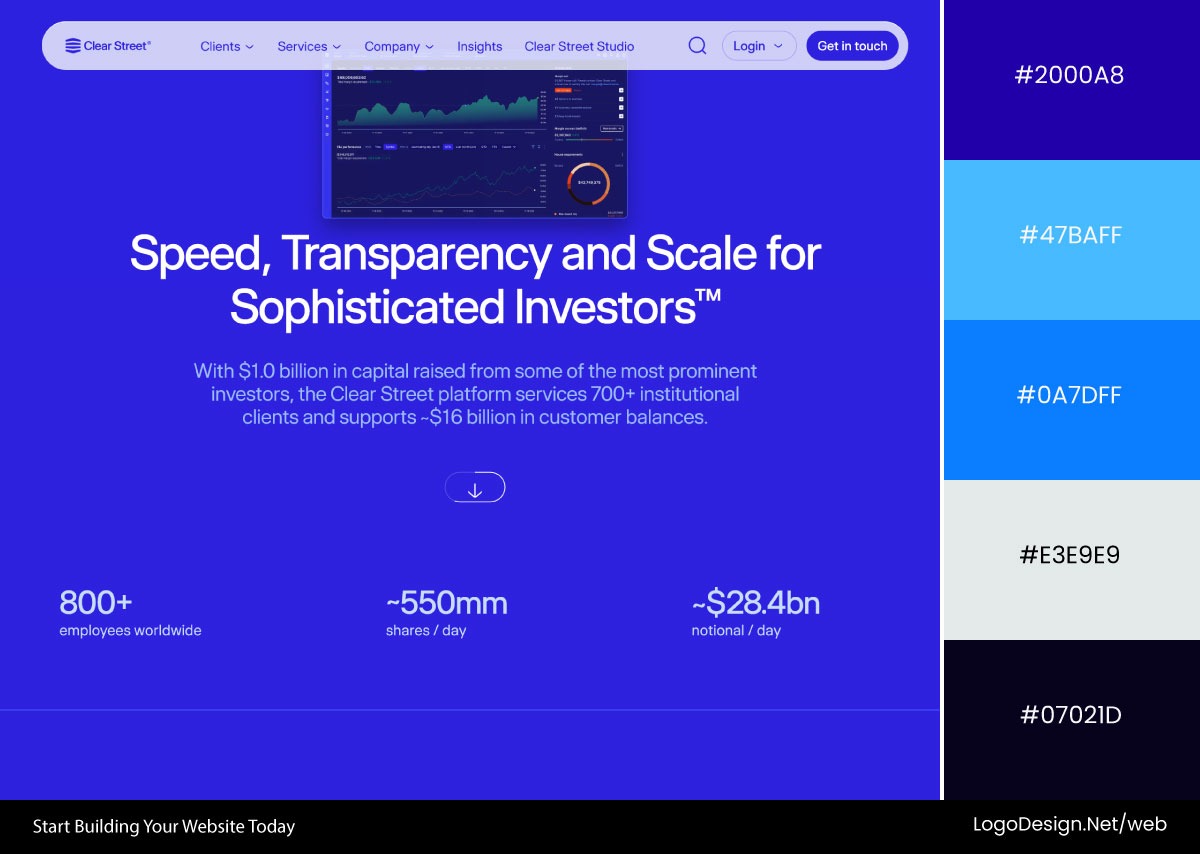
Clear Street is blue all the way down. Deep navy backgrounds do the heavy lifting on authority, and small accents step in to keep the interface from feeling like a bank lobby.
• Green
Green lives in healthcare, wellness, sustainability, fintech, and the productivity crowd. It reads as growth and "you’re doing fine," which is exactly why it owns the success checkmark and the upward-trending chart. Calming without being sleepy.
If you’re exploring how brands use green to convey growth and trust, browse these examples of green logos and see how different shades influence brand perception.
Download the Color Palette
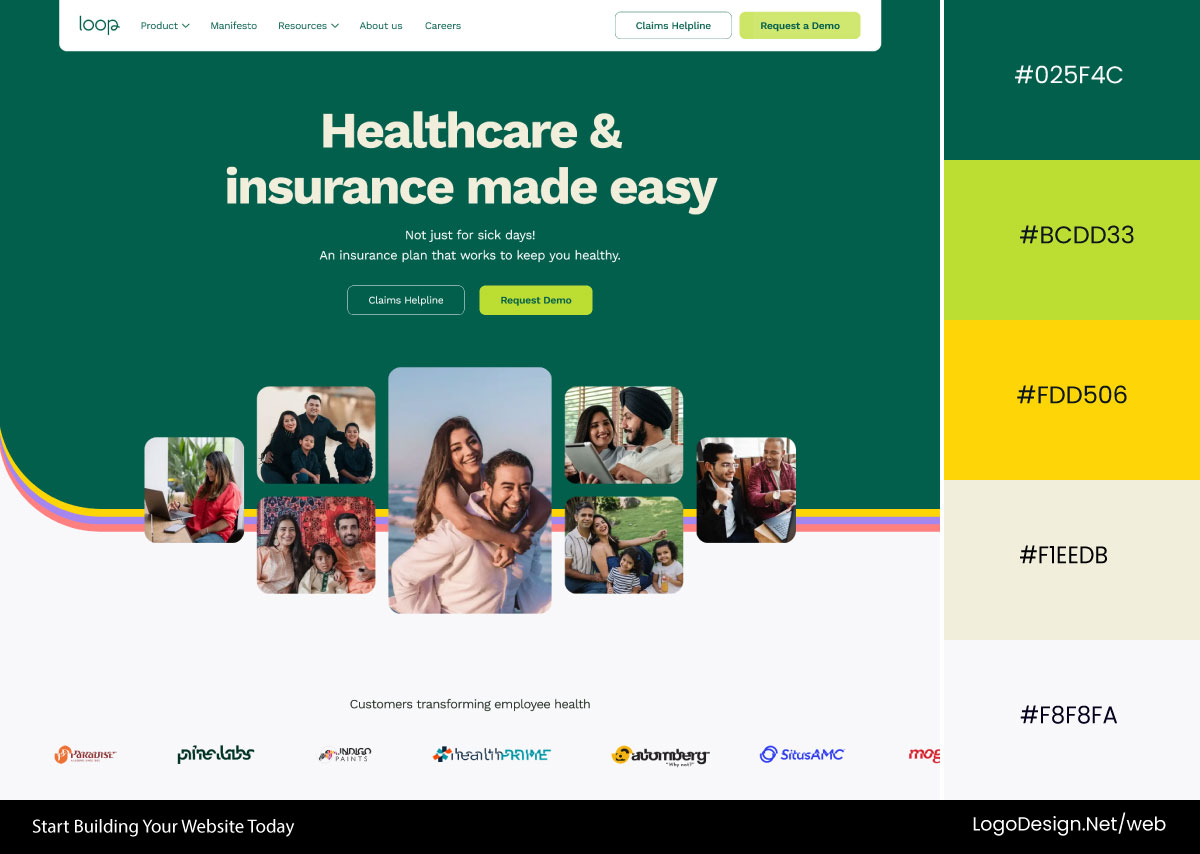
Loop Health works off a muted green and lifts it with brighter accents. Feels steady and reassuring, the way a care brand should, and crucially not like a hospital pamphlet from 2009.
Download the Color Palette
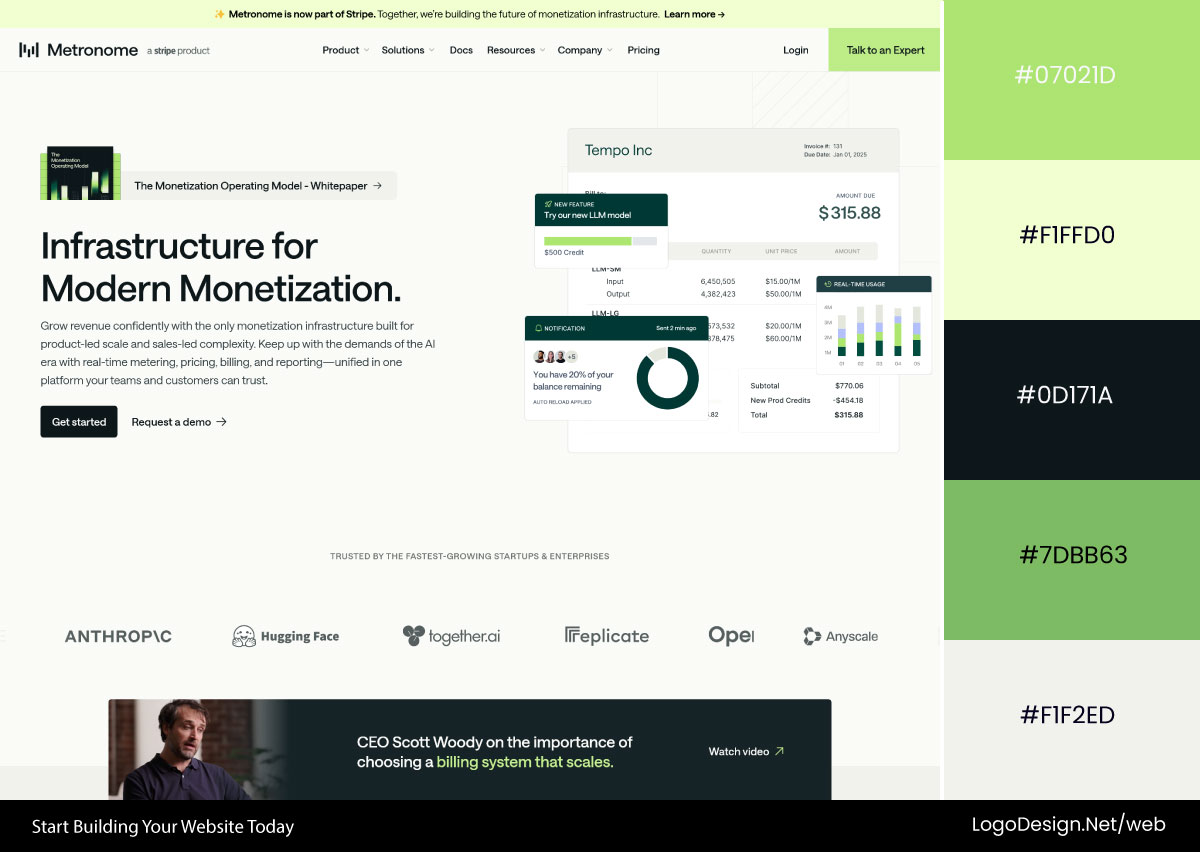
Metronome puts neutral grays under layered greens to land on growth and reliability. The green points you at the parts of the interface that matter and quietly backs up the whole financial-progress story.
• Red
Red runs e-commerce, food, sales, and any landing page built to make you act now. Urgency, appetite, and a jolt of energy. Nothing flags a deal faster. The whole skill is restraint, because a page that’s all red stops meaning urgent and starts meaning exhausting.
That’s why many of the world’s most recognizable red logos rely on strategic use of the color rather than sheer saturation.
Download the Color Palette
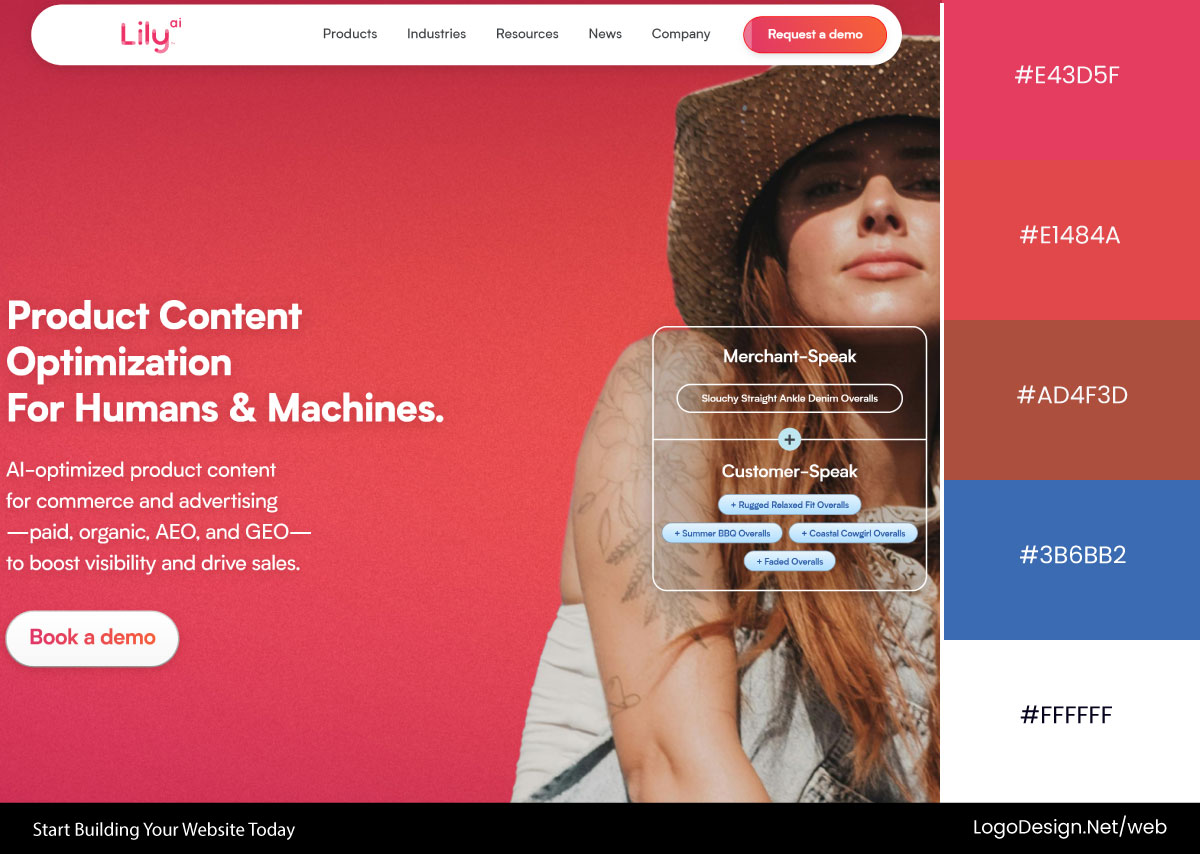
Lily AI goes hard on reds and pinks to escape the gray sameness of enterprise software. The result has a pulse, and it shoves your attention straight at the message.
Download the Color Palette
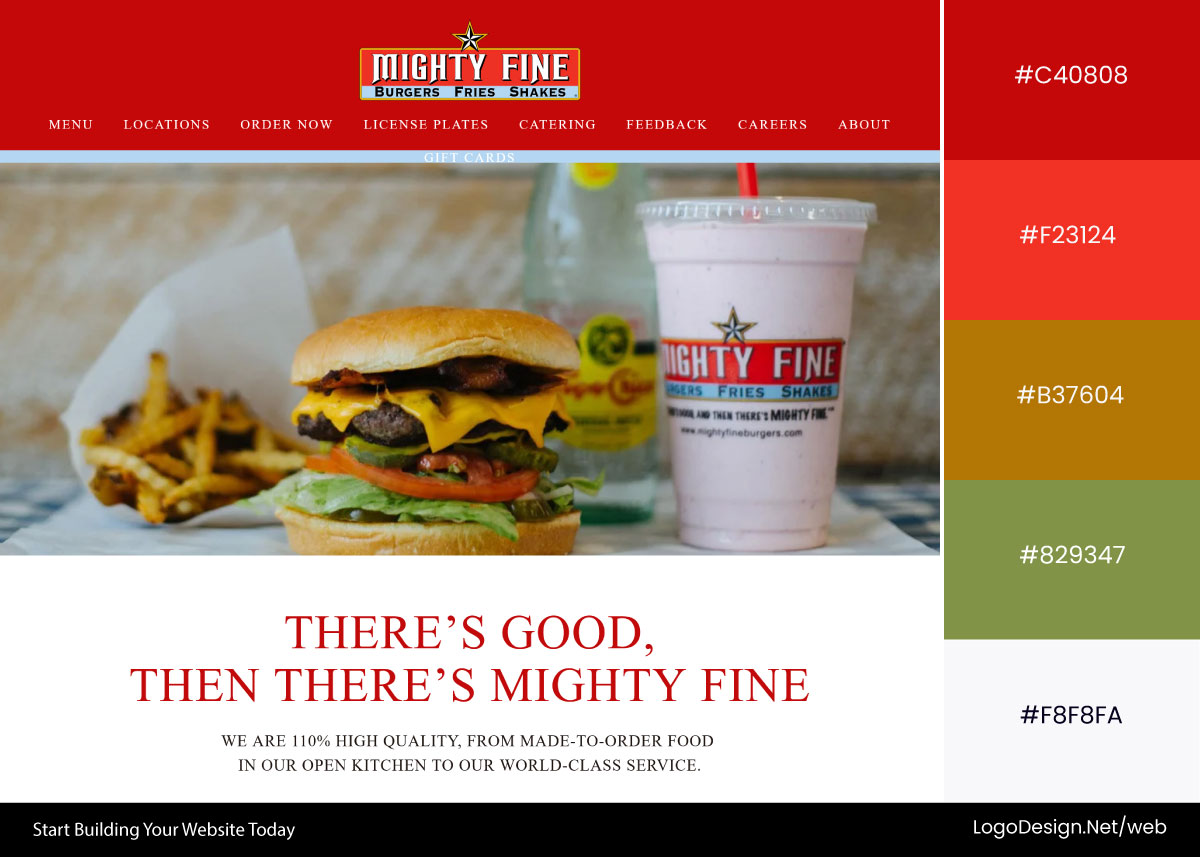
Mighty Fine Burgers uses deep red for the obvious reason: it makes you hungry. Suits a classic burger joint, and the food photos and promos jump right off the screen.
• Orange
Orange is the startup color. SaaS, ed-tech, consumer apps, anything friendly and a little caffeinated. It grabs attention the way red does but without the fire-alarm edge, so it’s great on buttons you want clicked but don’t want to make scary.
Download the Color Palette
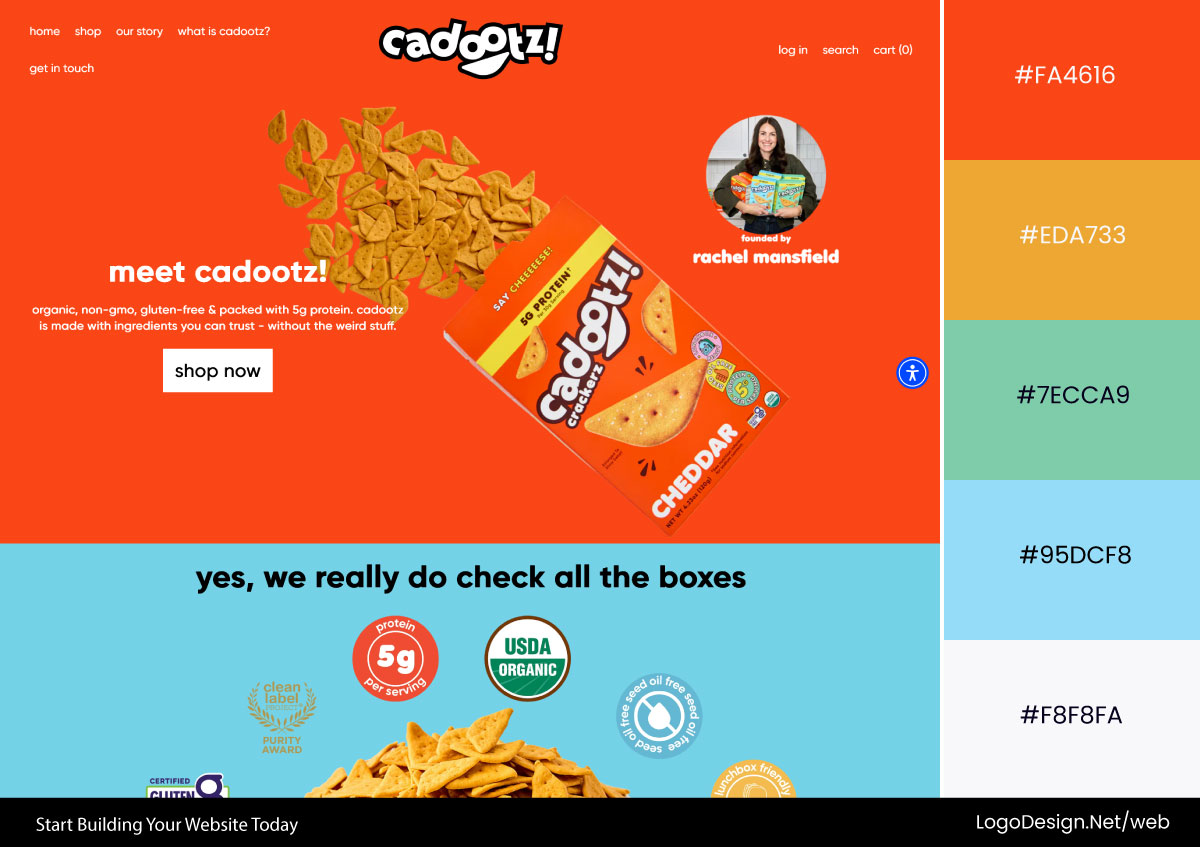
Cadootz leads with orange, and the whole thing just feels welcoming. It pulls people in and matches a brand that’s clearly trying to be likable rather than impressive.
Download the Color Palette
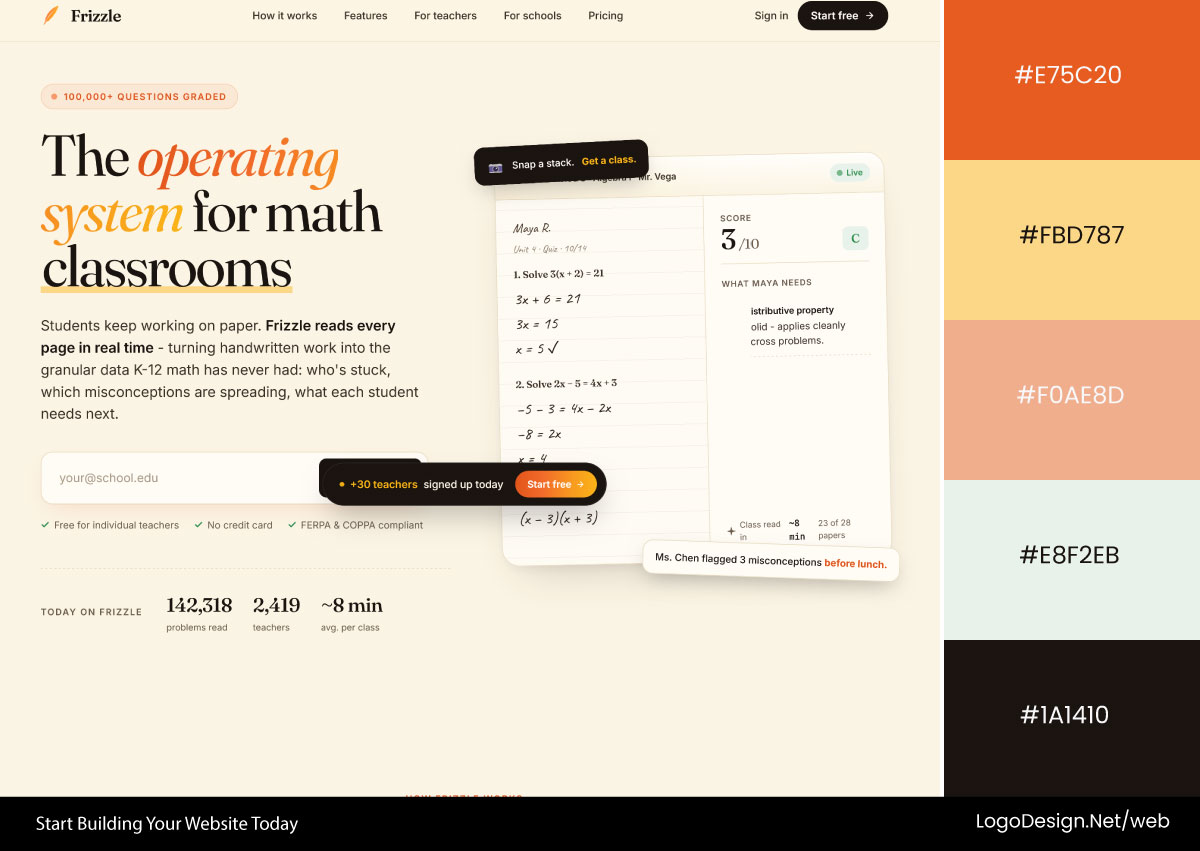
Frizzle layers a few oranges for warmth and a sense of motion. Playful identity, and the important stuff stays easy to find.
• Purple
Purple is where beauty, creative agencies, luxury, and many AI companies hang out. It signals imagination and a bit of exclusivity, the "we’re doing something more interesting than the competition" color. Good for standing apart while still reading as premium.
Download the Color Palette
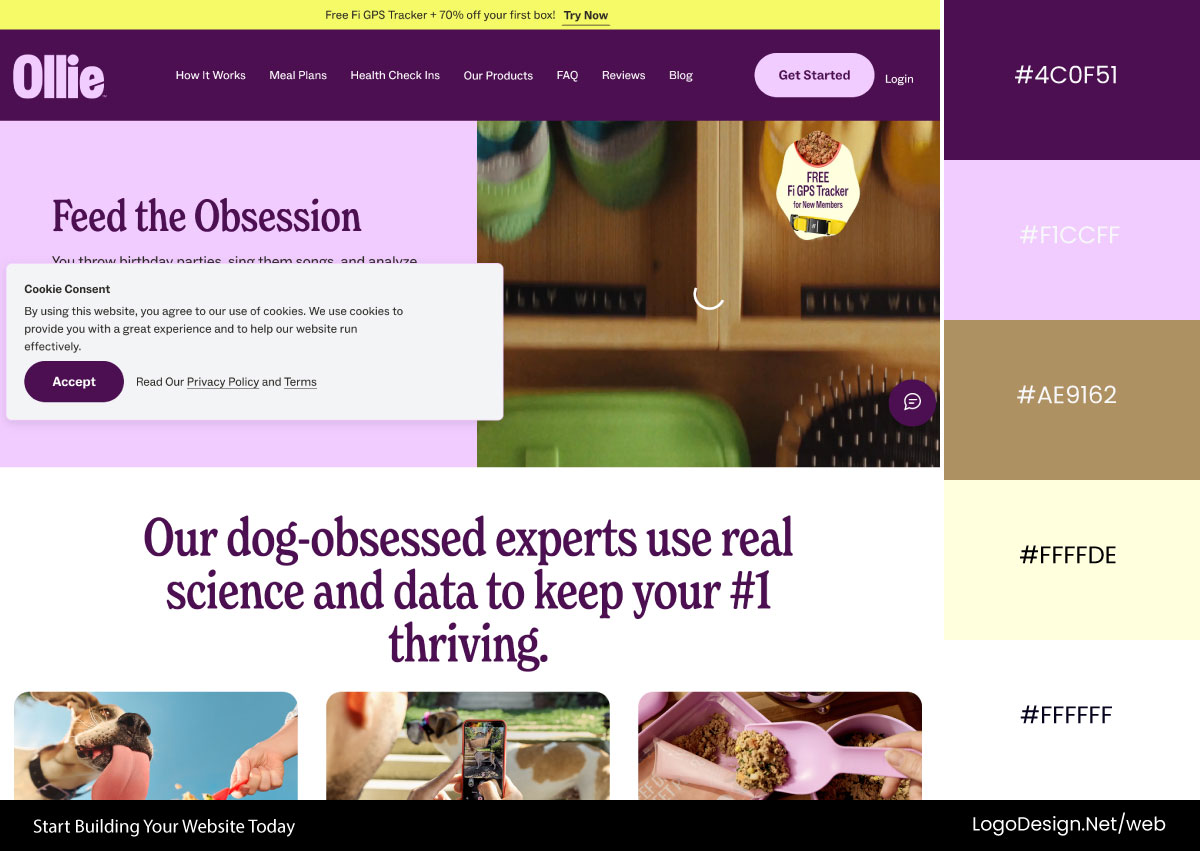
Ollie threads purple through a clean layout. Premium but not precious. Reads as a brand that actually cares about your dog, and looks modern doing it.
Download the Color Palette
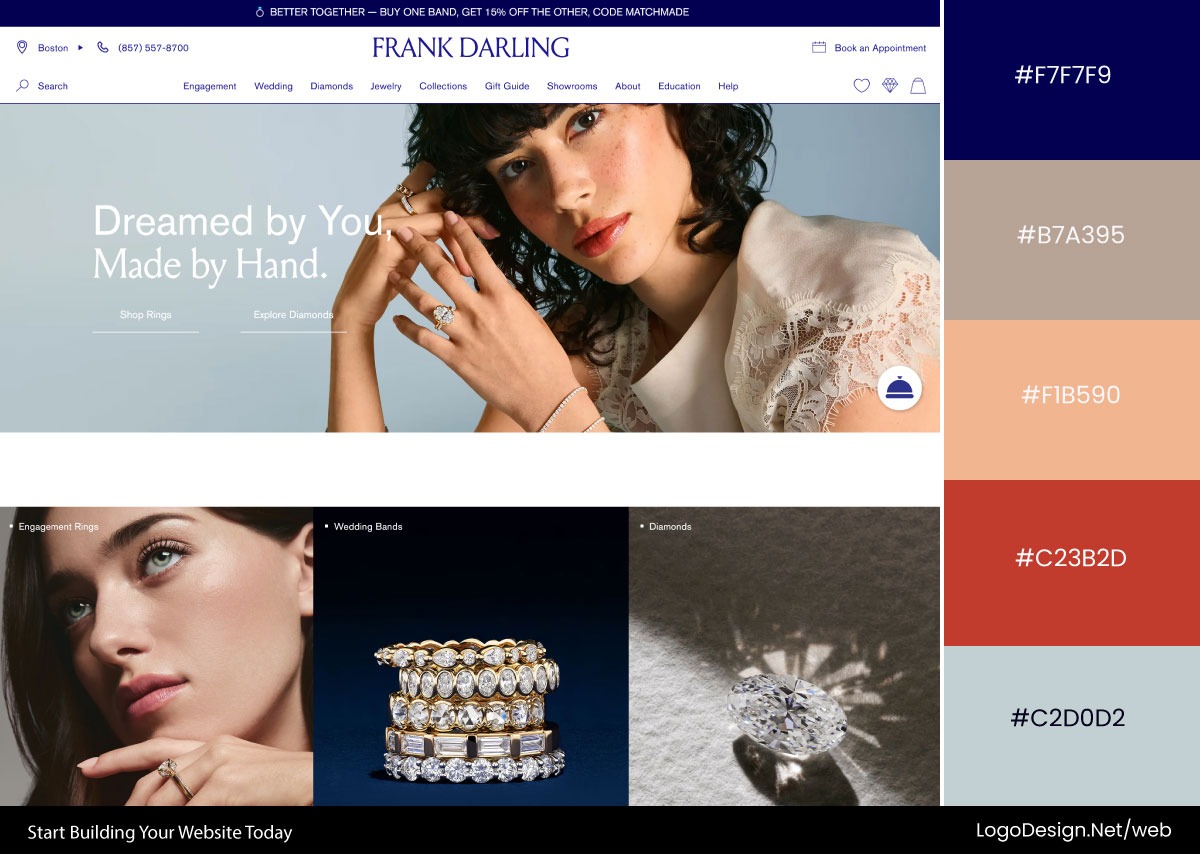
Frank Darling leans on refined purple for a modern take on luxury. Unexpected for jewelry, which is the point, and it makes the brand stick in your head.
• Black
Black is luxury, high-end tech, premium products, editorial, and portfolios. It’s the confidence color, the one that makes a product photo look like it costs more. Strong contrast, sharp hierarchy, and an air of "we don’t need to try too hard."
Download the Color Palette
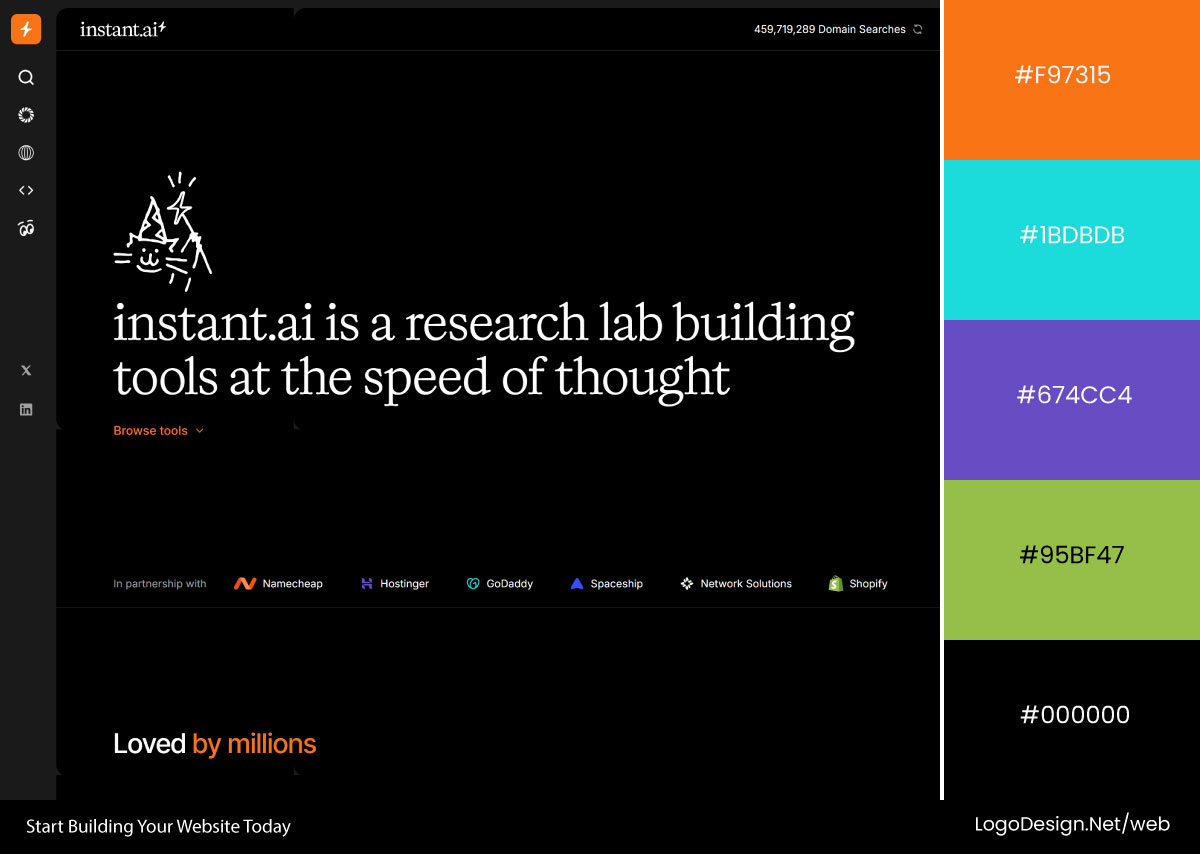
Instant.ai runs bright accents on a mostly black interface. Sleek, technical, expensive-feeling, and your eye never wanders off the content.
Download the Color Palette
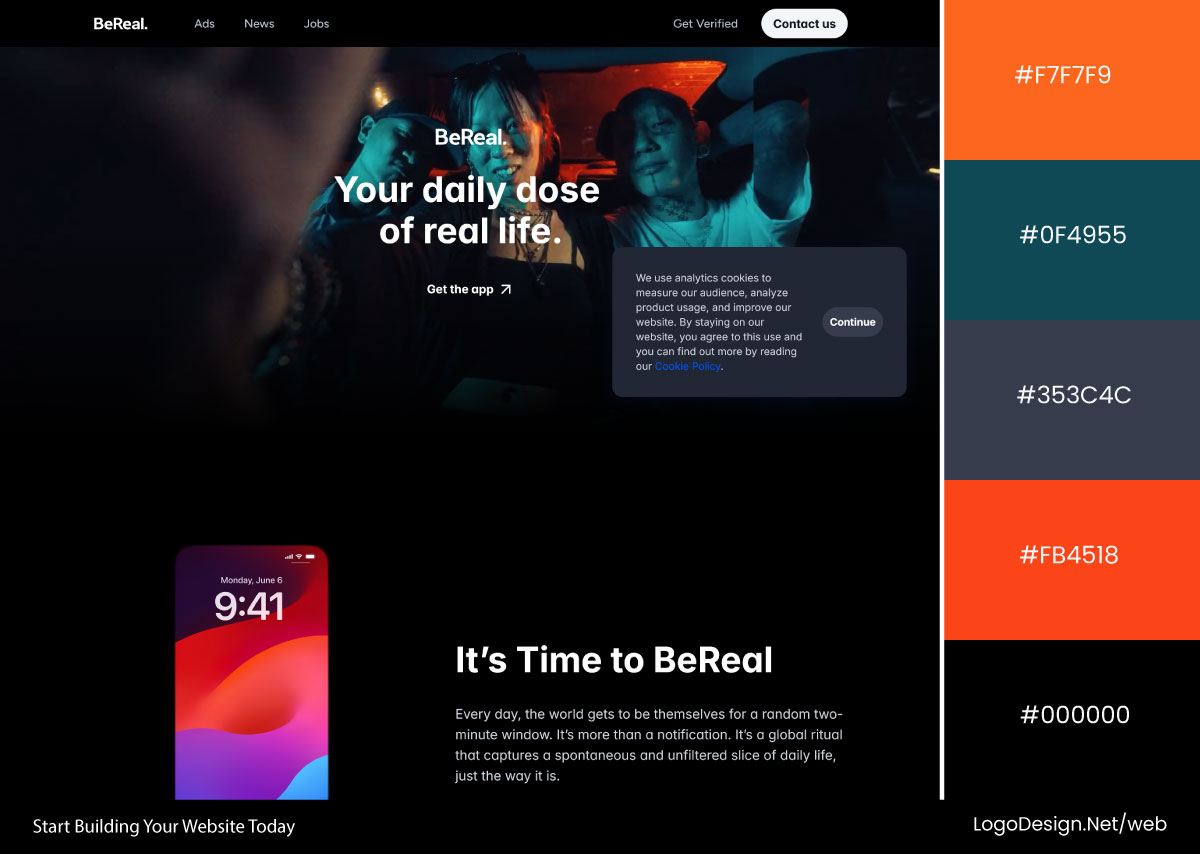
BeReal builds the whole identity on black. Strip everything else back and the content and the message carry the page, which fits the app’s whole no-filter pitch.
• White
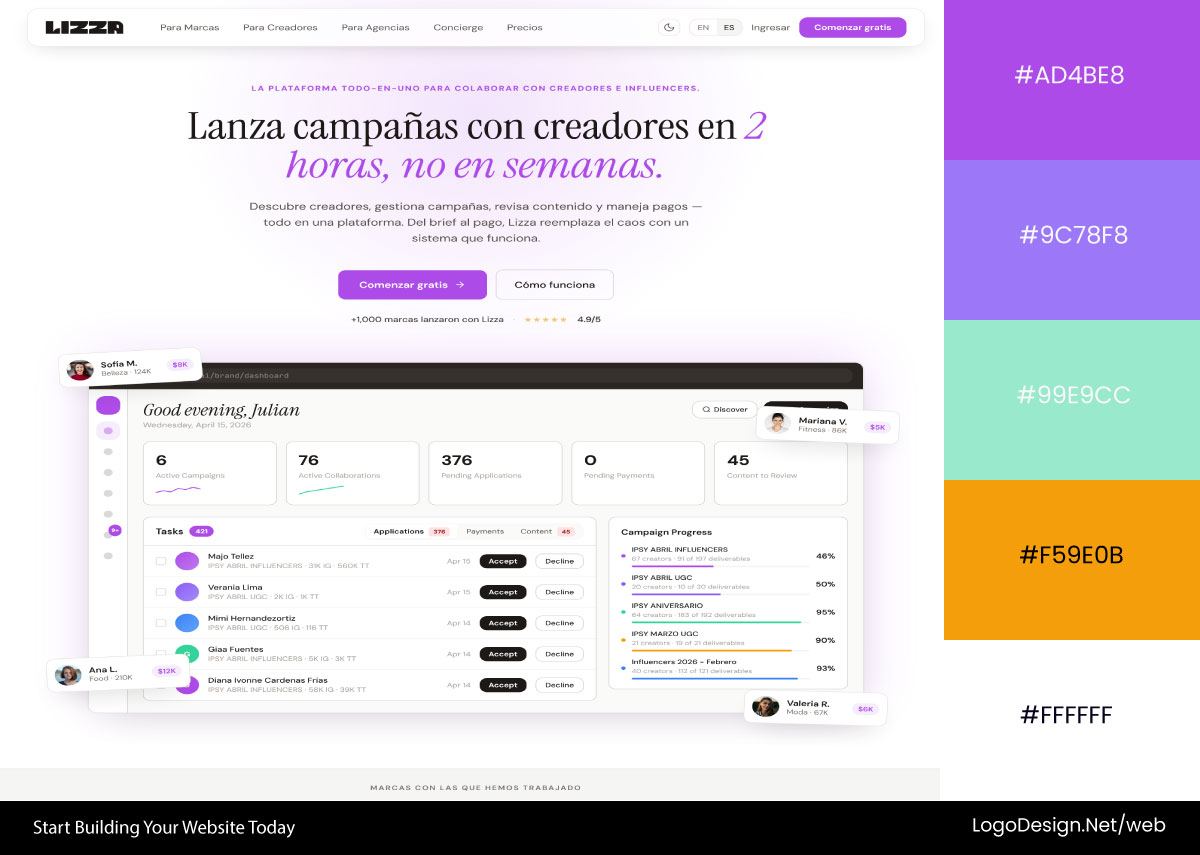
White is the backbone of SaaS, tech, editorial, and minimalist brands. It says clean and clear and "nothing to hide." All that empty space isn’t empty, it’s doing the work of making the page easy to breathe in.
Download the Color Palette
Lizza AI wraps wide white space around a few purple accents. Clarity wins, the messaging stands out, and the whole thing looks finished.
Download the Color Palette
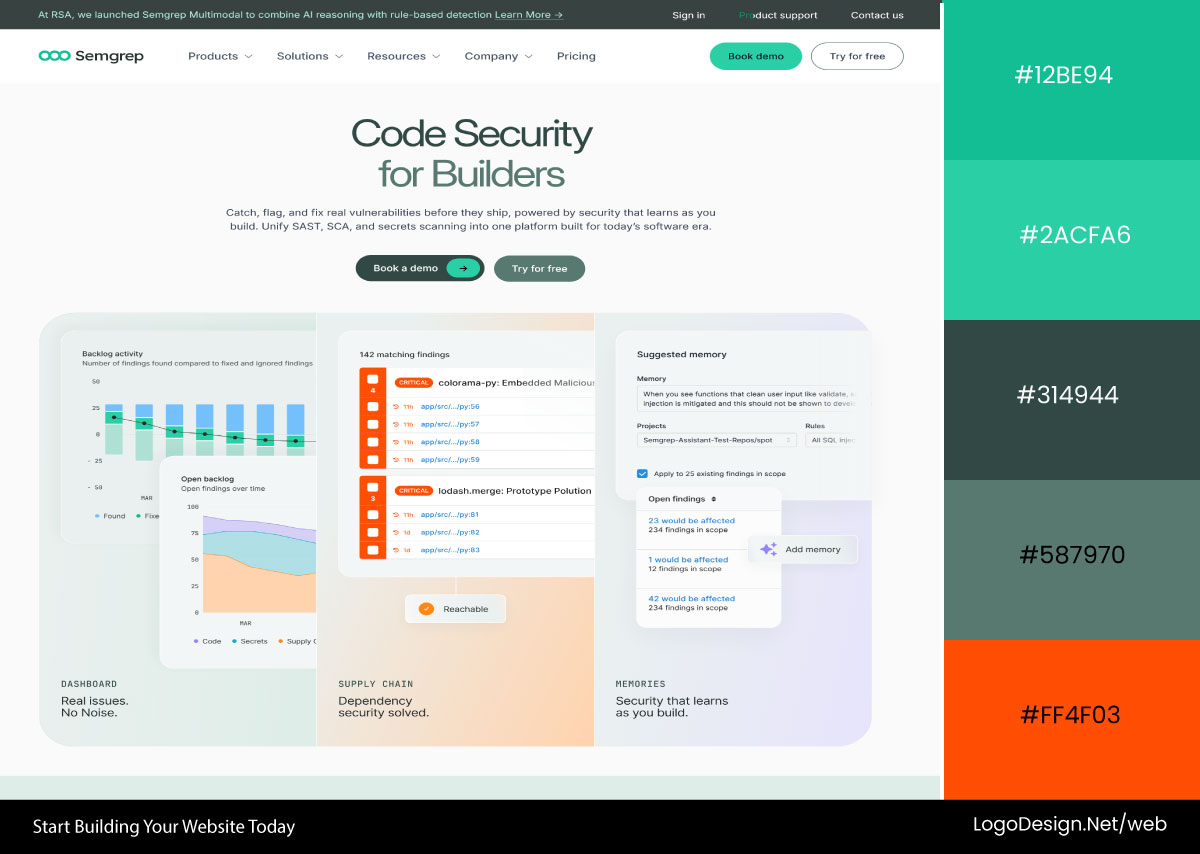
Semgrep runs mostly white and puts readability first. Smart for dense technical content, because the clean backdrop keeps a developer audience from drowning in it.
• Gray
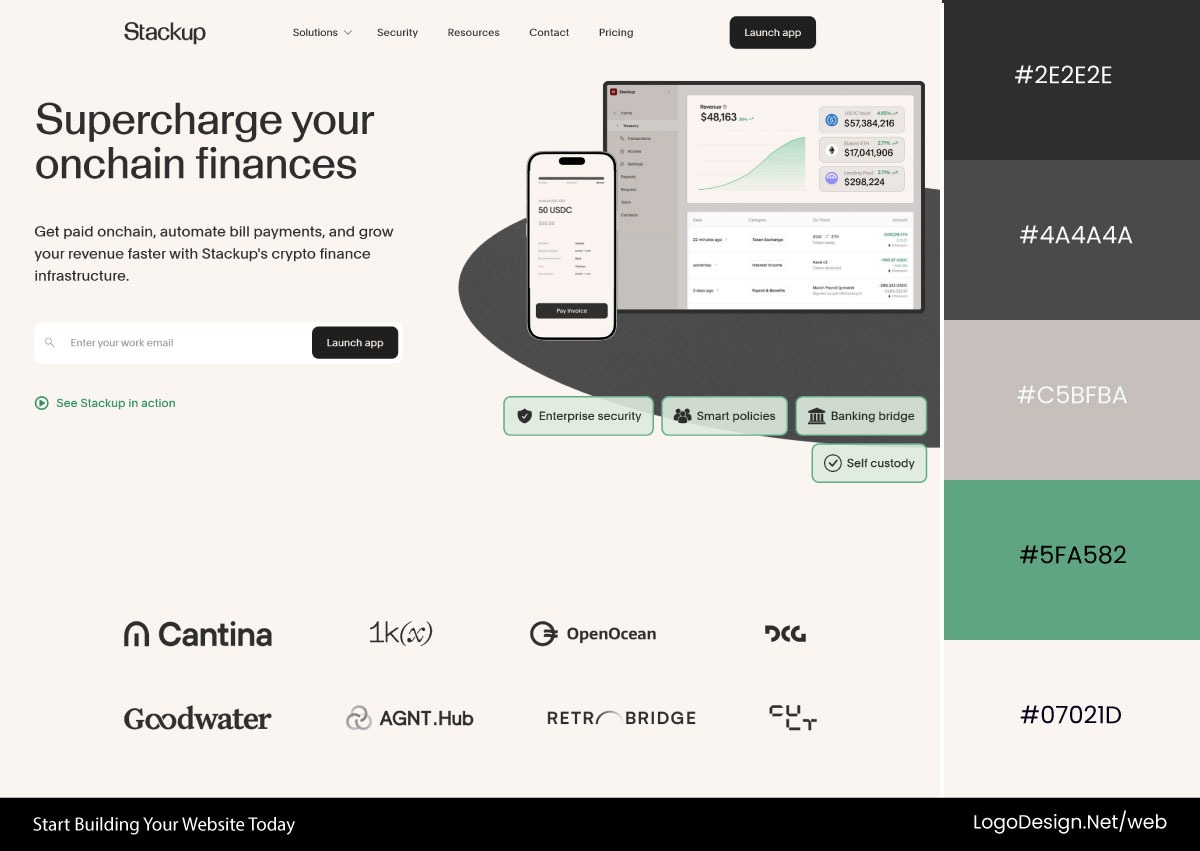
Gray is in basically every modern product, every enterprise dashboard, every serious-looking site. It’s the supporting actor, never the lead. It builds structure, sorts the hierarchy, and turns the volume down on everything that isn’t the point.
Download the Color Palette
Stackup uses soft grays and monochrome illustrations for a calm, focused feel. The palette deliberately steps back so the content and the type get to do the talking.
Download the Color Palette
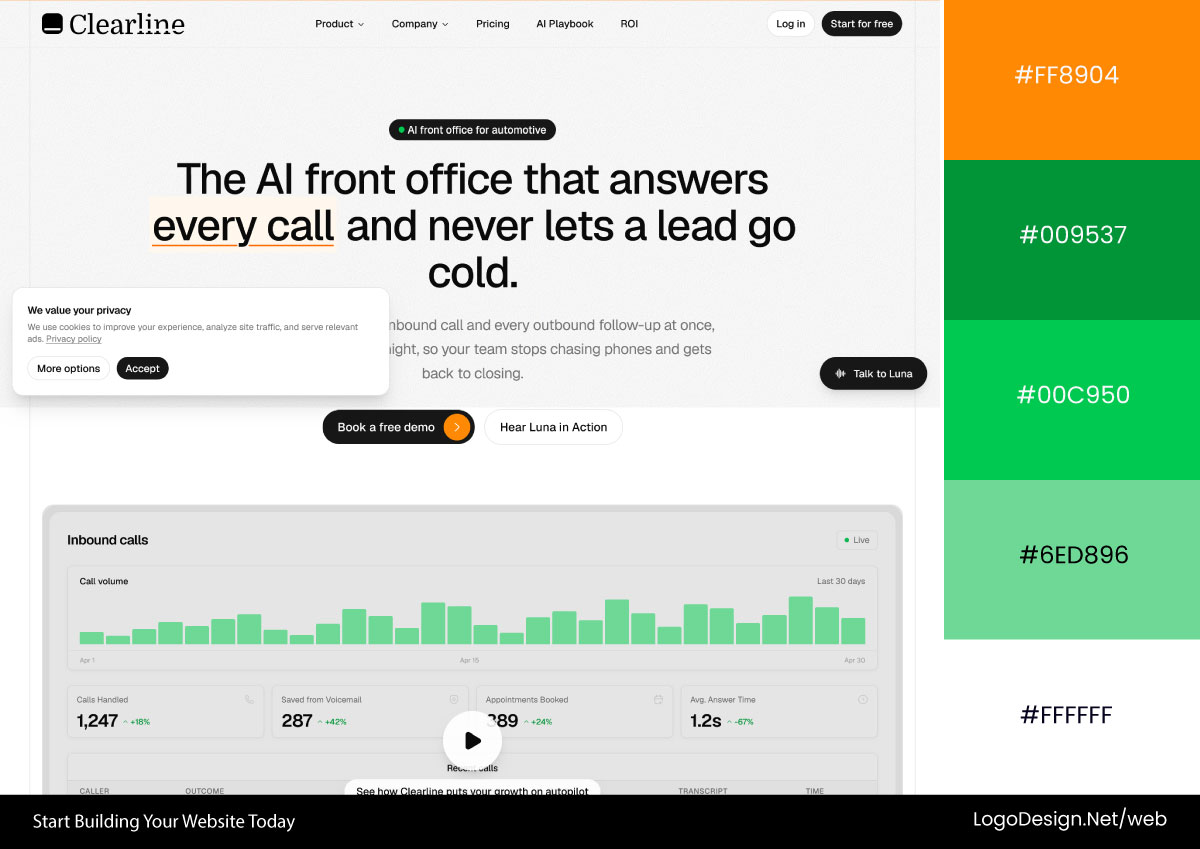
Clearline carries soft gray through backgrounds and graphics alike. Ties the whole thing together and keeps it looking professional and put-together.
• Pink
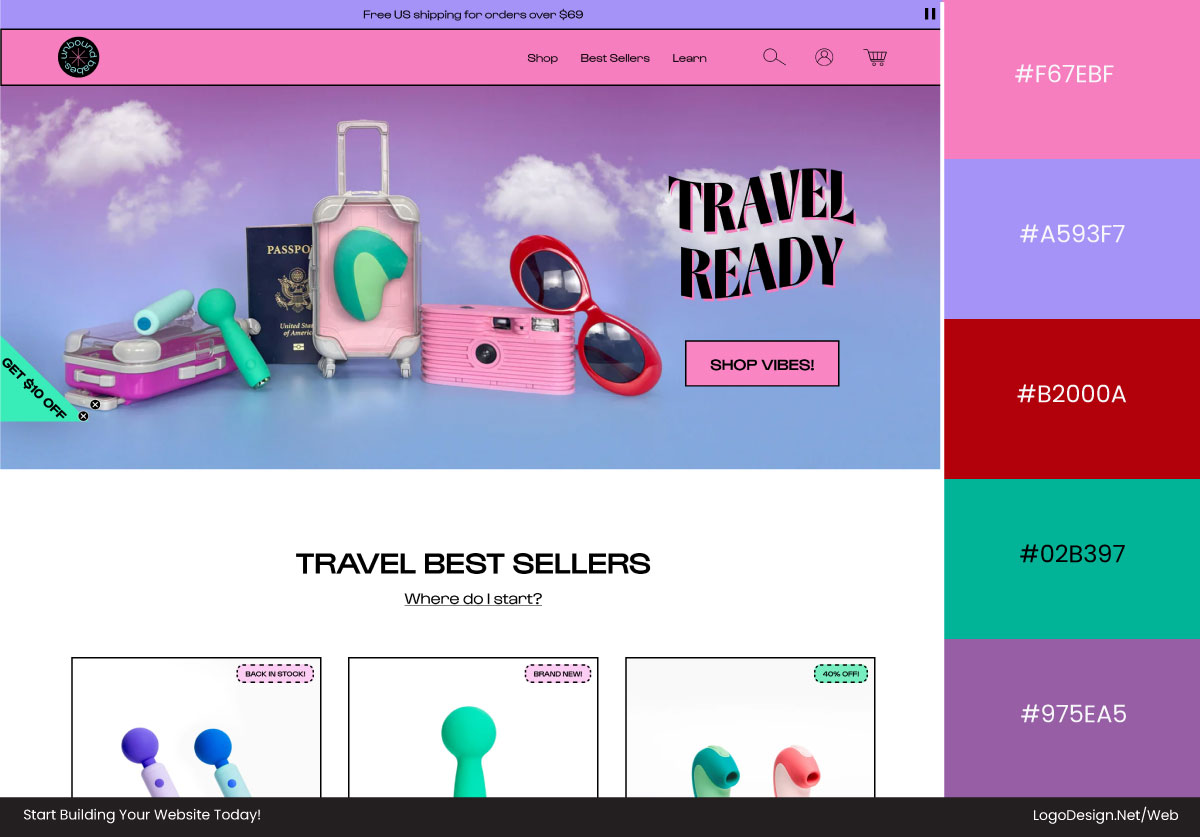
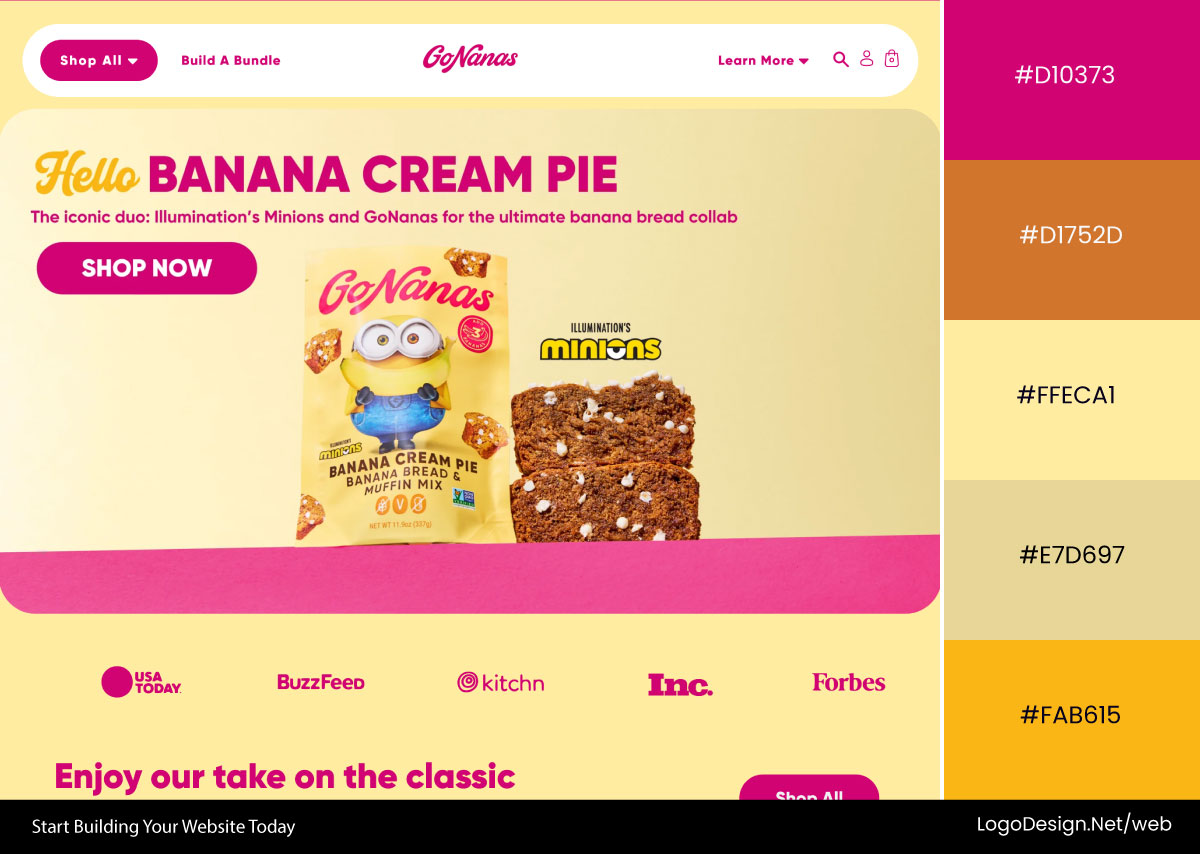
Pink shows up in beauty, lifestyle, wellness, DTC brands, and a wave of newer startups. Warm, optimistic, a little bold. It makes a brand feel like a person rather than a logo, which is exactly why it stands out next to the usual corporate blues and grays.
Download the Color Palette
Unbound Babes uses pink for confidence and self-expression. Modern and a bit empowering, with enough polish that the playfulness doesn’t tip into cheap.
Download the Color Palette
GoNanas runs a cheerful pink that’s hard not to like. Fits the food brand’s whole playful thing and makes the site feel energetic and very screenshot-able.
• Yellow
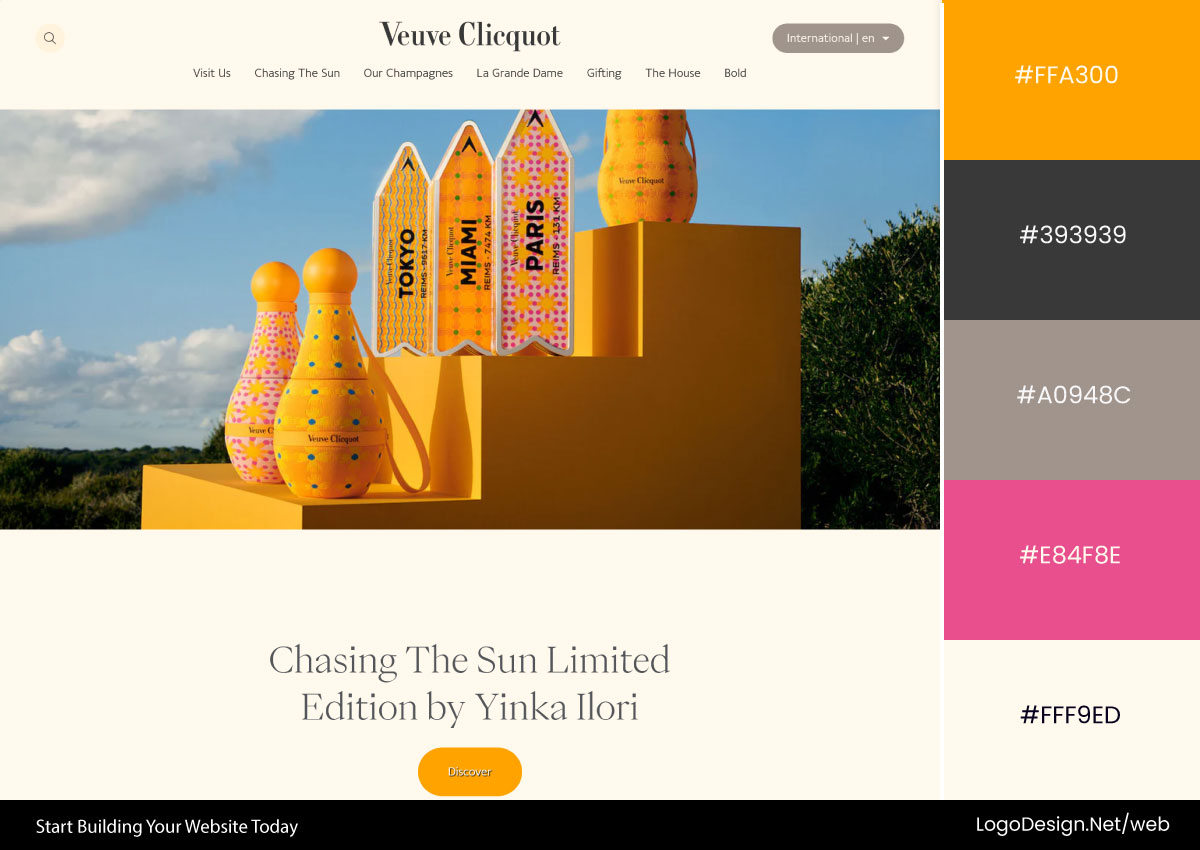
Yellow lives in consumer brands, productivity tools, ed-tech, food, marketing. It’s optimism and energy with the volume up. It grabs your eye almost whether you want it to or not, which makes it perfect for the CTA, the announcement bar, the thing you can’t let people miss.
Some of the most memorable yellow logos use that attention-grabbing quality to stand out instantly while keeping the overall brand approachable and upbeat.
Download the Color Palette
Veuve Clicquot owns its yellow, and the yellow basically owns the category. Instant recognition, plus a warmth and a sense of occasion that carries straight into the digital experience.

Download the Color Palette
DeWalt pairs bold yellow with heavy black for a tough, built-to-last feel. The yellow flags the actions that matter and doubles as the whole industrial-strength message.
Lean on these with a bit of intent and the site starts to feel deliberate. Readable, on-key, and not the product of someone guessing.
The Fundamentals of Color Theory for Web Design
Psychology tells you what a color says. Theory tells you what happens when you put two of them side by side. That second part is the difference between a palette and a pile of colors.
Color theory is just the framework for choosing, mixing, and balancing so that a design holds together. SaaS, a store, or a corporate brochure site doesn’t change the rules. Know the basics, and your palette looks intentional. Skip them, and it looks like an accident, because it is one.
• The Color Wheel Explained for Web Designers
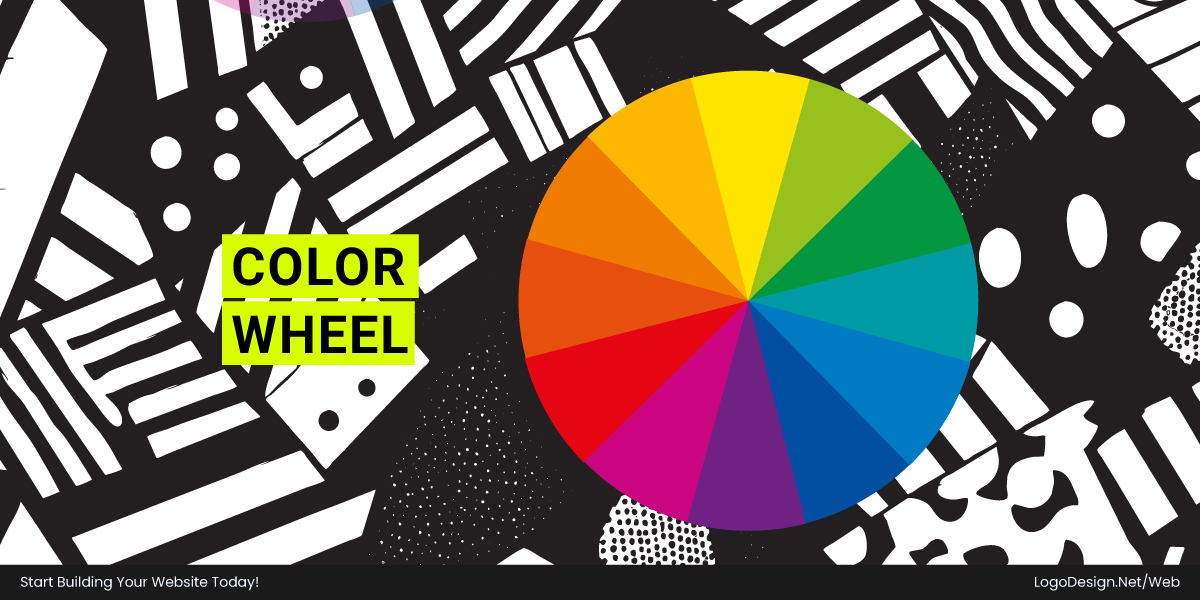
The color wheel is the one tool everyone actually uses. Building a combination that doesn’t fight itself gets a lot less guesswork, especially with the right color tools on hand.
If you’re unsure which color best fits your brand, a color wheel can help you explore color relationships, complementary combinations, and the emotions different shades evoke before making a final choice.
1. Primary Colors
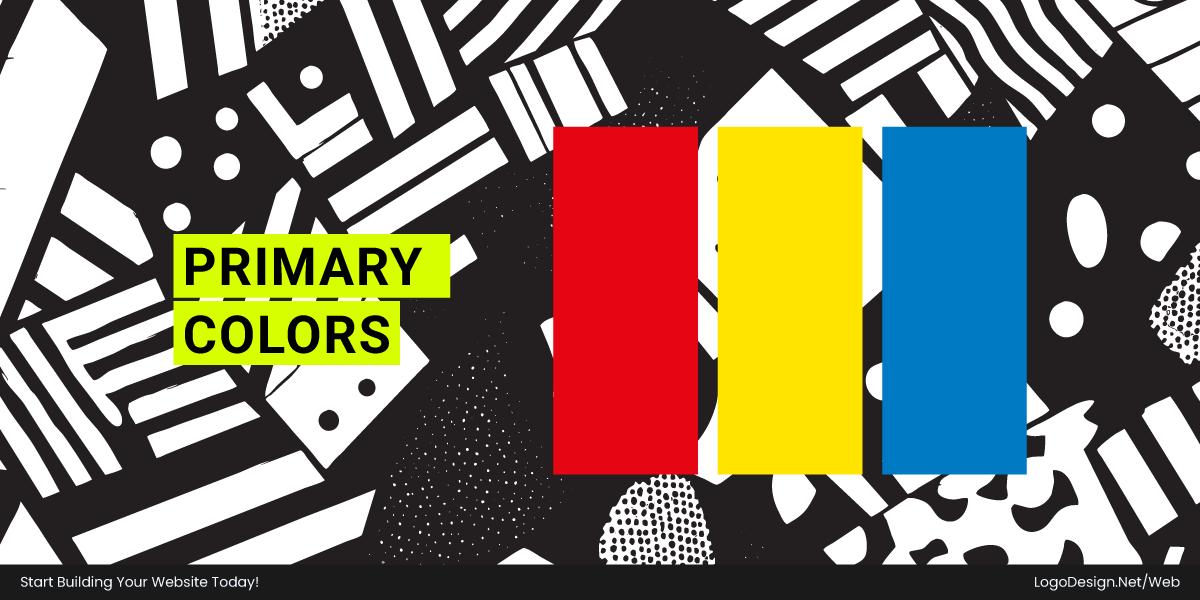
Red, blue, yellow. The three you can’t mix your way to. Everything else on the wheel comes from some combination of them.
On the web, they make strong brand colors for one simple reason: they’re loud and impossible to confuse with anything else.
2. Secondary Colors
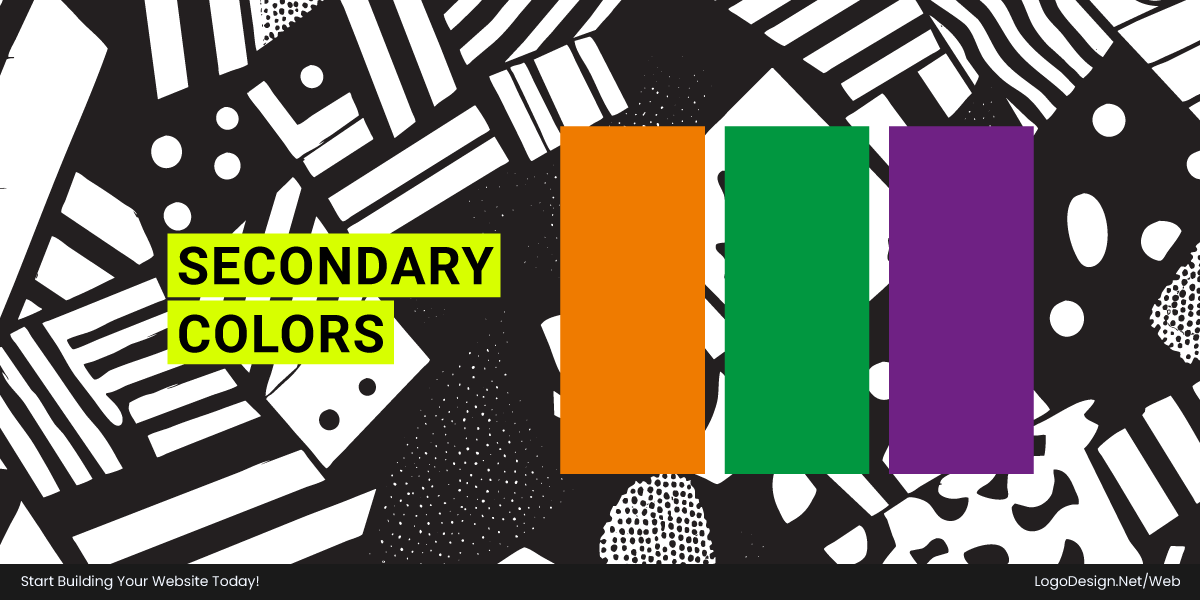
Mix two primaries, get a secondary:
- Red + Yellow = Orange
- Yellow + Blue = Green
- Blue + Red = Purple
Secondaries sit between the shout of a primary and the subtlety of something more worked-over. Lots of brands park here to look distinctive without scaring anyone off.
3. Tertiary Colors
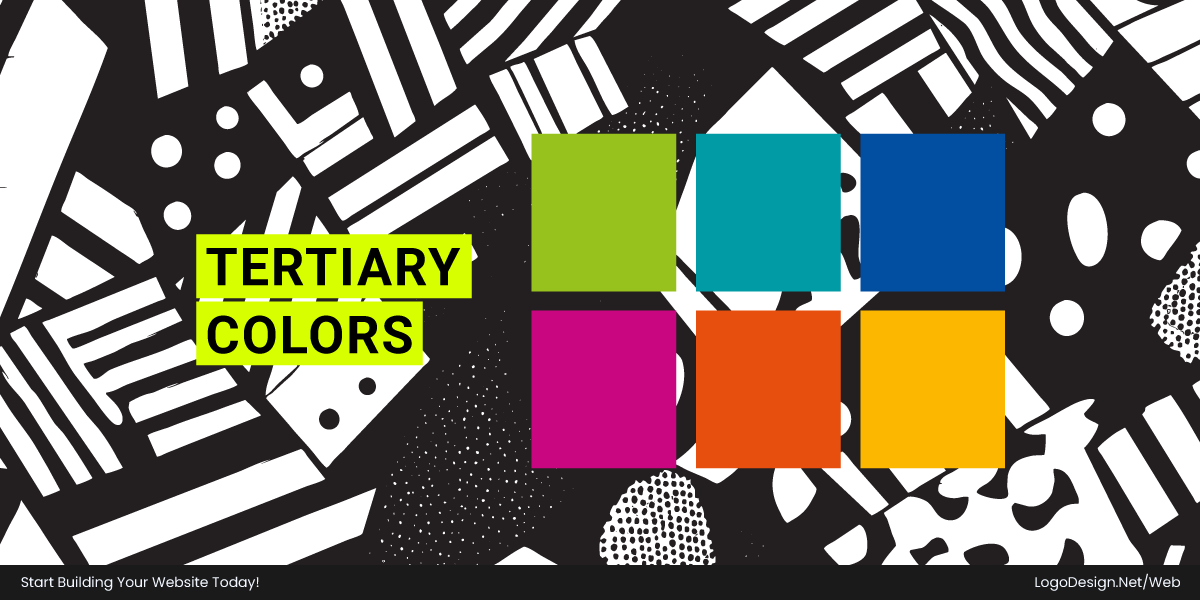
Mix a primary with the secondary right beside it, and you get a tertiary. Blue-green, yellow-green, red-orange, and blue-purple.
This is where the nuance lives, and modern design eats it up. Softer and more grown-up than a raw primary. It’s why fintech grabs teal instead of plain blue and why a wellness brand picks sage over a green that looks like a highlighter.
Hue, Saturation, and Brightness
A color is three things at once, not one. Hue, saturation, and brightness. Mess up any of the three and the result looks wrong in a way you can feel but can’t name.
1. Hue
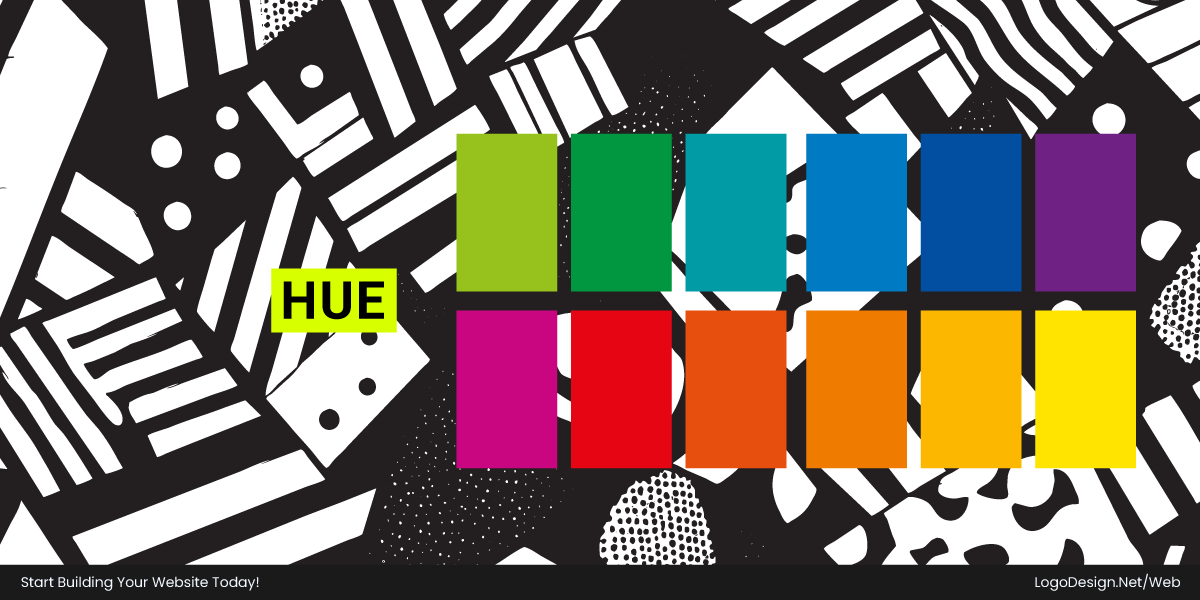
Hue is the family. Blue, green, red—the actual name of the colors. When someone says "make it blue," this is what they mean. Each hue carries its own associations, which is the whole reason psychology matters in the first place.
2. Saturation
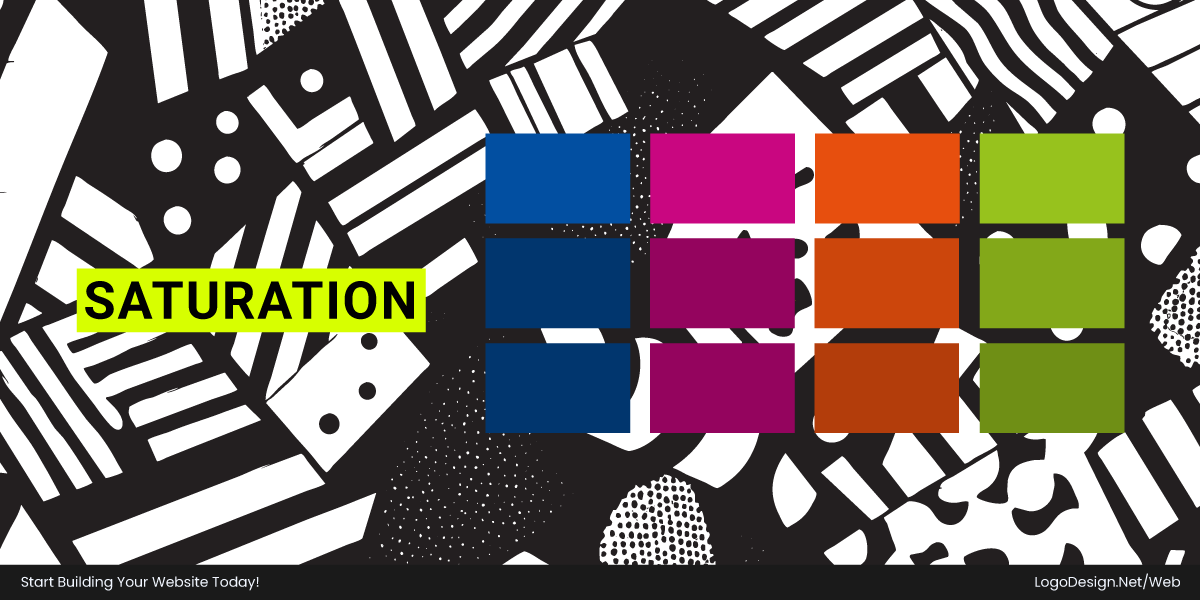
Saturation is how intense the color is. High saturation looks vivid, almost loud. Low saturation looks soft and a little expensive. Electric blue reads as young and hyper. Muted navy looks like it has a 401k.
Honestly, saturation sets the personality more than the hue does. Turn it up, and you get youthful and excitable. Pull it down, and you get calm, mature, and premium.
3. Brightness
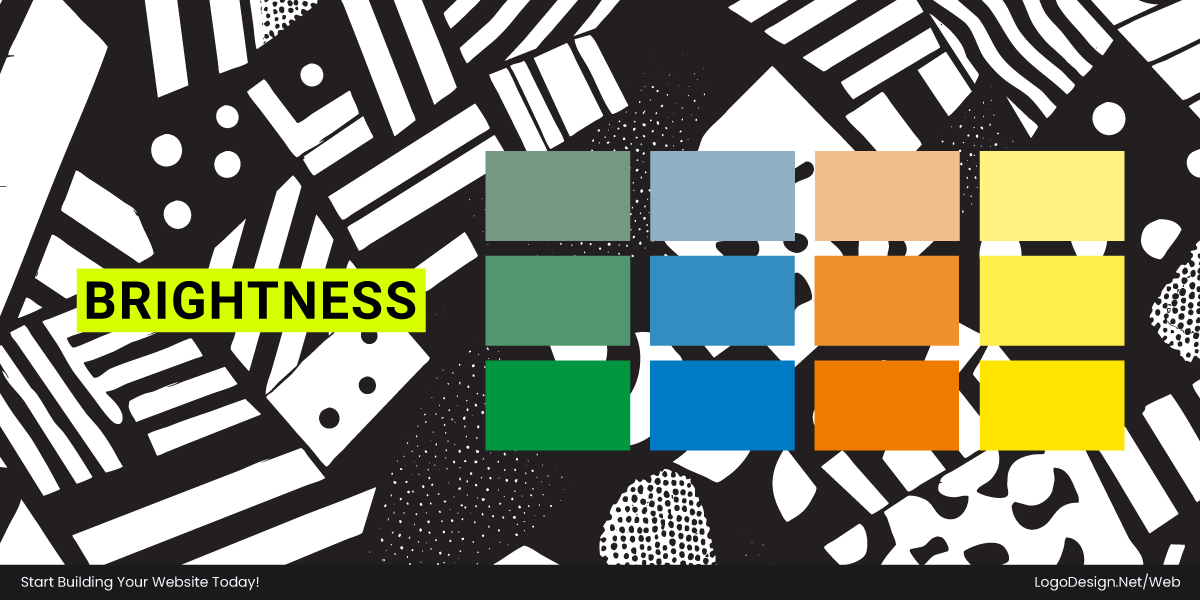
Brightness is light versus dark. Light feels open and friendly. Dark feels serious and a touch luxurious.
Sites use brightness shifts to build the hierarchy. Dark for headings and navigation, light and airy for backgrounds. Tiny adjustments make a big difference in how readable everything turns out.
Color Temperature: Warm Colors vs. Cool Colors
Understanding warm color psychology can help explain why reds, oranges, and yellows are often used to create energy, excitement, and emotional engagement. Sort colors into warm and cool, and you’ve got a quick read on the site’s overall mood.
1. Warm Colors
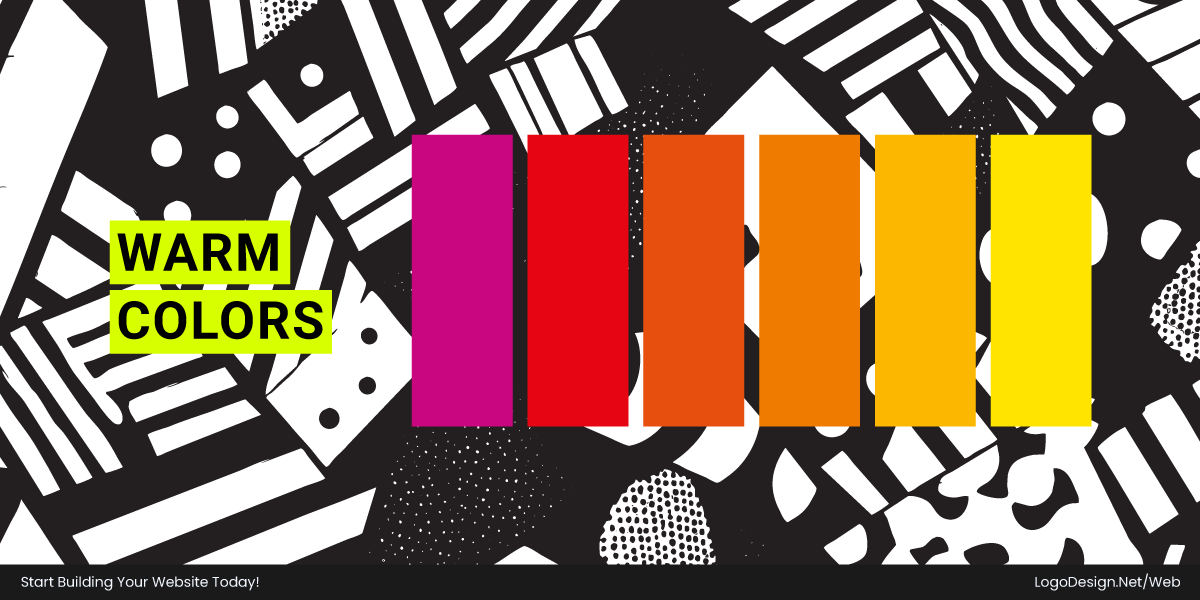
Red, orange, yellow. Warm palettes feel alive and a bit loud. They grab you and make the page feel busy in a good way.
Go overboard and the whole thing turns into noise, one of the more common color mistakes around.
Download the Color Palette
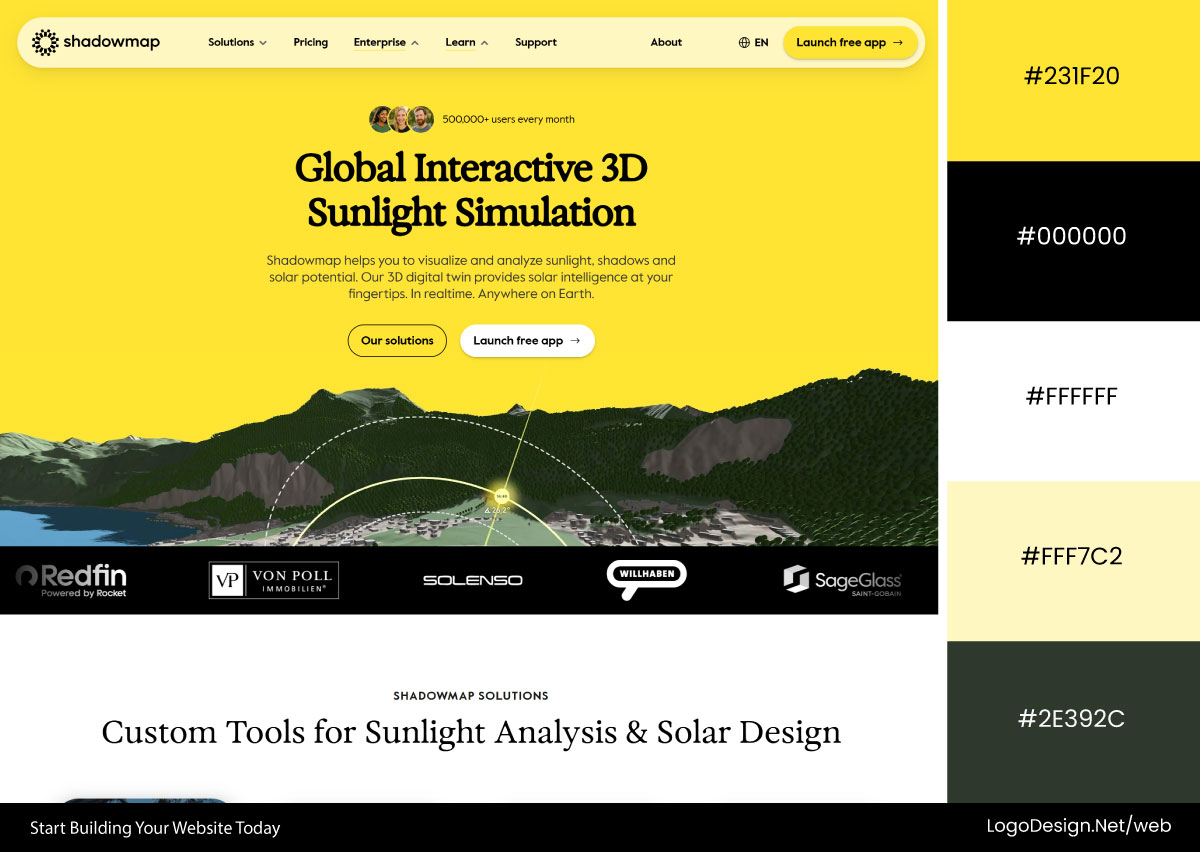
Shadowmap uses a radiant yellow palette inspired by sunlight, reinforcing its core purpose. Warm golden tones dominate backgrounds, highlights, and illustrations, creating an energetic, optimistic experience that feels bright and welcoming.
Download the Color Palette
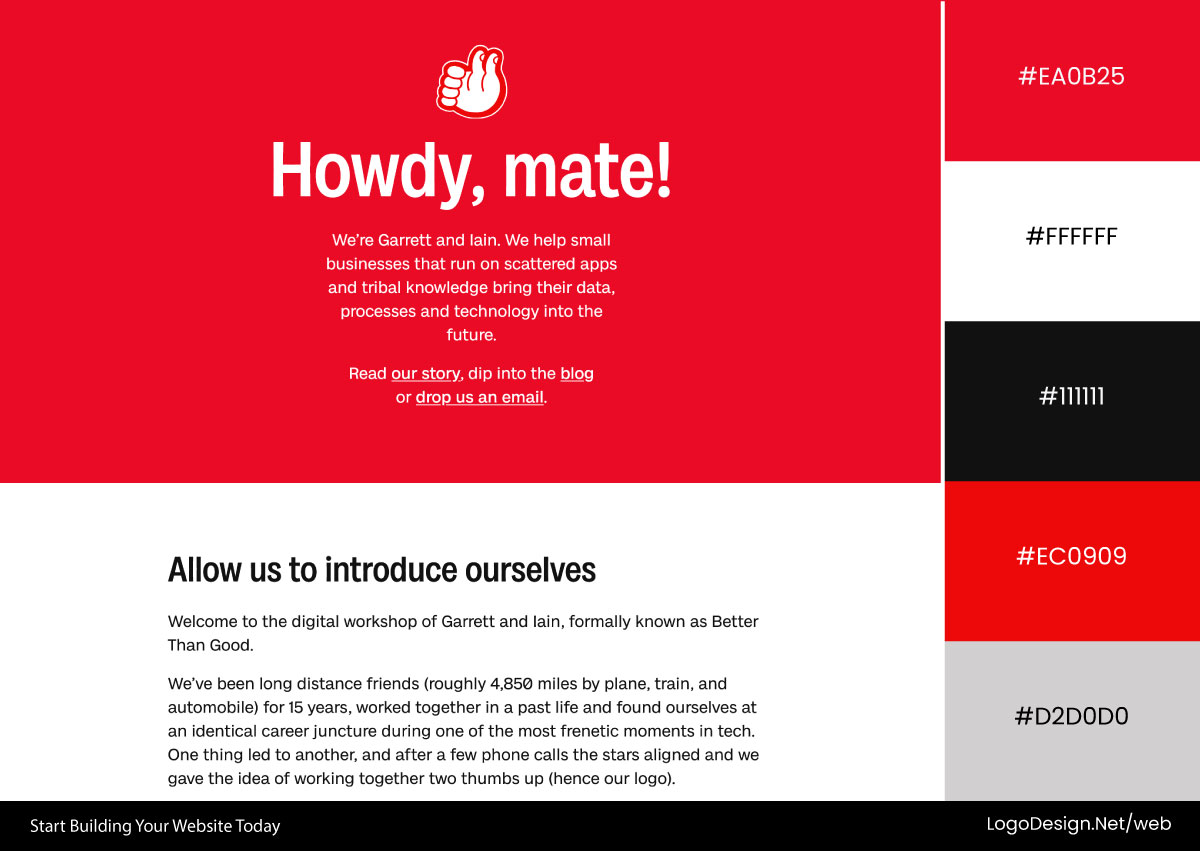
Better Than Good embraces a bold red palette that immediately commands attention. The warm color is applied across backgrounds, typography, and interactive elements, creating a high-energy, confident, and memorable visual identity.
Download the Color Palette
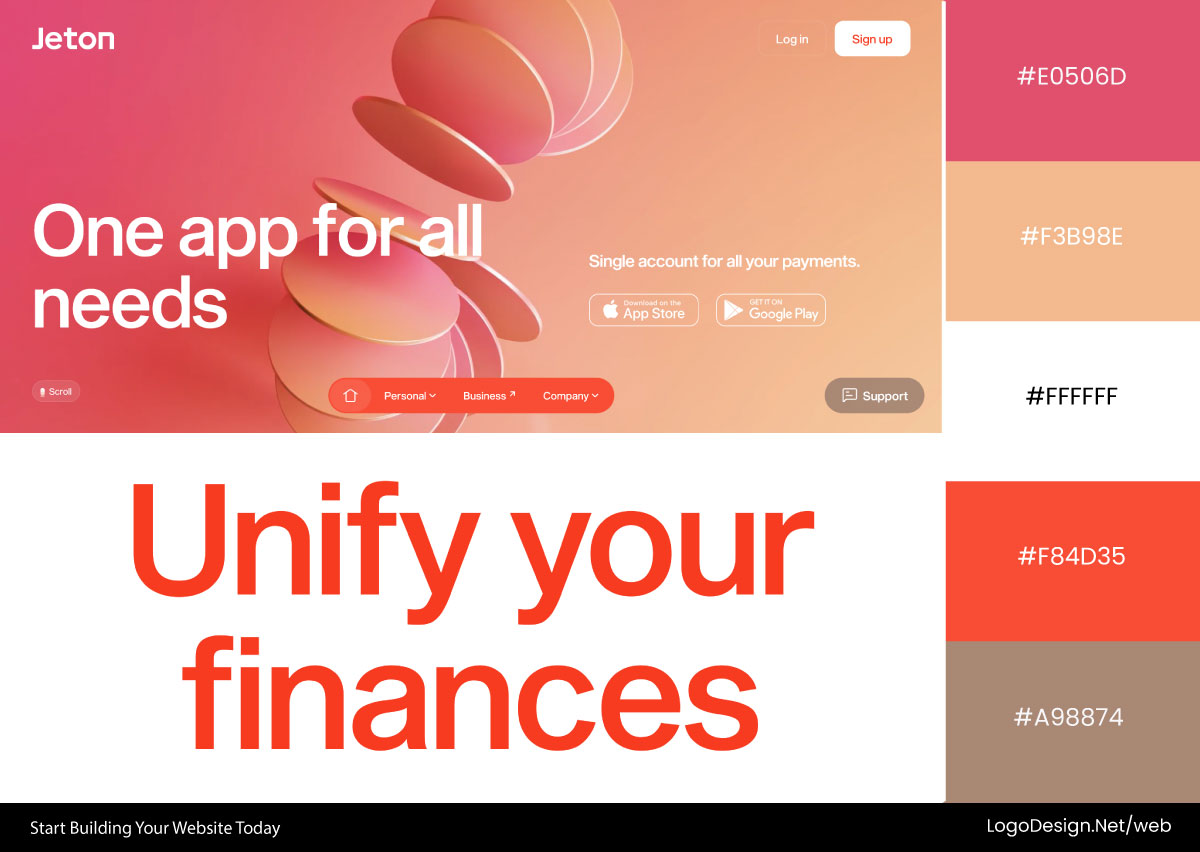
Jeton uses a sophisticated, cooler shade of red to balance warmth with professionalism. The color appears strategically in branding, calls to action, and key interface elements, adding energy without overwhelming the user experience.
2. Cool Colors
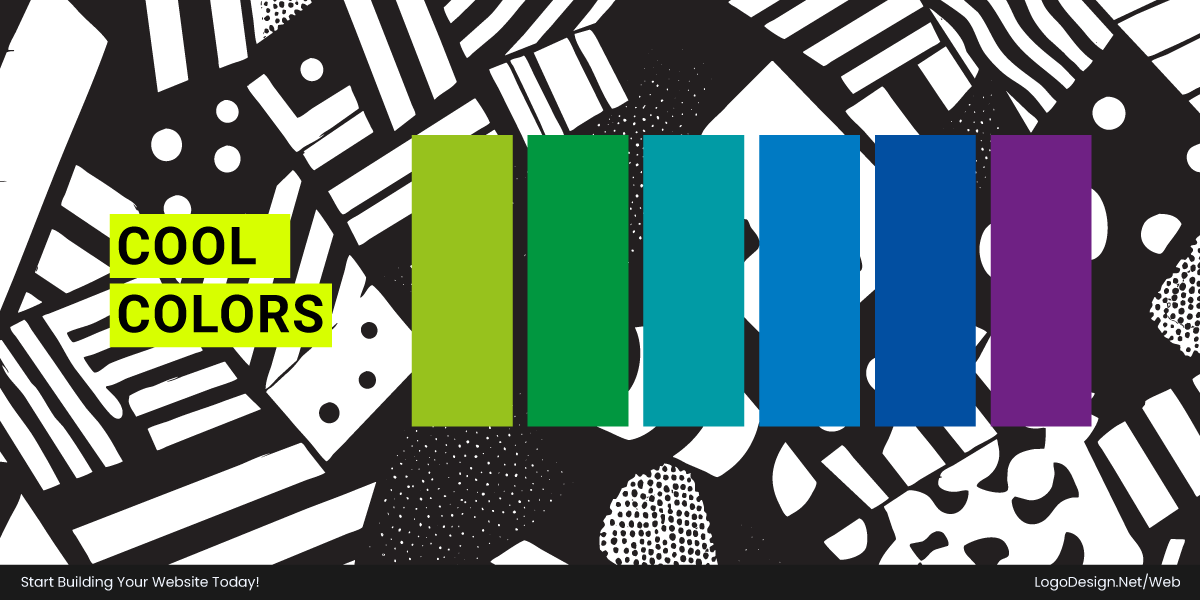
Blue, green, purple. Cool palettes feel calm, steady, and easy to trust. When the priority is "don’t make people nervous," cool wins.
This is why they are commonly used in the following:
- SaaS websites
- Financial platforms
- Healthcare websites
- Professional services
- Enterprise software
Cool colors generally create a more comfortable browsing experience and are often easier to use across large interfaces.
Download the Color Palette
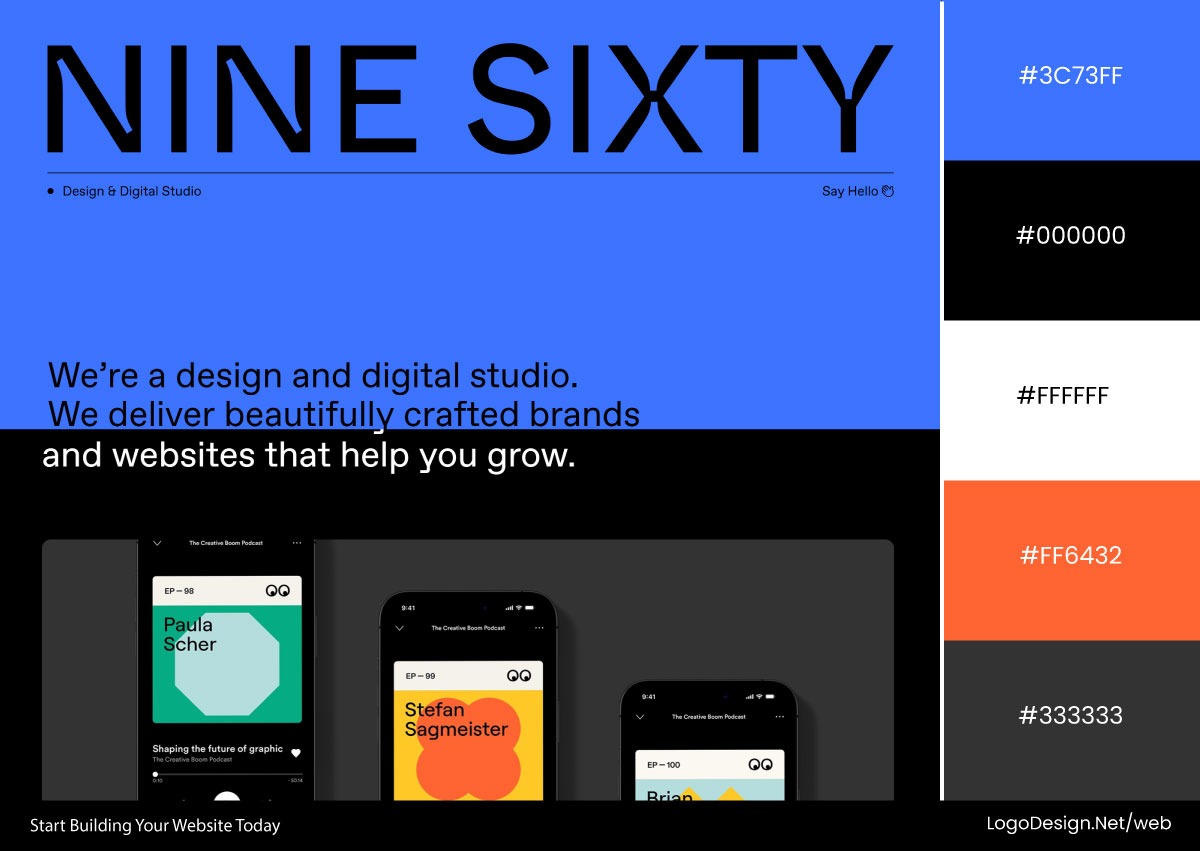
Nine Sixty relies on a cool blue palette throughout its interface, using deep navy and lighter blue accents to create a polished, trustworthy feel. The color scheme reinforces professionalism while maintaining visual clarity.
Download the Color Palette
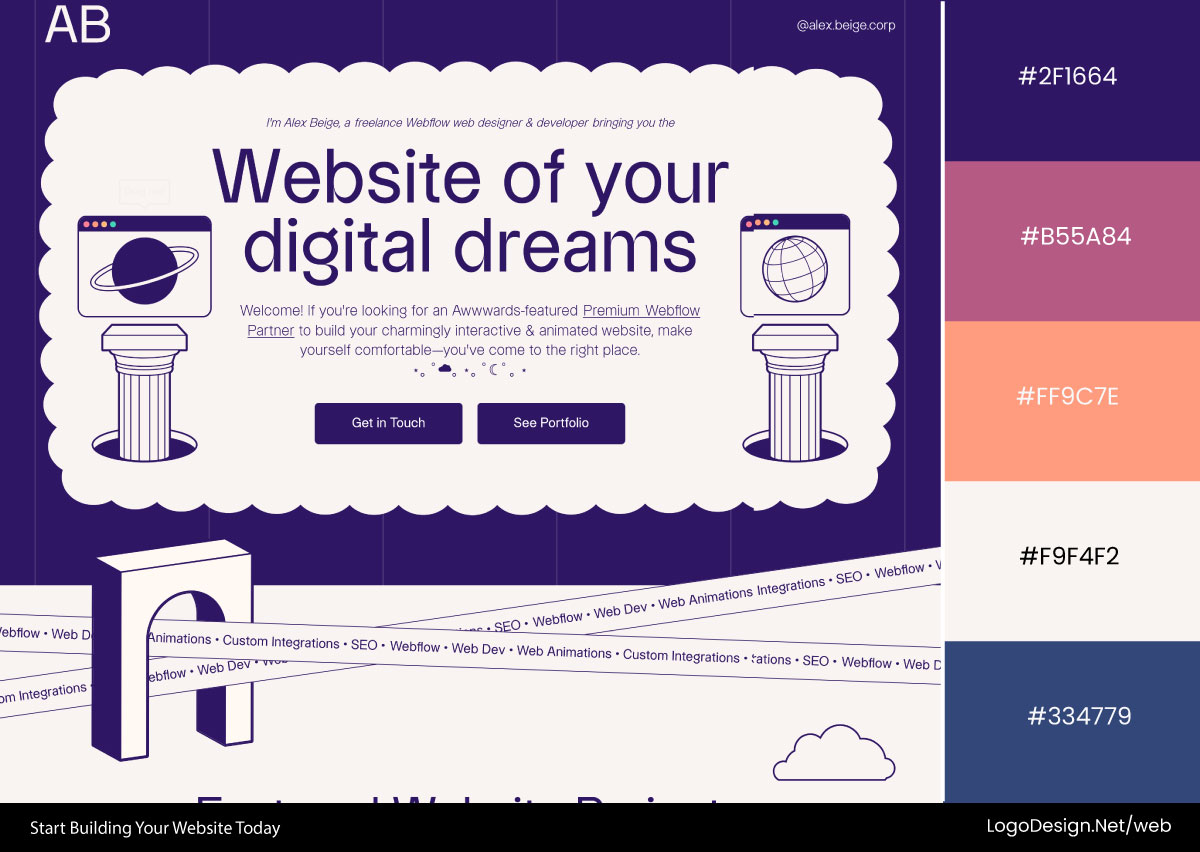
Alex Beige Web uses rich purple tones as its primary accent color, balancing creativity with calmness. The cool palette appears in highlights, gradients, and interactive elements, giving the site a modern, tech-focused personality.
Download the Color Palette
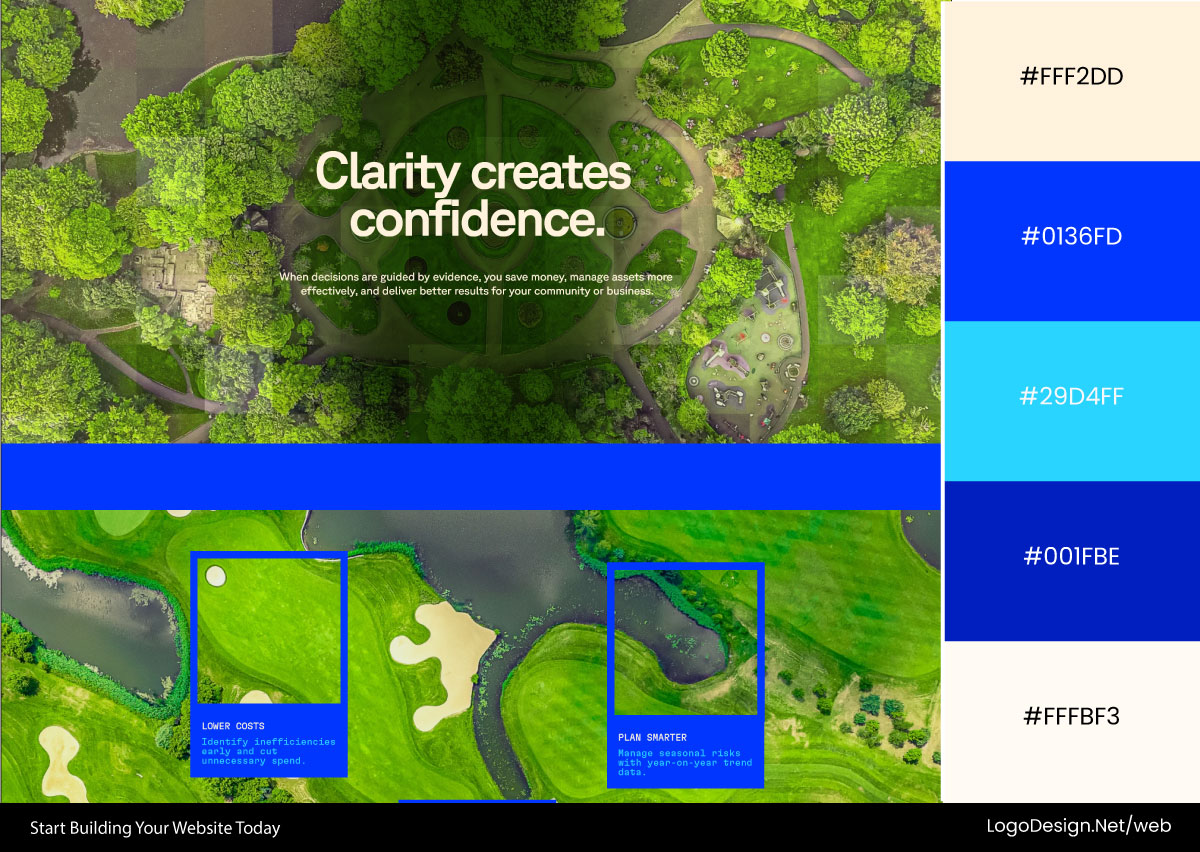
Droneland builds its visual identity around a fresh green palette that reflects innovation and technology. Green accents guide attention across the interface, creating a balanced, approachable experience that feels reliable and easy to navigate.
Finding the Right Balance…
Hardly any good site picks one side. The good ones mix, and that’s deliberate.
Sarah Fatmi balances cool purples and deep blues with vibrant orange accents to create contrast and focus. The warm highlights draw attention while the cool base keeps the portfolio cohesive and inviting.
Download the Color Palette
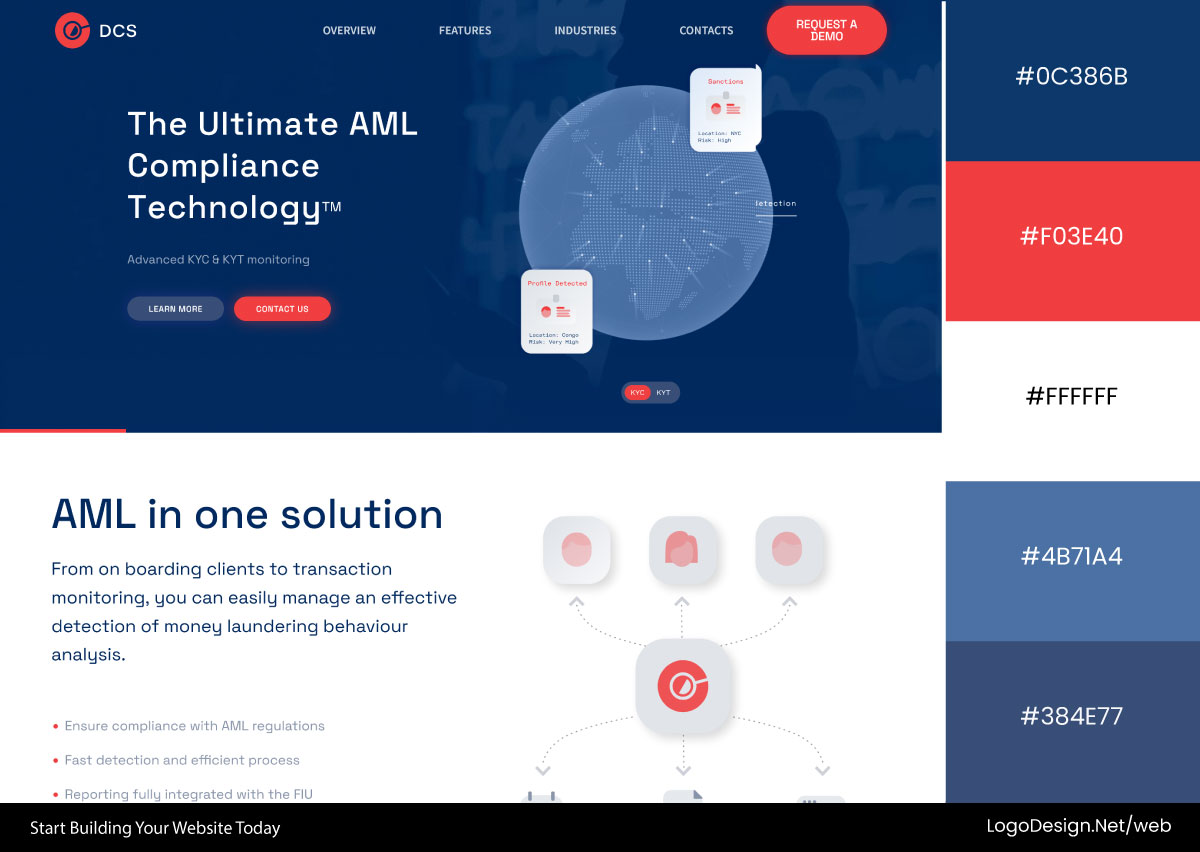
DCSAML combines a dependable blue foundation with muted red accents that add visual interest without disrupting the site’s professional tone. The balanced palette feels trustworthy, structured, and subtly engaging.
Download the Color Palette
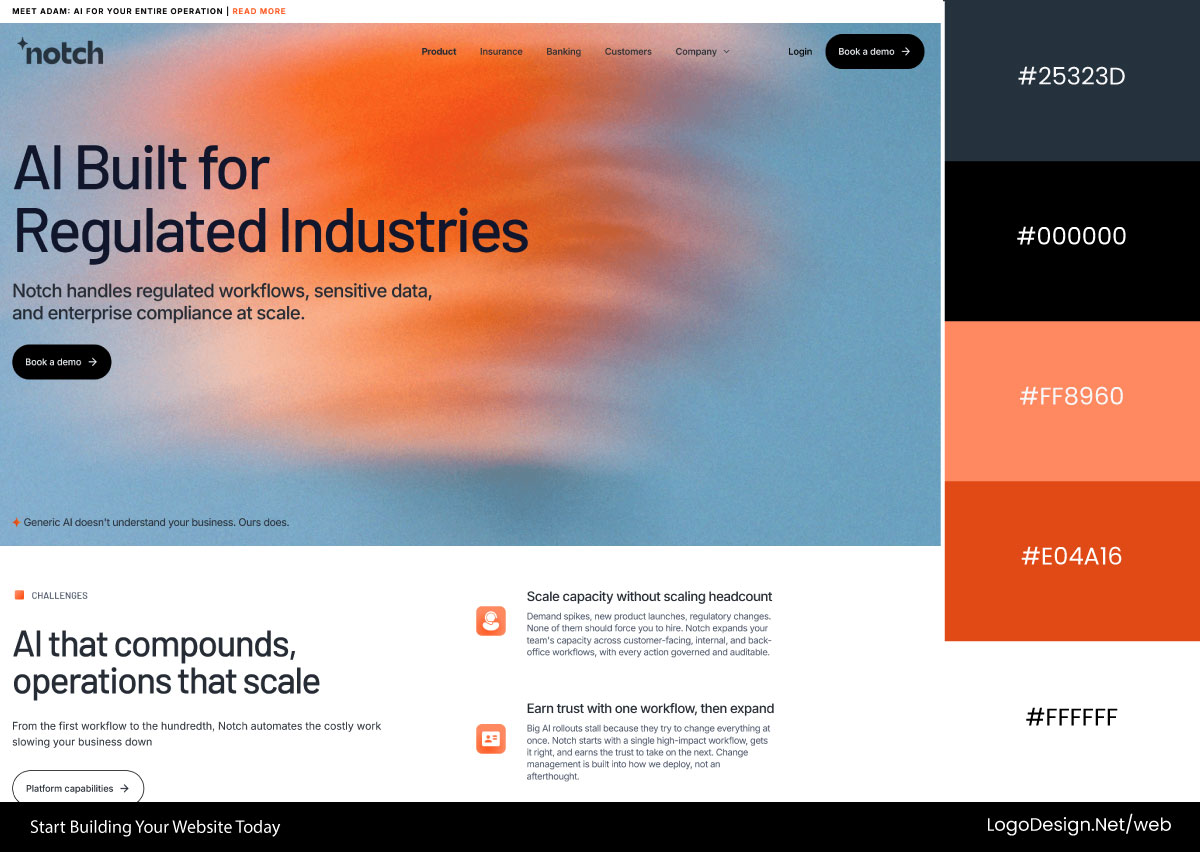
Notch uses a striking blue-to-orange gradient to blend cool stability with warm energy. This contrast creates depth and movement throughout the interface, helping the brand feel innovative, modern, and approachable.
Warm or cool was never the question. The question is how temperature changes the read and then uses both wherever they earn their place.
How to Choose Website Colors That Match Your Brand?
Picking a palette looks like a visual decision, but it’s really a strategic one. The right colors prop up your positioning, suit your audience, and do their work in, remember, those first 50 milliseconds.
What follows is a process. Brand strategy, then audience, then the market, and only at the end the fun visual part everybody wants to jump straight to.
Step 1: Start With Brand Positioning
Before color, you sort out what you actually stand for in people’s heads. Color isn’t where you start. It’s what falls out of a decision you should’ve already made.
One question gets you most of the way. After someone visits, how should they describe you in a sentence? Trustworthy? Premium? Innovative? Friendly? Bold? Calm? Pin that down, and the rest stops being a coin flip.
Meaning is contextual, but some pairings are well understood:
| Brand Trait | Common Color Direction |
| Trustworthy | Blue, navy, cool neutrals |
| Professional | Blue, gray, structured neutrals |
| Innovative | Purple, blue gradients, teal |
| Friendly | Orange, warm yellows |
| Energetic | Orange, red accents |
| Sustainable | Green, earth tones |
| Luxurious | Black, deep tones, gold accents |
| Creative | Purple, pink, expressive palettes |
| Minimalist | White, black, grayscale systems |
| Premium | Dark neutrals, restrained palettes |
Shortcuts, not rules. They just line your look up with what people already half-expect.
Step 2: Consider Your Target Audience
Even a sharp position falls flat if the colors don’t click with the people you’re chasing. Your audience changes how the whole palette reads.
• Demographics:
Different people react differently to loud color and high contrast. Younger crowds tend to like bold and expressive things. Enterprise buyers want it calm and out of the way.
Luxury shoppers read "dark" and "muted" as "this is the good stuff." Mass-market folks lean toward warm and friendly. None of that is about boxing people in; it’s about guessing right on what’ll make them comfortable.
• Industry Expectations:
Industries pick up visual habits over time, and people learn them. Blue equals finance. Green equals health. These shortcuts save your visitor effort, so a site that fits the pattern just clicks faster. Hug the convention too tightly, and you blend into the wallpaper. Ditch it entirely, and you confuse people.
• Customer Intent:
People show up in different headspaces, and the colors should meet them where they are. The job is fewer hurdles, not more. Match the mood, and the next step feels like the obvious thing to do.
Step 3: Analyze Competitor Color Schemes
You know yourself and your audience. Now go look at the neighborhood. Studying competitors shows you the expectations and, just as useful, the openings.
Open up the category leaders and actually look. Primary colors, accent and CTA colors, backgrounds, contrast, and general mood. That’s the visual language your audience already swims in, even if none of them could name it.
• When to follow conventions.
If people need to trust you in a hurry, the familiar palette lowers the flinch. Doubly true anywhere money, health, risk, or a long commitment is on the table. Fitting in can flat-out lift conversion.
• When to differentiate.
In a packed market, looking different is an edge. If every competitor uses the same blue, the odd-one-out palette is the one people recall. The catch is differentiating from a base of expectations, not just being weird for attention.
Step 4: Align Colors With Brand Personality
Now strategy becomes the actual look. Old trick that still works: treat the brand like a person. Walk it into a room. How does it act?
Run the sliders. Serious or playful, old-school or modern, premium or accessible, mellow or hyper, stripped-back or maximalist. The colors should back up those traits, and they can’t change personality halfway down the page. Consistency is the entire job here.
At this point you’ve got the lot. What you stand for, who you’re talking to, what the market expects, and how you want to come across. Picking colors stops being a vibe and turns into a decision you can defend.
Once your palette is finalized, focus on matching colors and fonts so typography and color work together to reinforce the same brand personality.
The best palettes aren’t picked because they’re pretty in a vacuum. They’re picked because they support the positioning, meet expectations, and guide behavior. Do that, and color stops being decoration and starts being a message.
How to Build a Website Color Palette?
A palette isn’t a mood board of colors you like. It’s a system where every color has a job to do. Drop the "do these look nice together" question. Answer that for every color, and you build a color palette that works as a system rather than a pile of swatches.
The real one is sharper: Is this color here to define the brand or to run the interface? That single split turns a pile of swatches into a system.
1. Brand Colors (What People Remember)
Brand colors are what people end up tying to you. They carry the personality. Three of them, used carefully, in the moments that earn them.
- Primary Color. Your main one. Key UI, navigation highlights, and the recognition moments. This is the color people start filing under your name.
- Secondary Color. The wingman. Section variety, supporting visuals, balance. It backs the primary up and never tries to upstage it.
- Accent Color. The action color. CTAs, key links, and the high-stakes spots are used sparingly on purpose. Rare is exactly why it pulls so much weight.
Together they set the feel. They’re just not what covers most of the screen.
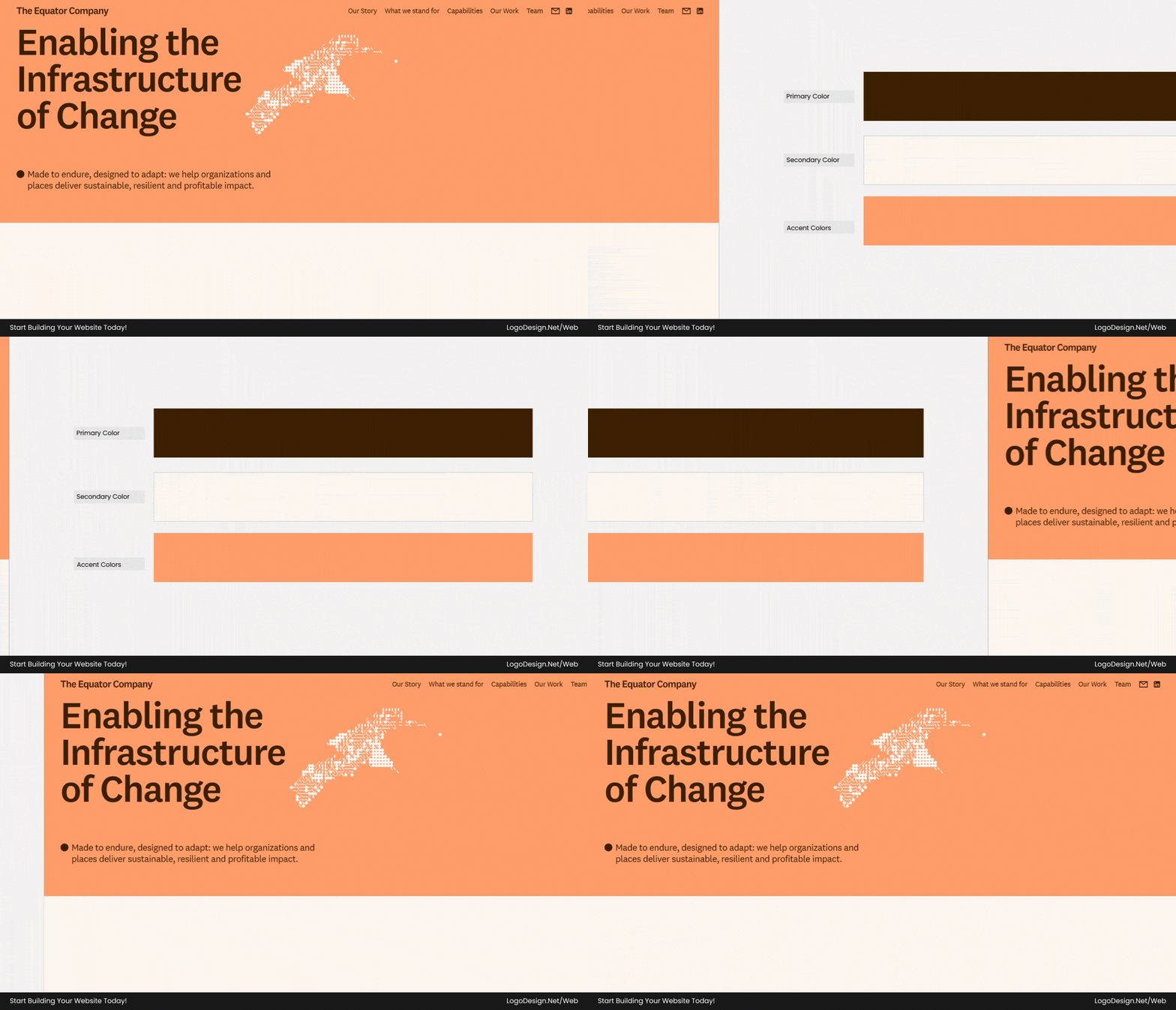
Equator Company builds its color system around rich earth brown and soft oat tones, creating warmth and clarity. Coral and lime accents are reserved for calls to action, highlights, and interactive moments, giving important elements visibility without overwhelming the calm, natural interface.
| Role | Hex Code | Color Name |
| Primary | #3E2002 | Earth Brown |
| Secondary | #FCF8F0 | Oat |
| Accent | #FF9D69 | Coral |
| Accent | #C8FDAB | Lime |
Download the Color Palette
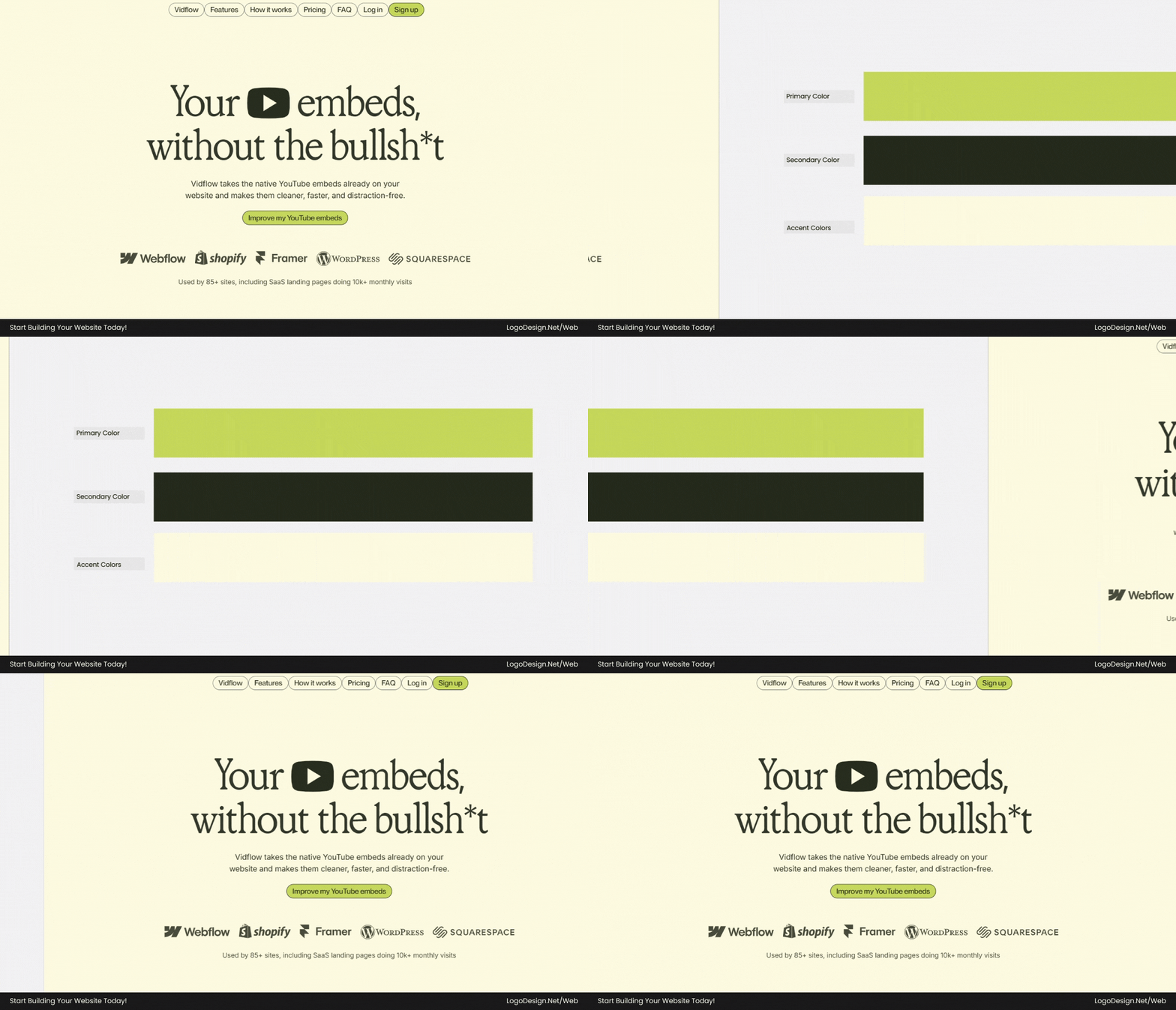
VidFlow uses Olive Lime as its defining brand color, supported by deep Stone Olive backgrounds and generous Cream surfaces. The system creates strong contrast while maintaining elegance, allowing key actions, navigation elements, and promotional content to stand out naturally.
| Role | Hex Code | Color Name |
| Primary | #C6D959 | Olive Lime |
| Secondary | #252A1C | Stone Olive |
| Accent | #FFFCE1 | Cream |
Download the Color Palette
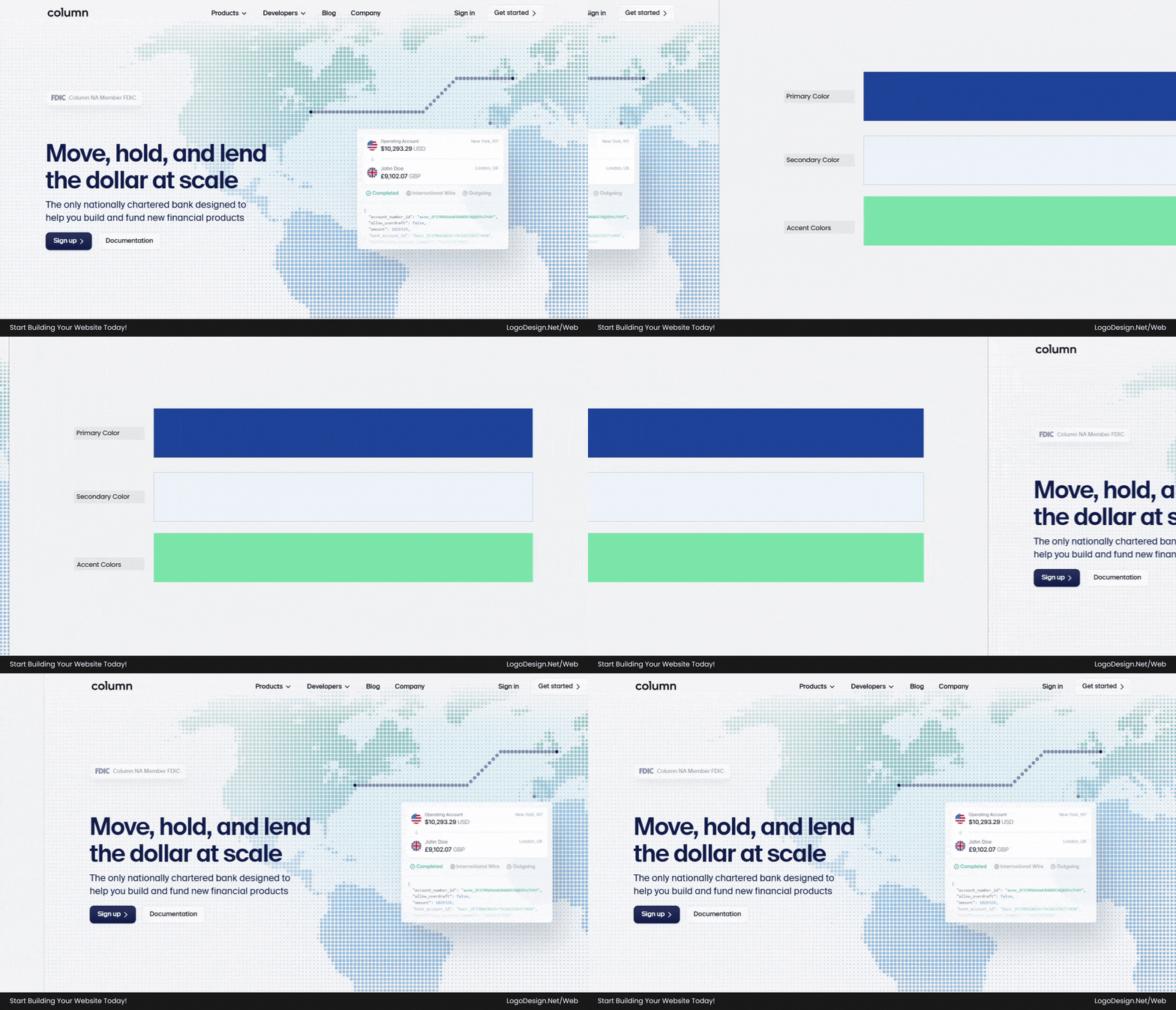
Column relies on a disciplined color system where bold blue establishes trust and recognition across navigation, illustrations, and interface elements. Soft blue surfaces provide breathing room, while seafoam green accents highlight actions and important information with measured emphasis.
| Role | Hex Code | Color Name |
| Primary | #1E4199 | Column Blue |
| Secondary | #EEF4FB | Soft Blue Surface |
| Accent | #7CE5A8 | Seafoam Green |
2. System Colors (What Makes the Interface Work)
If brand colors are the identity, system colors are the plumbing. The quiet stuff that keeps everything readable and structured, the real building blocks of a webpage. Nobody compliments it; everybody notices when it’s broken.
- Background Colors. The base. Page backgrounds, sections, containers. Covers the most ground, should beg for the least attention.
- Neutral Colors. The scaffolding. UI surfaces, gentle separation, and the low-key elements. Neutrals keep the whole thing from getting loud.
- Text Colors. The reading layer. Headings, body, and the muted little metadata. One job, clarity.
- Border Colors. Thin structure lines for cards, inputs, dividers. They split things up without adding to the racket.
- Status Colors. The feedback. Green is for success, red for error, yellow for warning, and blue or neutral for info. They pipe up only when there’s news.
Some brands simplify recognition by relying on monochrome logo systems, using a single dominant color to create a stronger visual identity.
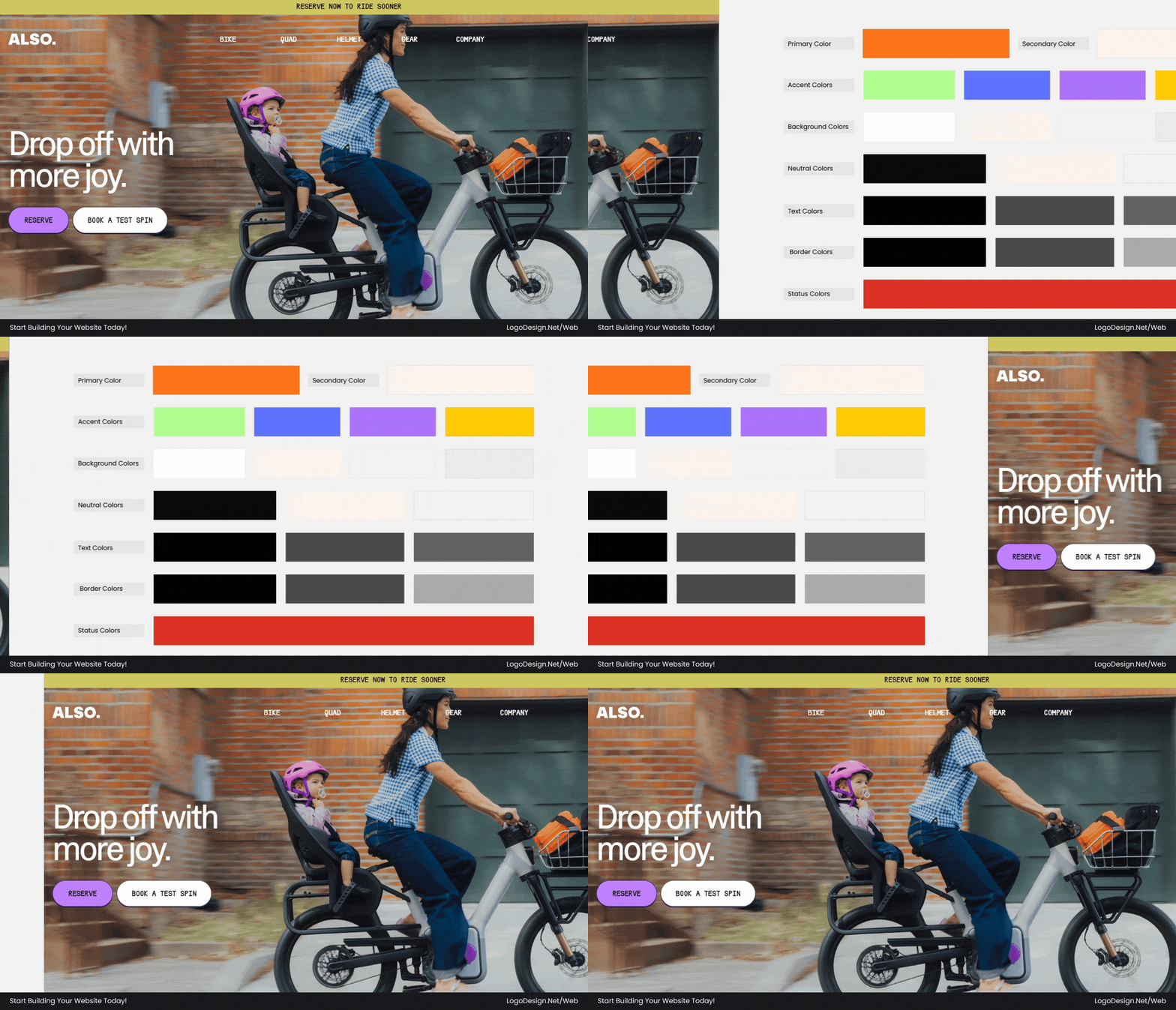
Ride Also separates brand and system colors effectively. Warm cream backgrounds and neutral grays handle structure, while black text ensures readability. Bright orange and colorful accents are reserved for highlights, navigation, and calls-to-action, creating a clear, organized interface.
| Role | Hex Code(s) | Color Name(s) |
| Primary | #FF771C | Vibrant Orange / Brand Orange |
| Secondary | #FFF5EC | Soft Peach / Warm Cream Background |
| Accent | #B1FF8F, #5E74FF, #AC74FC, #FFCC08 | Mint Green, Electric Blue, Lavender Violet, Golden Yellow |
| Background | #FFFFFF, #FFF5EC, #F2F2F2, #ECECEC | Pure White, Peach Cream, Neutral Surface Gray, UI Divider Gray |
| Neutral | #0B0B0B, #919191, #F0F0F0 | Rich Black, Neutral Gray, Soft Neutral |
| Text | #000000, #494949, #636363 | Primary Text, Secondary Text, Tertiary Text |
| Border | #000000, #494949, #ABABAB | Strong Outline, Soft Outline, Subtle Divider |
| Status | #DC3127 | Error Red |

Pixel Pushers uses a dark system foundation with charcoal backgrounds, muted neutrals, and restrained borders to maintain structure. The neon lime brand color delivers contrast and energy, drawing attention to key content without disrupting the interface hierarchy.
| Role | Hex Code(s) | Color Name(s) |
| Primary | #D9FB06 | Neon Lime / Electric Lime Green |
| Secondary | #1A1C1B | Near Black / Charcoal Black |
| Accent | #3F4816, #0073E6, #F8D47A | Dark Olive, Primary Blue, Warm Pastel Yellow |
| Background | #1A1C1B | Deep Charcoal / Almost Black Green Tint |
| Neutral | #DFDDD6, #888680, #302F2C | Off Neutral Beige Gray, Mid Neutral, Charcoal Neutral |
| Text | #D9FB06 | High-Contrast Accent Text |
| Border | #3F4816 | Dark Green-Brown Outline |
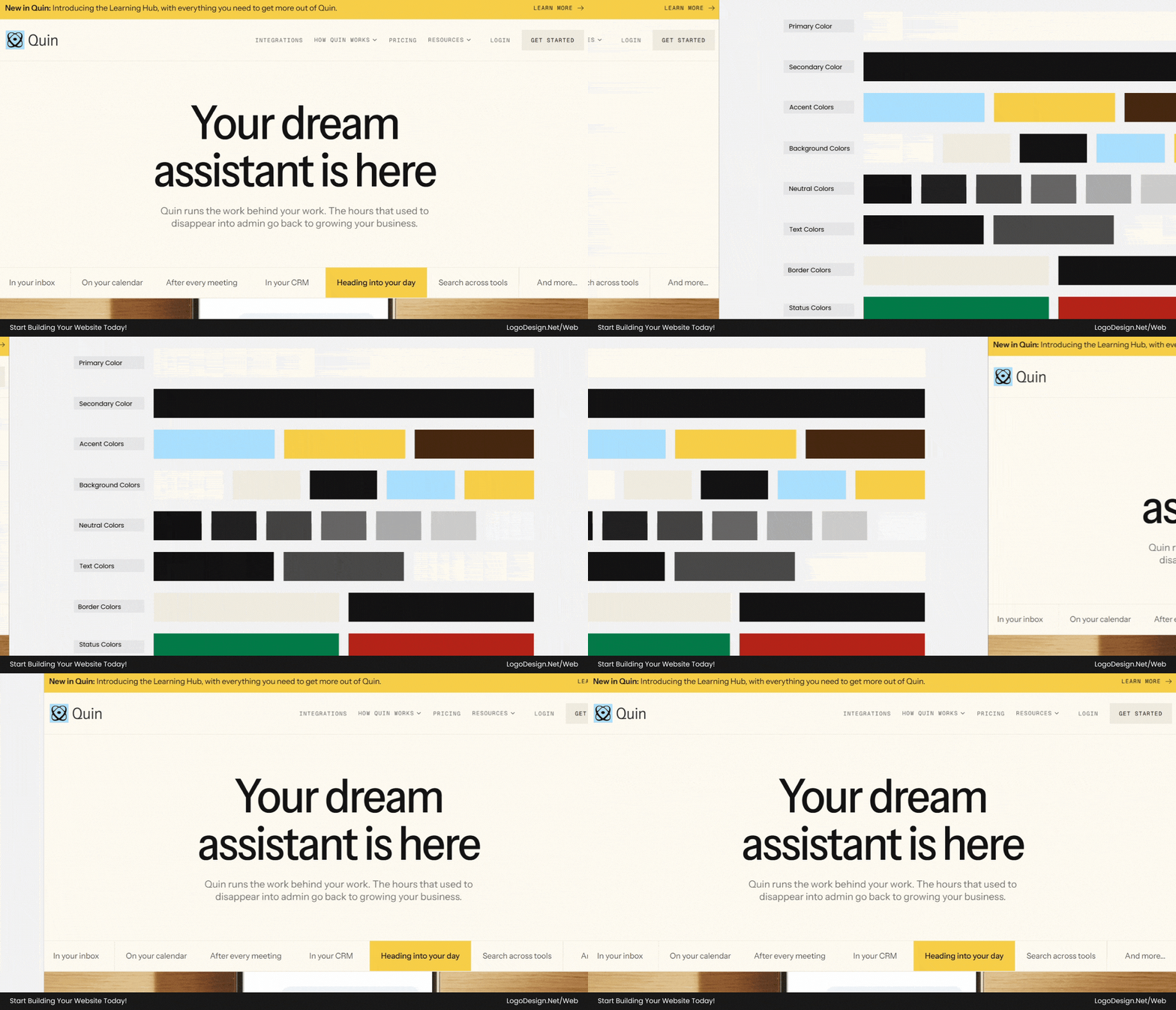
HeyQuin relies on a thoughtful system of warm cream backgrounds, layered neutrals, and high-contrast typography to support readability. Blue and yellow accents add emphasis where needed, while borders and status colors quietly reinforce clarity and navigation.
| Role | Hex Code(s) | Color Name(s) |
| Primary | #FFFCF2 | Warm Paper White / Cream Ivory |
| Secondary | #141414 | Graphite Black / Deep Ink Black |
| Accent | #A9E1FF, #F7CF49, #492812 | Soft Light Blue, Warm Golden Yellow, Espresso Brown |
| Background | #FFFCF2, #F0ECDF, #141414, #A9E1FF, #F7CF49 | Editorial Beige White, Sand Beige, Dark Mode Base, Light Sky Blue, Accent Panel |
| Neutral | #111111, #222222, #444444, #666666, #AAAAAA, #CCCCCC, #F8F8F8 | Rich Black, Neutral Scale |
| Text | #141414, #545454, #FFFCF2 | Primary, Secondary, Inverse / Light Cream |
| Border | #F0ECDF, #141414 | Warm Divider, Dark Outline |
| Status | #027A48, #B42318 | Success Green, Error Red |
3. The 60-30-10 Rule: How to Distribute Colors Effectively
You’ve got brand colors and system colors. The harder question is how much of each. This is where most palettes fall apart. You can pick all the right colors and still end up with a mess if the amounts are off. The 60-30-10 rule is the cheap fix.
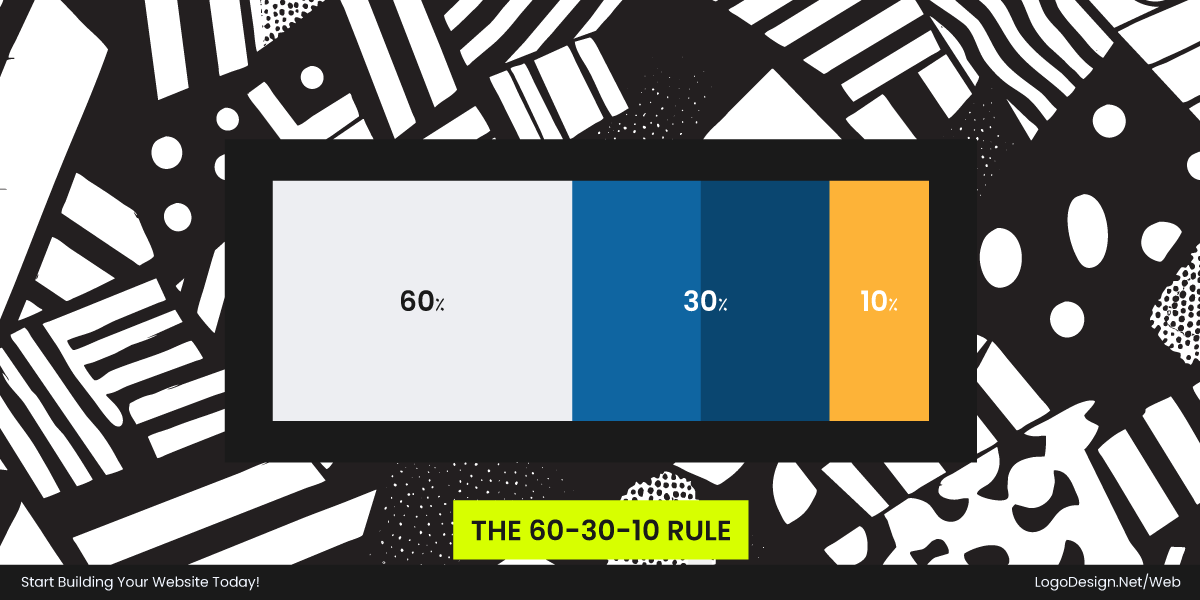
60% — Background and base colors.
The foundation. Backgrounds, surfaces, the big open areas. Dominant on the page and meant to disappear. Its job is breathing room, not attention. Mostly white, off-white, or a deep neutral.
30% — Structure and content colors.
The visible bones. Text, neutral UI, borders, dividers, cards. This is where the information lives, so it has to be readable and calm, not cranked up.
10% — Brand and accent colors.
The personality. Your primary, the highlights, the accent, and, above all, the CTAs. Smallest sliver, biggest hit. Rare on purpose, which is what gives it the punch. This is the part that makes a button obvious and a brand stick.
Download the Color Palette
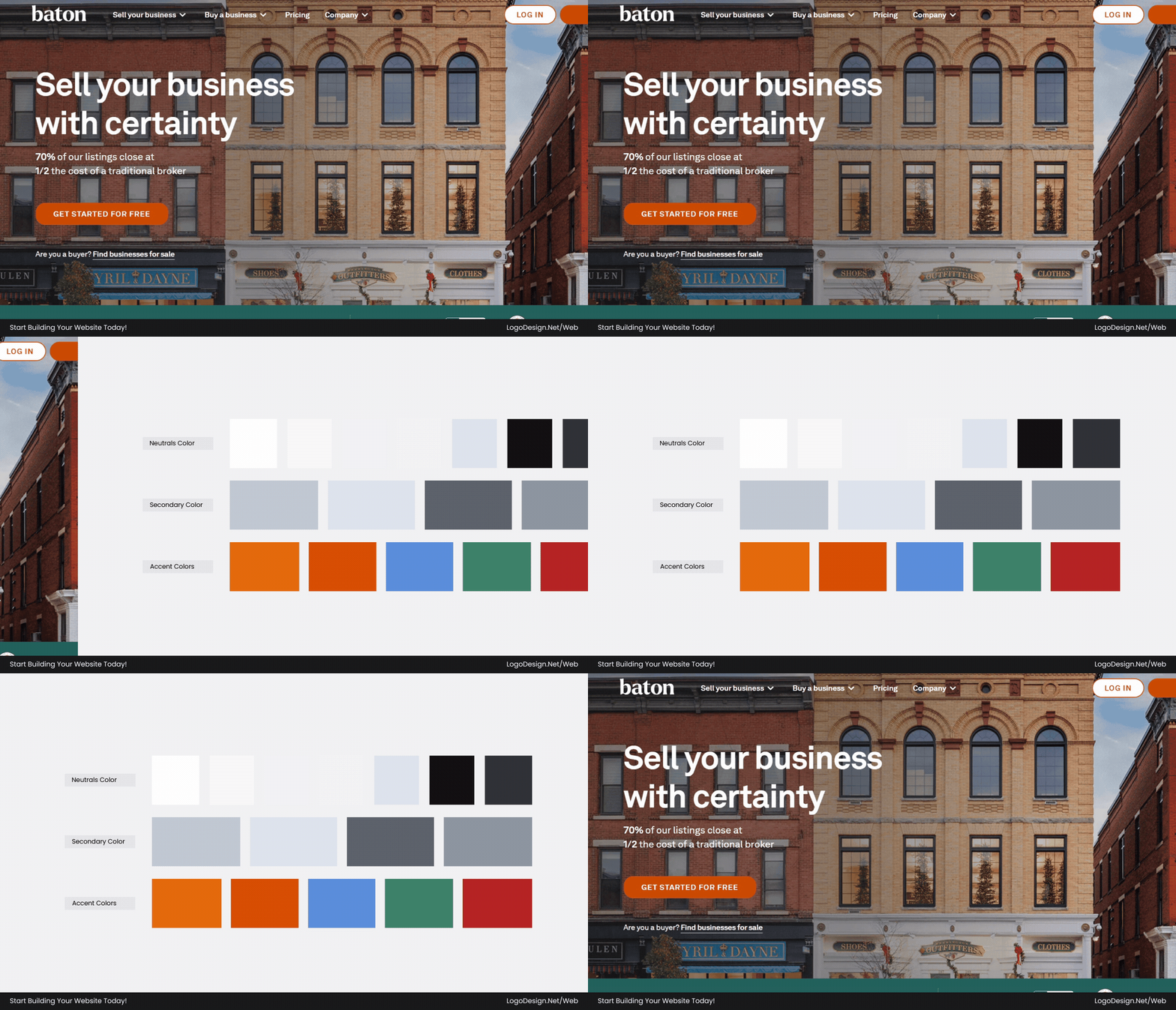
Baton follows the 60-30-10 rule, with a clean white and soft gray base dominating most surfaces. Structural grays define layout and hierarchy, while a small set of bold accents like orange and blue are reserved for CTAs and key highlights.
| Layer | Colors | Used For |
| Neutrals (Space — 60%) | White #FFFFFF; off-white #F8F9FC, #F1F3F9; light gray #F3F3F3, #DEE3ED; charcoal text #111213, #2F3237 | Background, cards, and whitespace rhythm |
| Structural Grays (30%) | Border gray #C2C9D6; divider gray #DEE3ED; mid gray text #5E636E, #8F96A3; shadows | Separation, hierarchy, and depth |
| Accent Colors (10%) | Primary Orange #E56A0B / #D94F03; Base Blue #5C8FDC; Green #3E836A; Red #B72525; plus purple/yellow icon accents | CTAs (orange dominant), highlights, and status |
Download the Color Palette
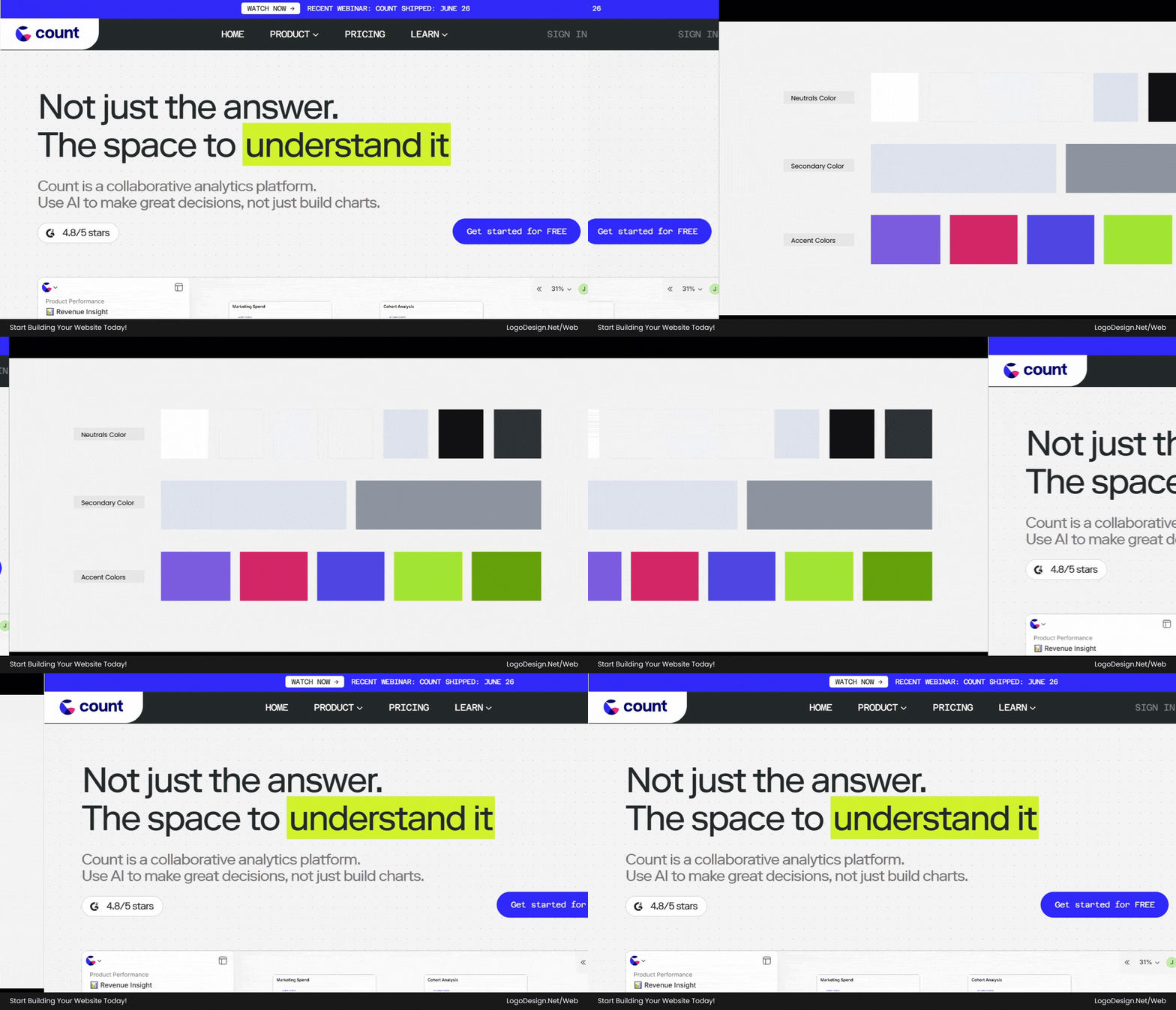
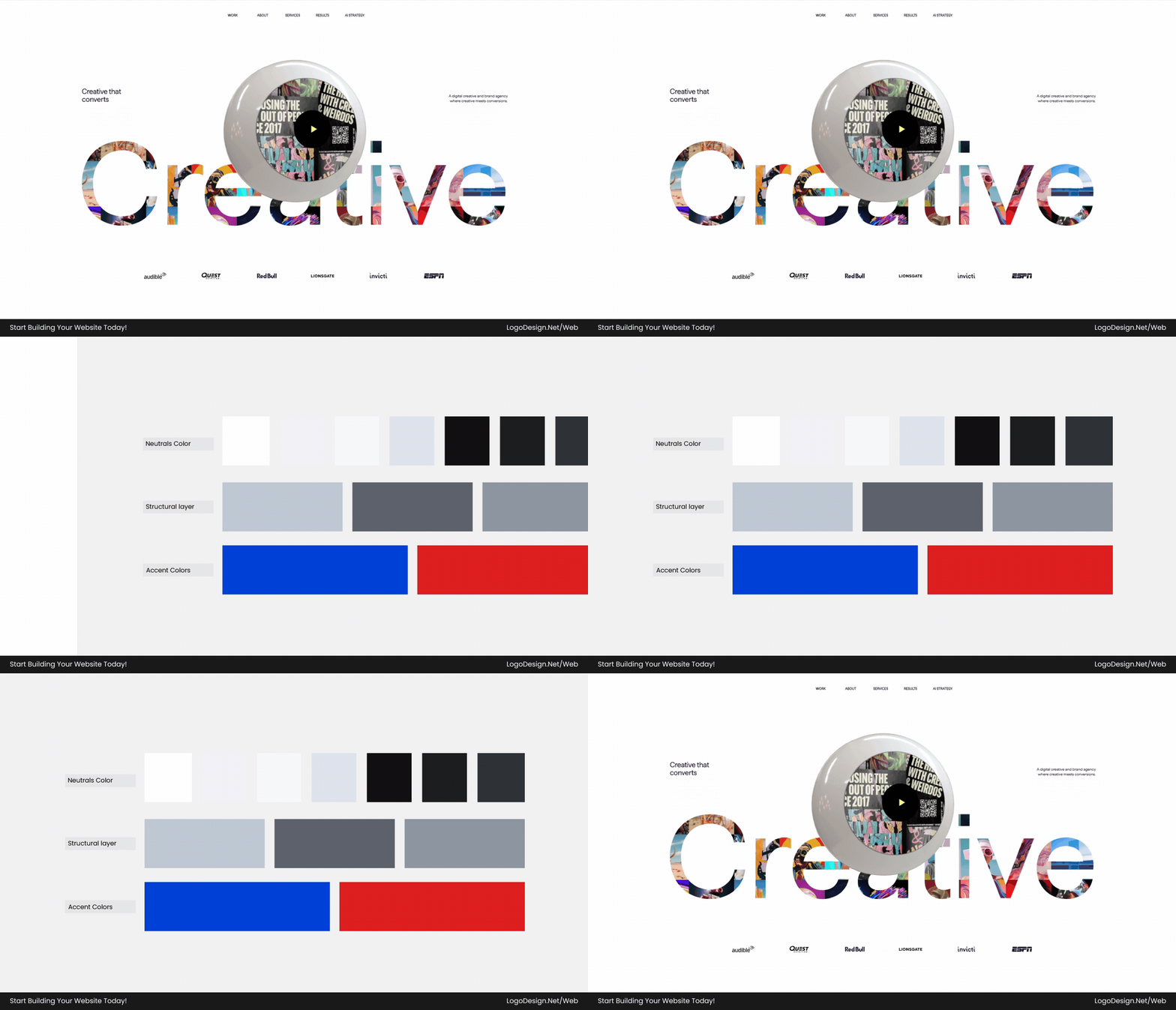
Count applies a data-driven interpretation of the 60-30-10 rule, using expansive white and light grays to enhance workspace clarity. Structural grays and muted text organize dense UI elements, while a small set of purple, pink, and green accents highlight charts, selections, and interactions.
| Layer | Colors | Used For |
| Neutrals (60–70%) | White: #FFFFF; background gray #F5F5F5, #F8F9FC; soft gray #DEE3ED, #C2C9D6; text #111213, #2F3237 | Heavy "workspace white" for data-UI clarity |
| Structural Layer (25–35%) | Border Gray: #DEE3ED; Muted Text: #8F96A3; Overlay Grays; light blue selection backgrounds | Grids, spreadsheet-style structure, and feedback |
| Accent Colors (5–10%) | Primary Purple: #7C5CE0; Pink: #D42768; Blue: #4F46E5; Lime Accents: #A3E635, #65A30D | Chart highlights, selection states, data emphasis |
Download the Color Palette
Elegant Seagulls leans heavily on a paper-like neutral base that fills most of the interface. Structural grays and subtle shadows create editorial hierarchy, while minimal blue and red accents are used sparingly, ensuring actions and links stand out without disrupting calm readability.
| Layer | Colors | Used For |
| Neutrals (65–75%) | White #FFFFFF; background #F1F3F9, #F8F9FC; light border gray #DEE3ED; text #111213, #1D1E20, #2F3237 | Extremely paper-like, editorial/agency feel |
| Structural Layer (20–30%) | Borders #C2C9D6; soft black shadow overlays; UI grays #5E636E, #8F96A3; layout separators | Type hierarchy, spacing rhythm, content grouping |
| Accent Colors (≤10%, often less) | Link/interaction Blue #0042D7; selection blue rgba(0,103,197,0.15); error Red #DF2020; rare green CTA pulse rgba(23,135,51,0.8) | Purely functional accents, with no single brand color dominating |
Website Color Schemes by Industry
There’s no master rulebook, but how industries use color tends to repeat, because it matches what people walk in expecting. Visitors arrive with a half-formed idea of how your kind of brand should look. The right palette confirms it and earns trust. The wrong one trips them before they read a word. Starting points, not commandments.
Studying regional branding trends can also reveal how local markets influence color preferences and customer expectations.
1. SaaS Businesses:
SaaS sites are usually packed with dashboards, tables, and toggles, so the color’s main job is to stay out of the way. Backgrounds lean white or pale gray to keep things readable; blues do the heavy lifting because they feel dependable, and a single brighter accent, often purple or periwinkle, marks the one button you’re meant to click. Calm on screen, easy to scan.
Many modern interfaces also experiment with flat versus gradient design styles to add depth and visual interest without overwhelming users.
Common colors: Indigo, periwinkle blue, royal blue, white, charcoal gray, black, with occasional purple and pink accents.

Download the Color Palette
Loom uses a vivid periwinkle-indigo primary palette. The interface is supported by softer blue accents, creating a calm, modern SaaS feel that reinforces simplicity and clarity of communication.
Download the Color Palette
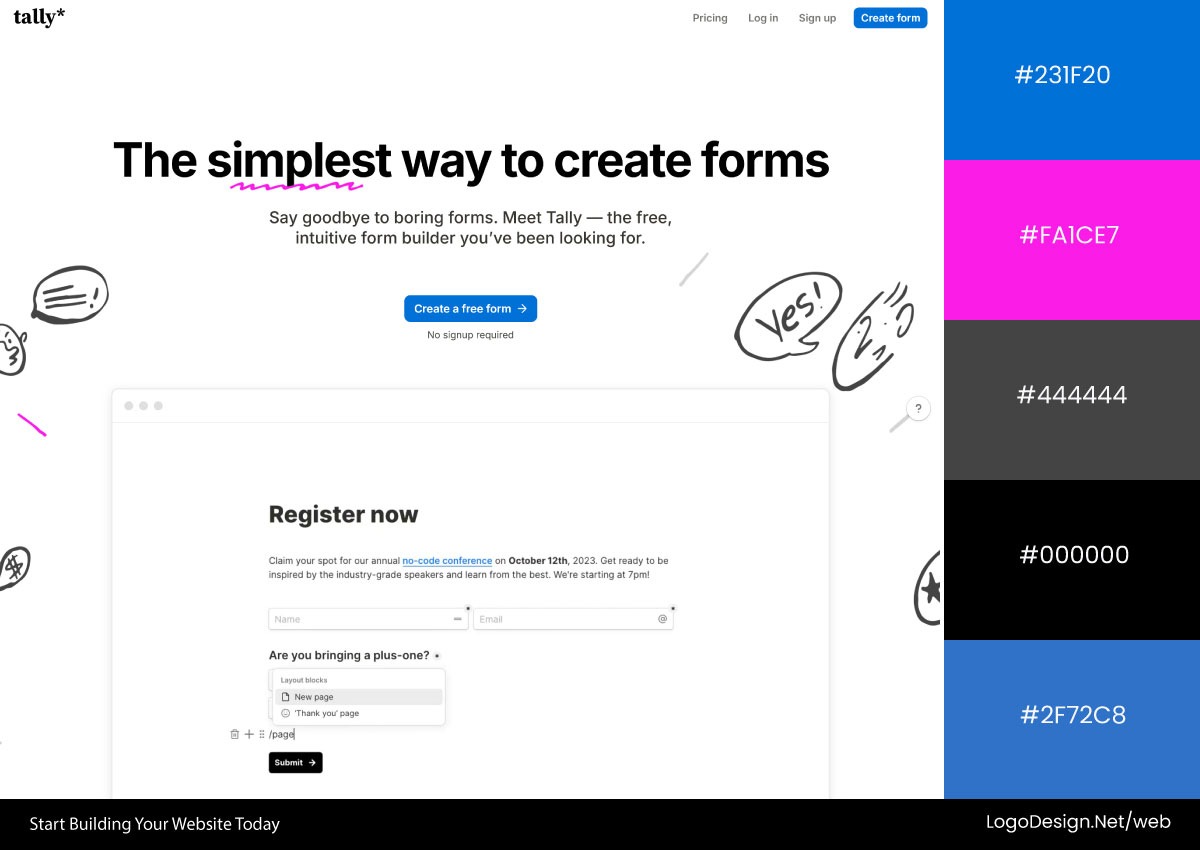
Tally relies on a monochrome black-and-white base with a strong editorial feel. Pink highlights and muted royal blue accents guide attention, with CTAs and interactive elements standing out clearly against the minimal system.
Download the Color Palette
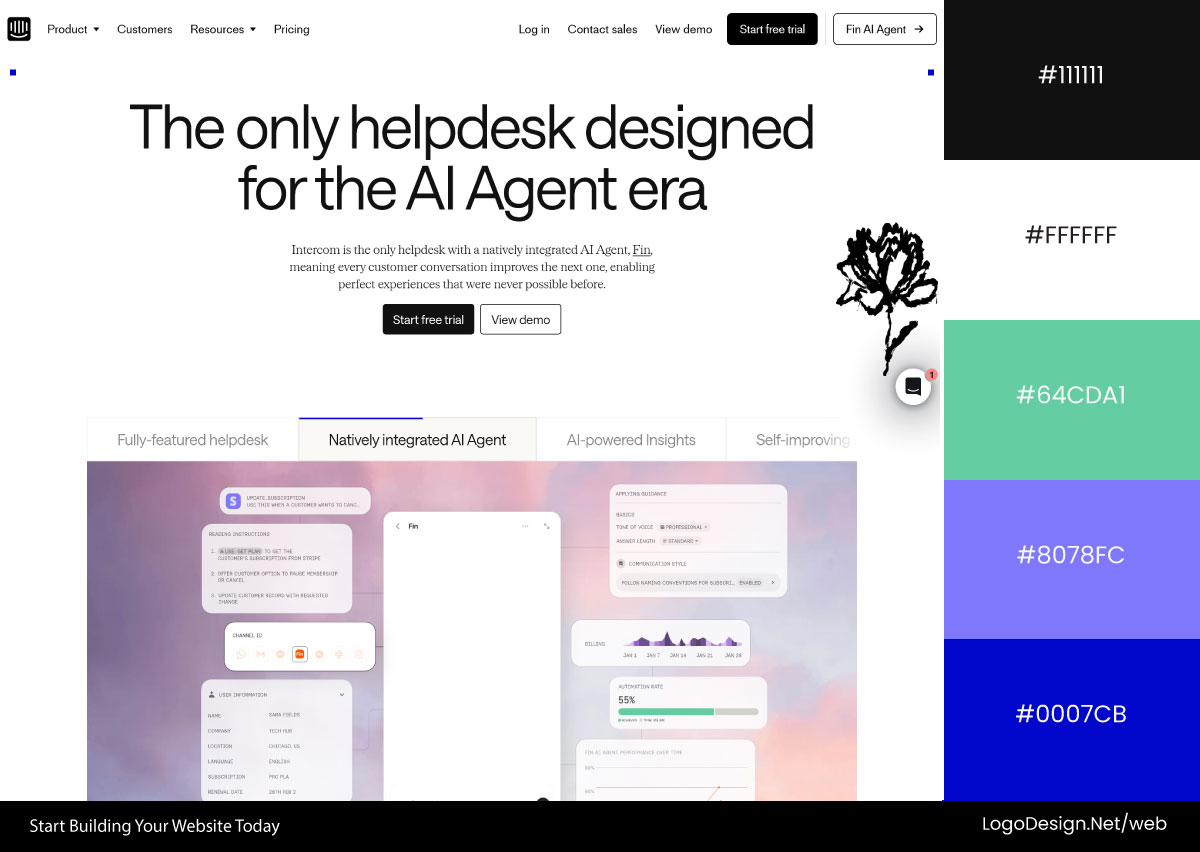
Intercom uses a cool blue-dominant system layered over soft gray backgrounds. Imagery is tinted with subtle blue and purple hues, while black CTAs create strong contrast, reinforcing a structured, enterprise-focused SaaS experience.
2. Finance and Fintech
Finance and fintech know you’re about to type in a card number, so the color has to say "safe" before you consciously think it. Deep blues and navy fill the backgrounds and headers to feel steady and bank-like, white space keeps it from feeling crowded or risky, and green slips in to signal growth and a healthy balance. Nothing loud, because loud reads as reckless here.
Common colors: Navy blue, royal blue, teal, white, soft gray, charcoal, with green accents used for growth and actions.
Download the Color Palette
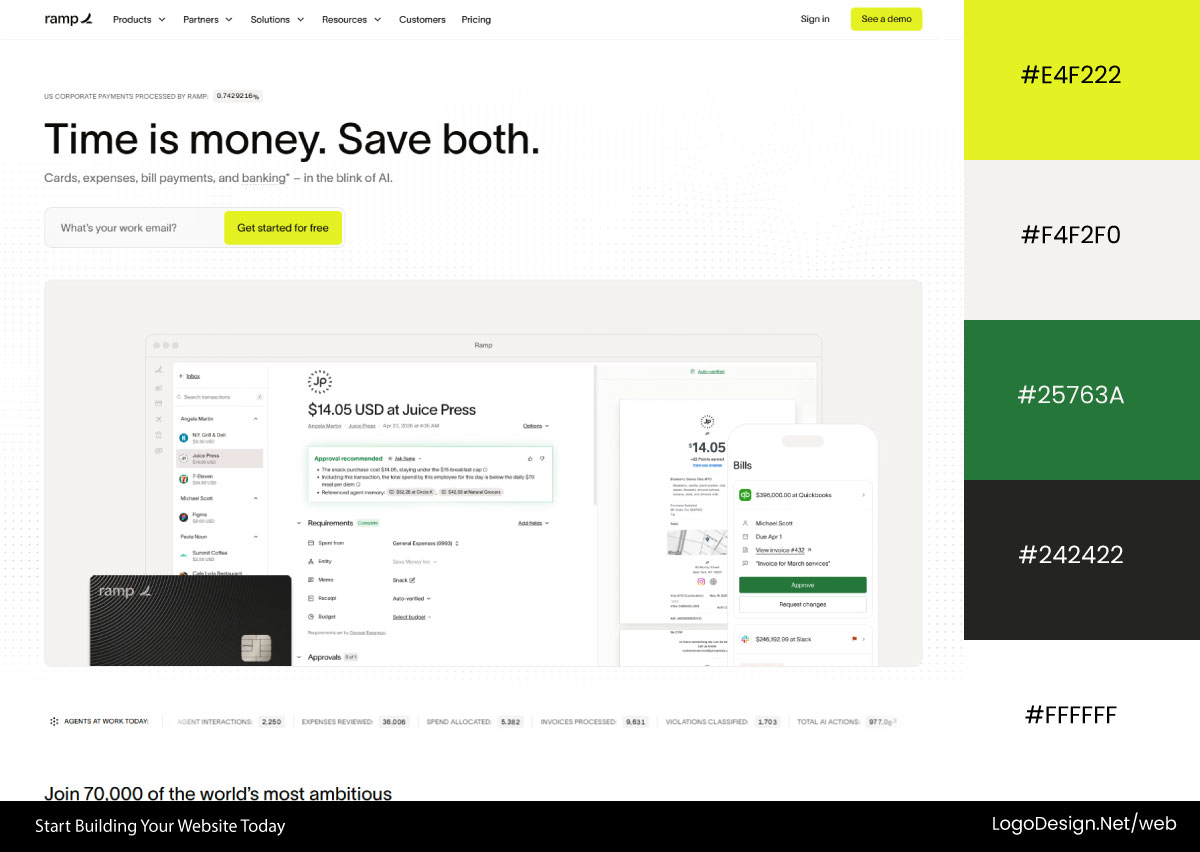
Ramp uses a highly restrained neutral system with soft gray backgrounds and black typography. Neon green is reserved strictly for CTAs and key highlights, creating a sharp contrast that signals action within a calm, structured fintech interface.
Download the Color Palette
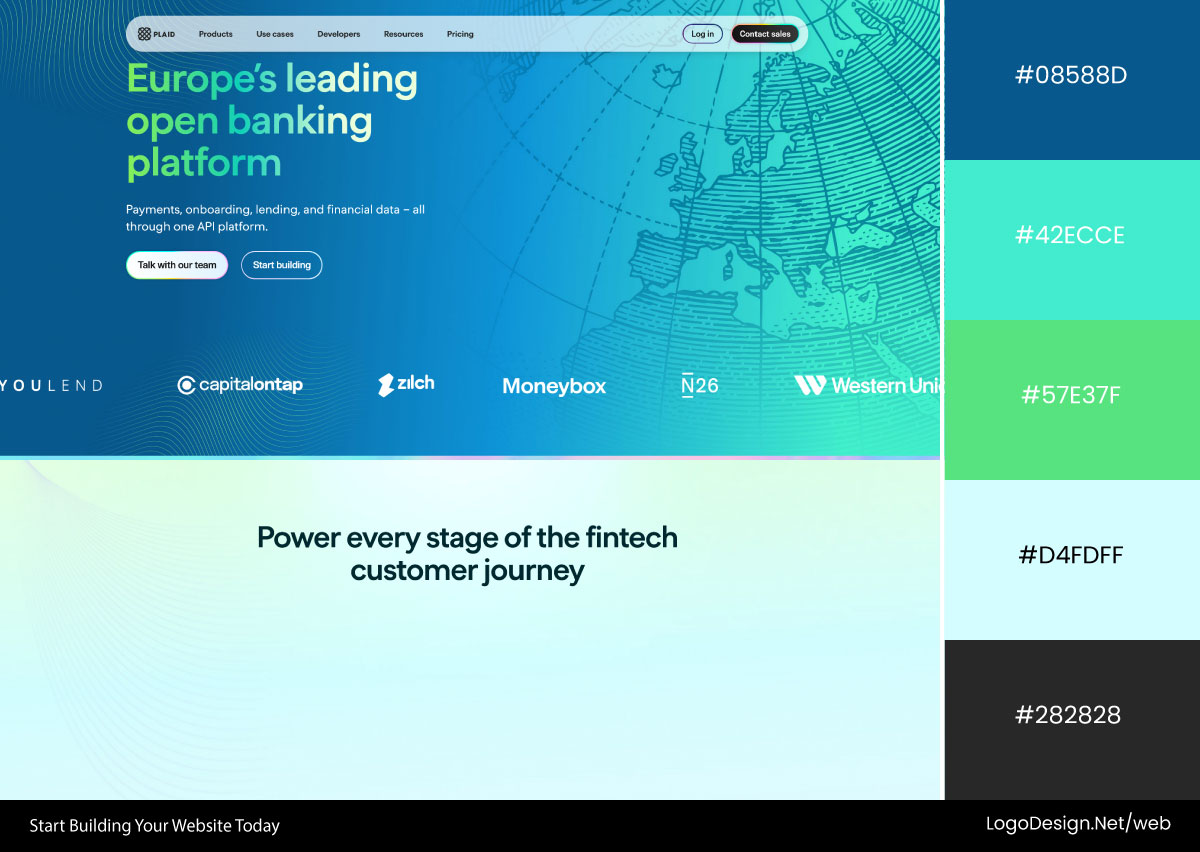
Plaid uses a layered blue system ranging from navy to light blue with teal-green gradient transitions. The palette feels fluid and “data-driven,” reinforcing trust, connectivity, and financial infrastructure clarity across sections.
Download the Color Palette
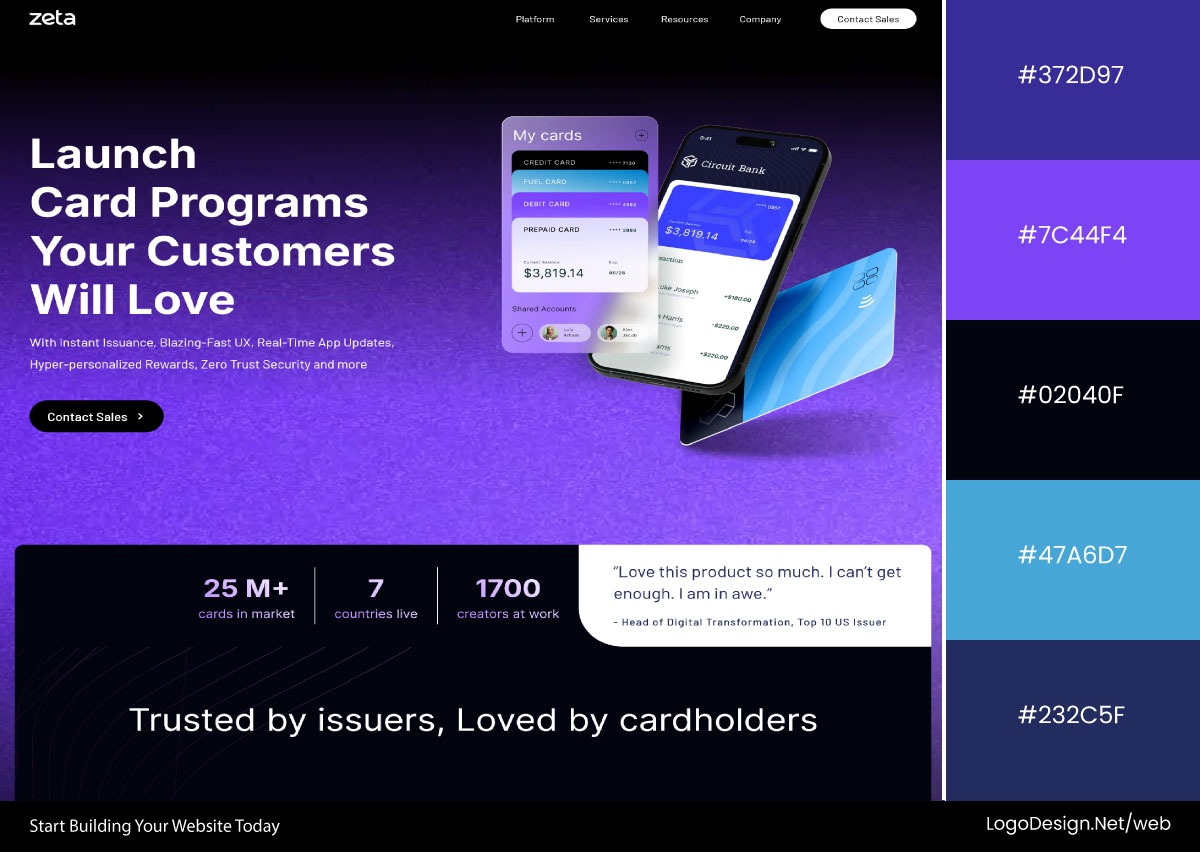
Zeta uses a dark purple-blue grainy gradient as its core identity, shifting between light and dark sections. Black CTAs and high-contrast typography create structure, balancing the atmospheric gradient with strong functional clarity.
3. Healthcare
Healthcare sites meet people who are worried, distracted, or bracing for bad news, so the screen has to feel like a deep breath. Soft greens and gentle blues cover most of the page because they read as clean and reassuring; white and pale neutrals keep everything uncluttered, and color is used sparingly so nothing feels alarming.
Common colors: Sky blue, soft blue, pink, white, light gray, muted navy, with subtle green accents for emphasis and reassurance.
Download the Color Palette
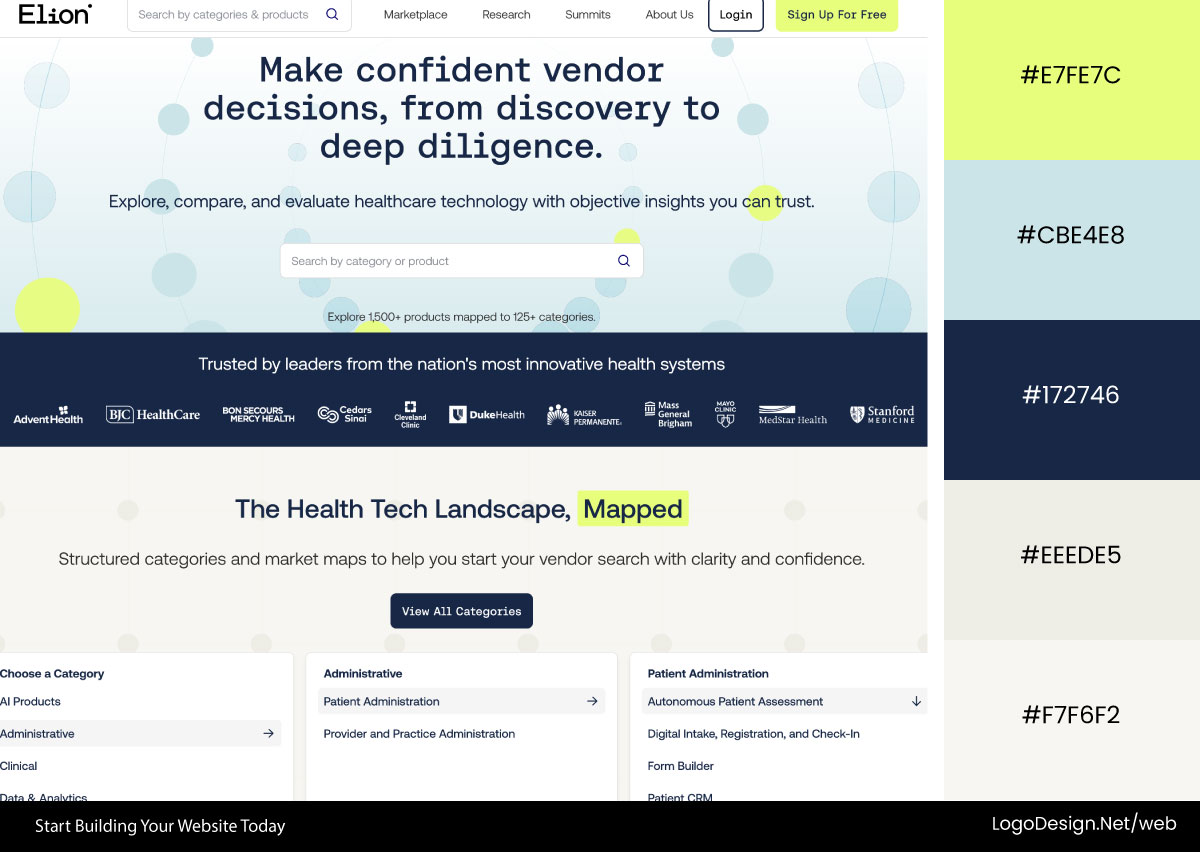
Elion Health uses a soft sky-blue gradient as the base, with subtle neon green accents for emphasis and CTAs. The palette shifts into darker muted blues in the navigation and footer, balancing reassurance with product clarity.
Download the Color Palette
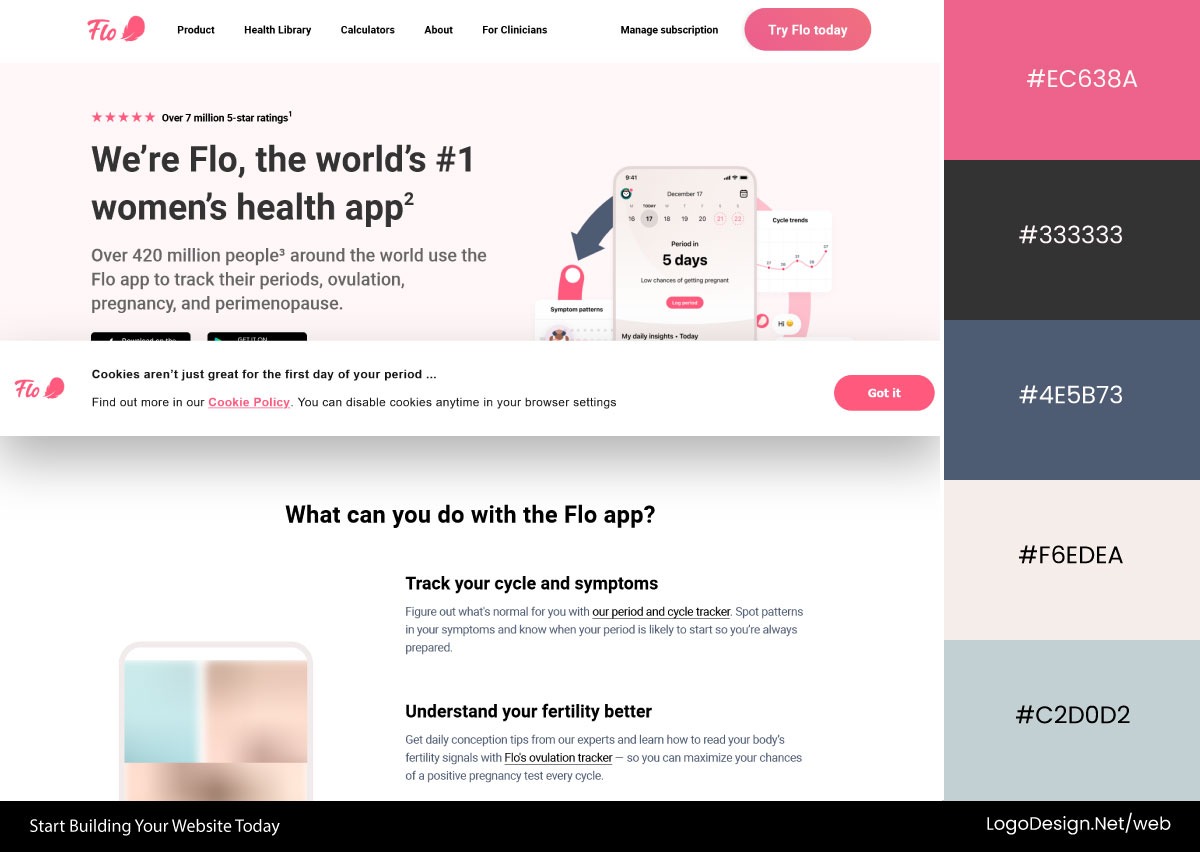
Flo Health builds its interface around soft pink tones layered with white and light gray surfaces. Darker muted pink accents highlight CTAs, creating an emotional yet controlled healthcare experience focused on comfort and approachability.
Download the Color Palette
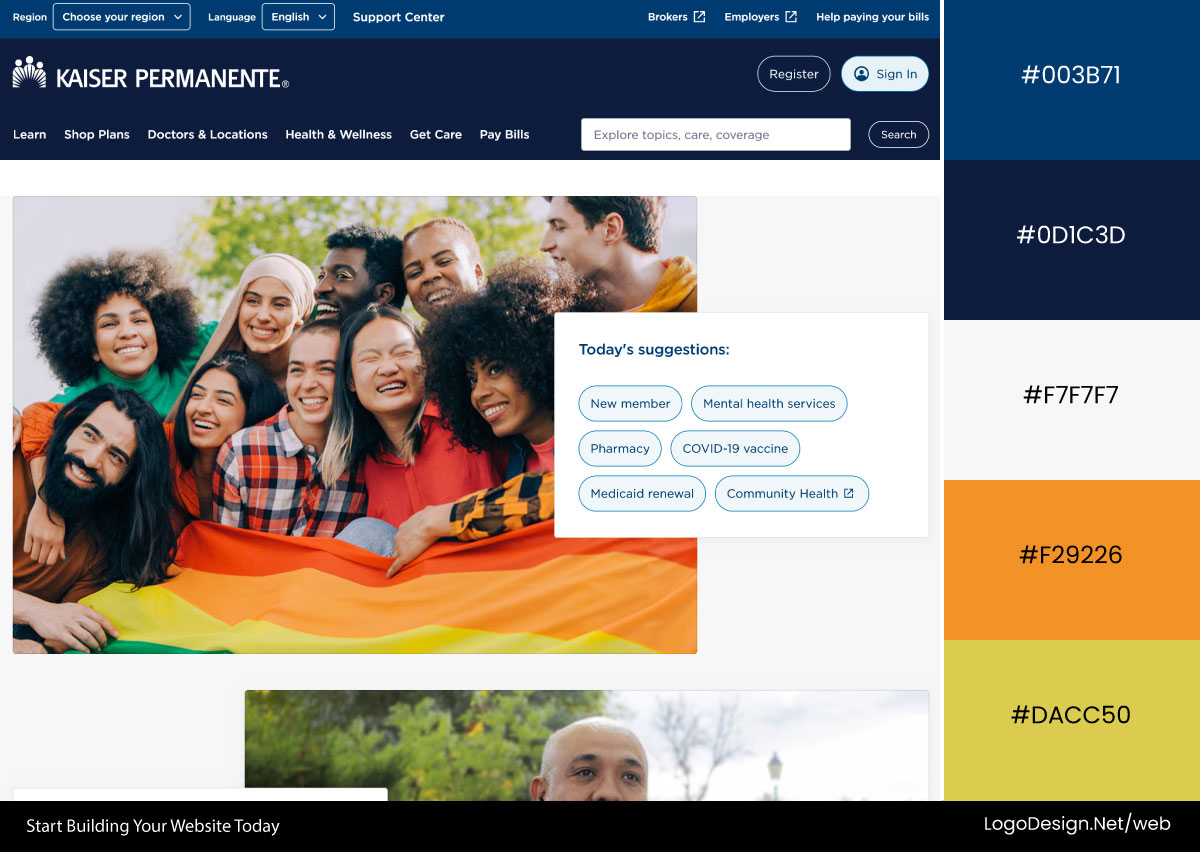
Kaiser Permanente uses a strong blue-and-white system that reinforces trust and clinical clarity. Light and dark blue variations guide section hierarchy, while orange and yellow accents provide occasional contrast and informational emphasis.
4. Ecommerce
E-commerce plays color louder because the entire point is to catch your eye and move you toward checkout. Warm reds and oranges create urgency around sales and "buy now" buttons; black and white keep the products themselves the star, and bright accent colors flag deals and countdowns.
Common colors: Ivory, white, navy blue, charcoal, muted green, yellow, bright blue, and promotional accent colors such as pink and neon green.
Download the Color Palette
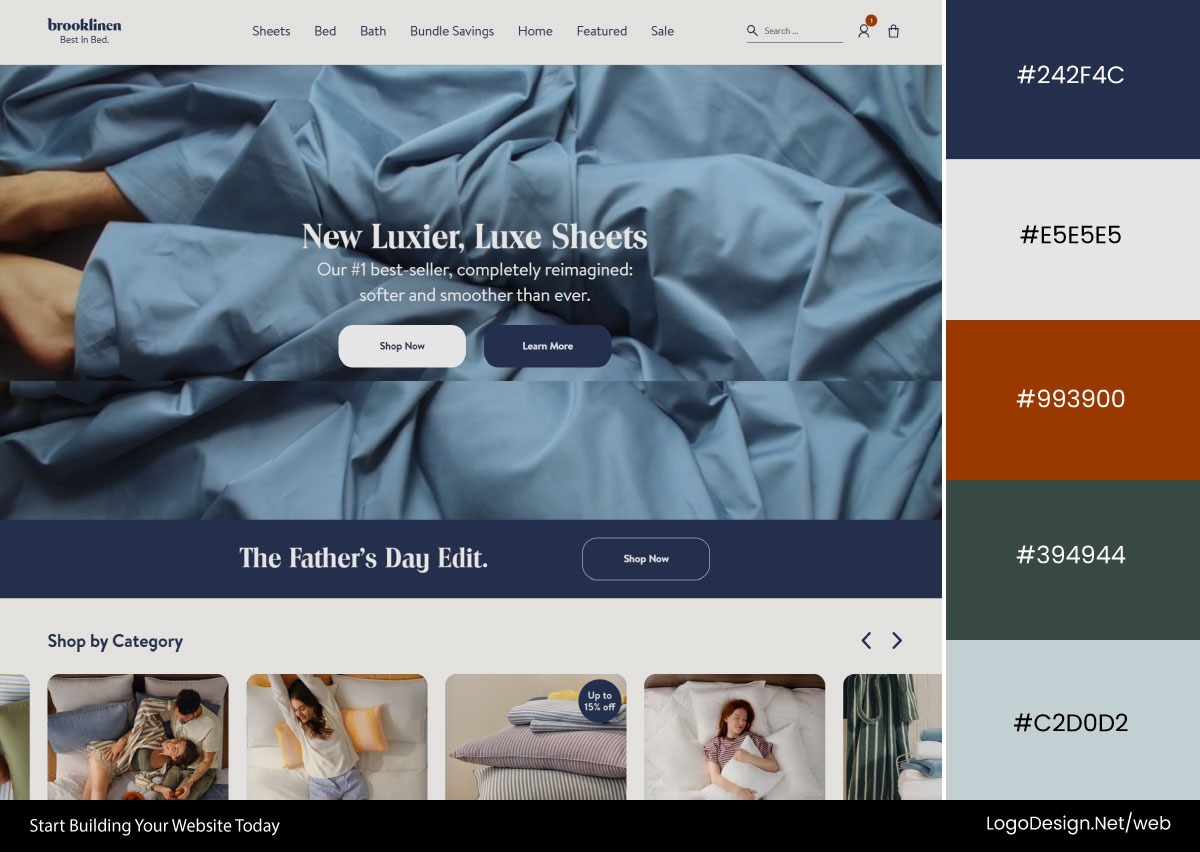
Brooklinen uses soft ivory and linen-white backgrounds to create a calm, product-focused base. Broad blue accents define typography, CTAs, and dividers, while muted blue imagery reinforces a clean, premium, lifestyle-driven shopping experience.
Download the Color Palette
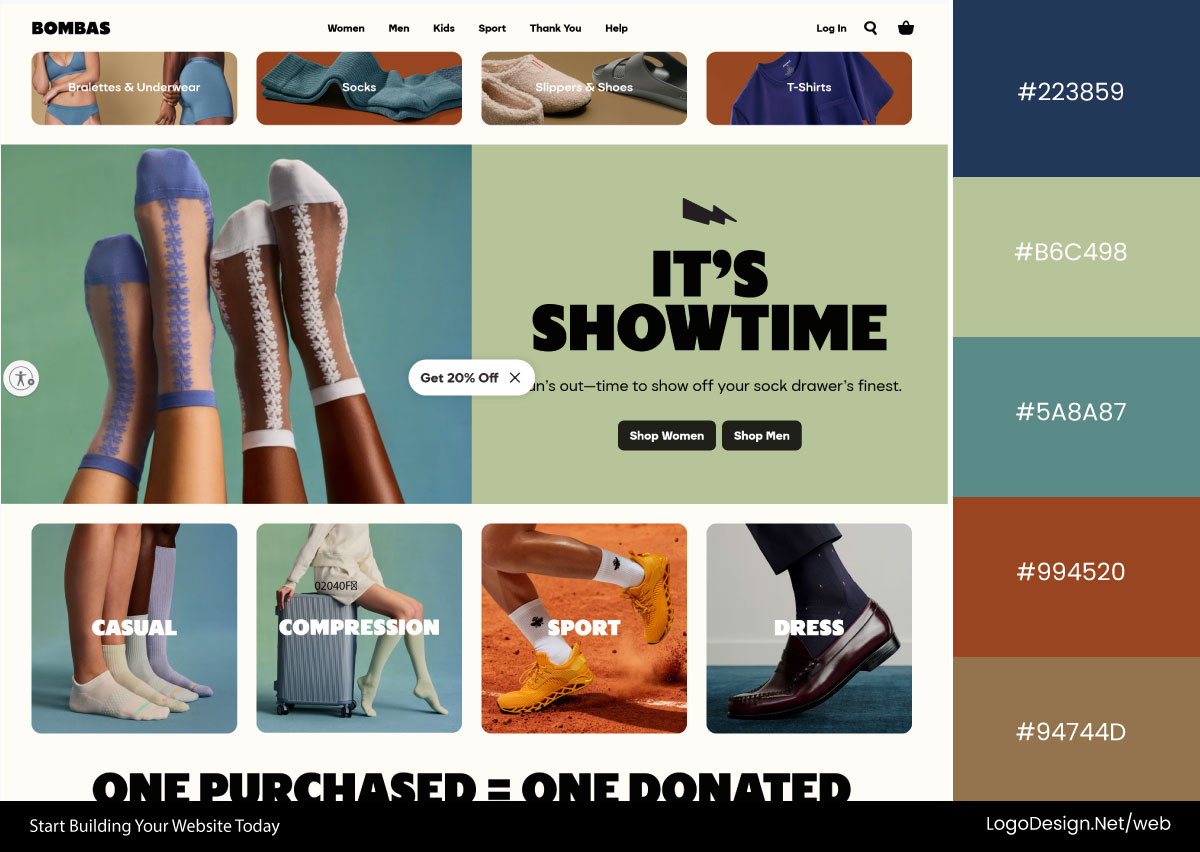
Bombas uses a structured palette built around muted blues, greens, and warm yellows that alternate by section. Dark gray-black typography and CTAs maintain clarity, while occasional earthy brown tones add warmth and balance.
Download the Color Palette
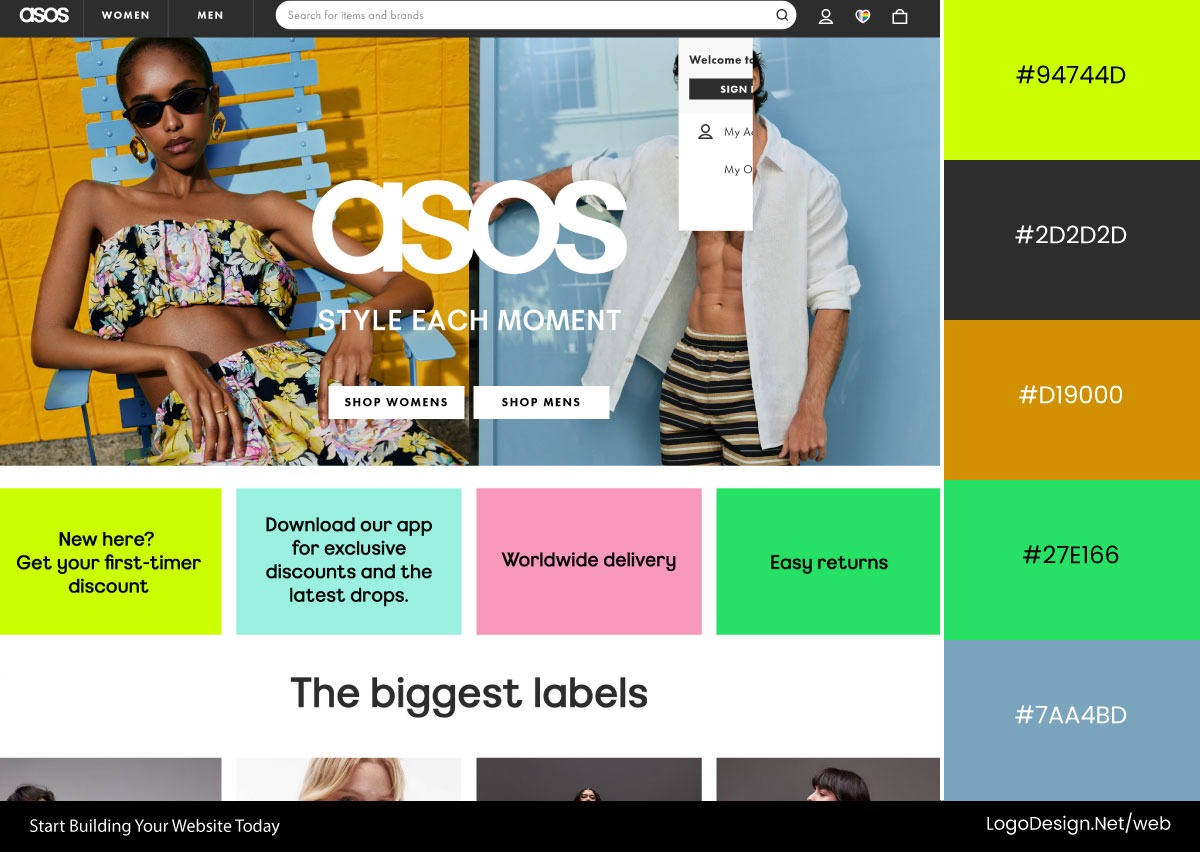
ASOS uses a highly dynamic color system with bright blues and yellows as the foundation. Neon green, pink, and additional accent colors appear throughout, supporting a fast-paced, attention-driven e-commerce experience focused on discovery and promotion.
5. Education
Education platforms want to feel welcoming rather than intimidating, since learning something new is already a little scary. Friendly blues and greens cover most of the interface to feel trustworthy and steady, while warmer pops of orange and yellow add energy and keep things from feeling stiff or academic. White space keeps lessons readable.
Common colors: White, charcoal black, gray, emerald green, bright yellow, deep blue, and occasional purple accents for energy and engagement.
Download the Color Palette
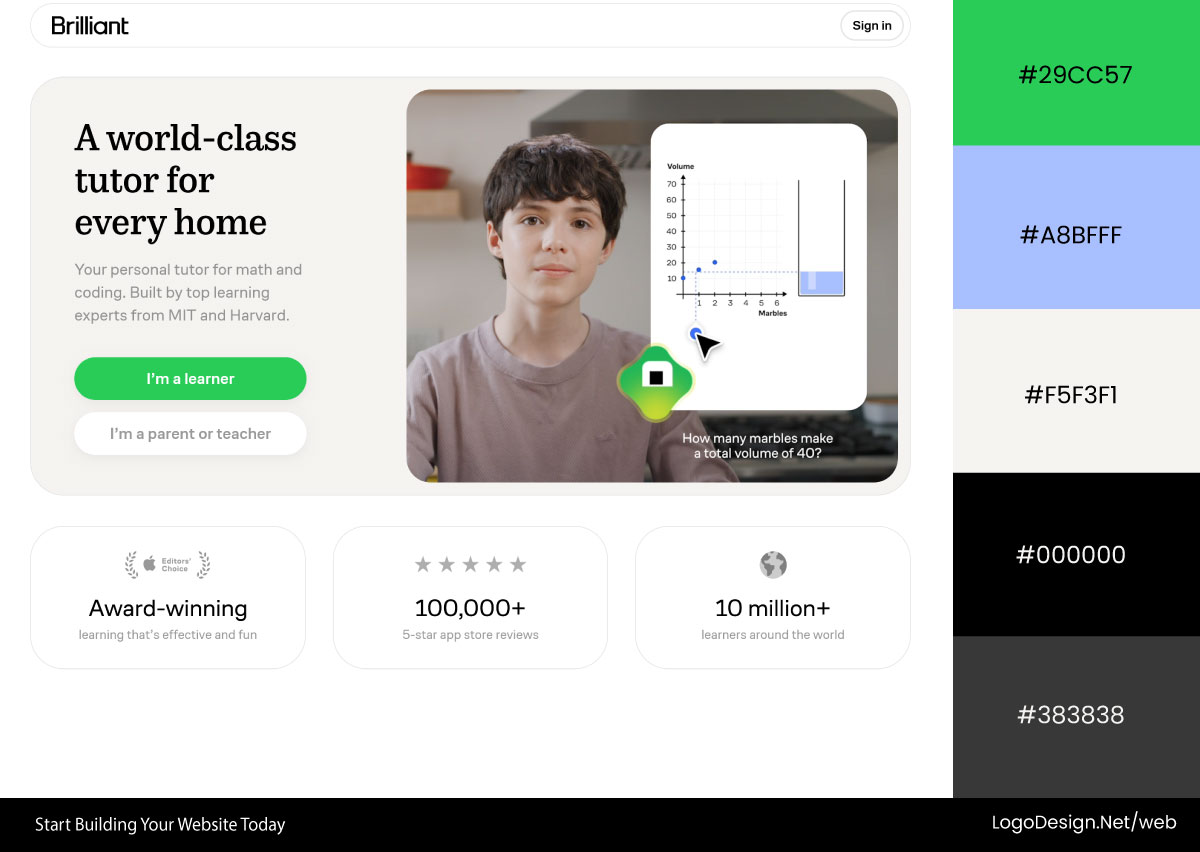
Brilliant uses a minimal white-and-black interface with structured gray content blocks. A vivid green accent highlights CTAs and interactive elements, while a dark footer anchors the experience, balancing clarity with focus-driven learning.
Download the Color Palette
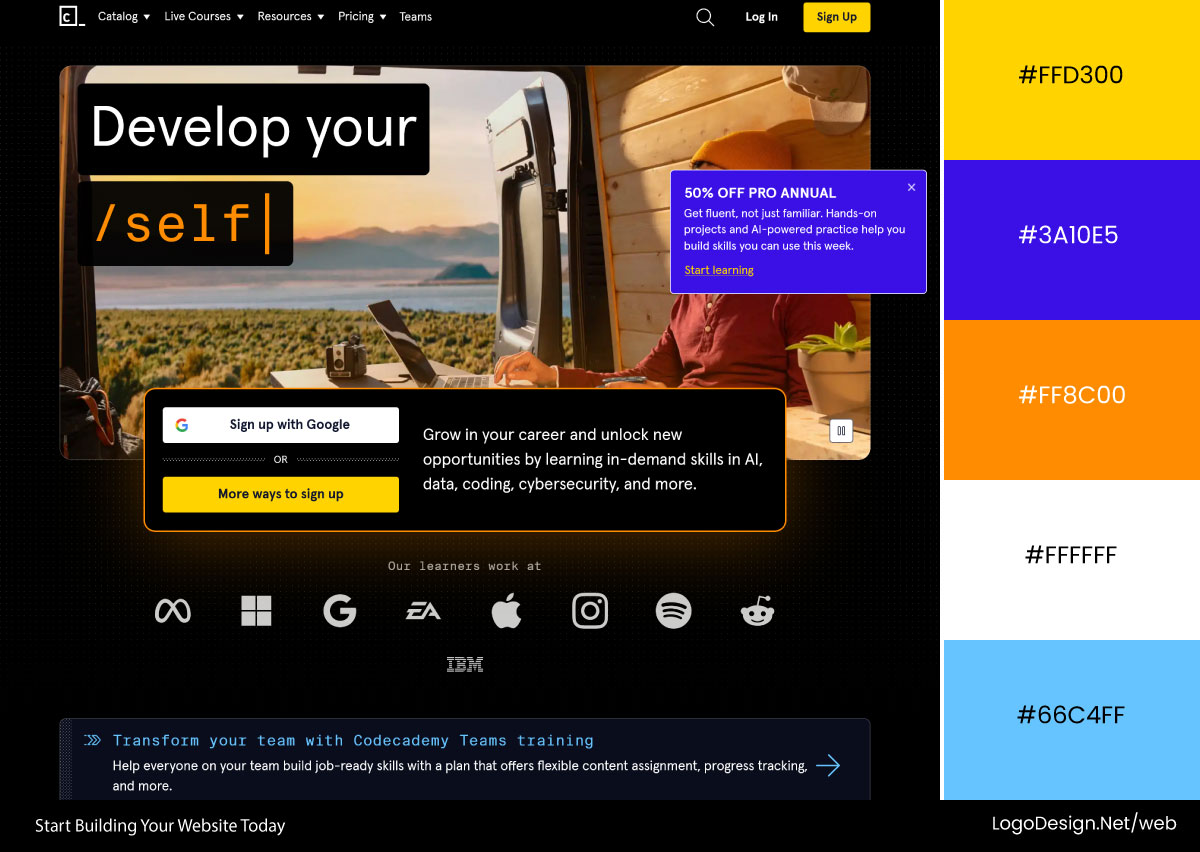
Codecademy relies on a dark UI foundation with black and deep charcoal backgrounds. Bright yellow defines the brand and highlights key actions, while blue accents guide interactions and reinforce structure across learning modules.

Download the Color Palette
Thinkific uses a dual-tone system of clean white and soft gray contrasted with deep charcoal sections. Bright yellow accents drive CTAs, while occasional light blue highlights add clarity and visual hierarchy across the interface.
6. Real Estate
Real estate sites are helping people make one of the biggest financial decisions of their lives, so the color has to feel solid and grown-up. Navy and steady blues carry the sense of trust; soft grays and beige give it a calm, premium feel like a well-staged home; and green slips in to suggest value and growth.
Common colors: Slate gray, charcoal, royal blue, navy blue, white, alabaster gray, and soft teal accents.
Download the Color Palette
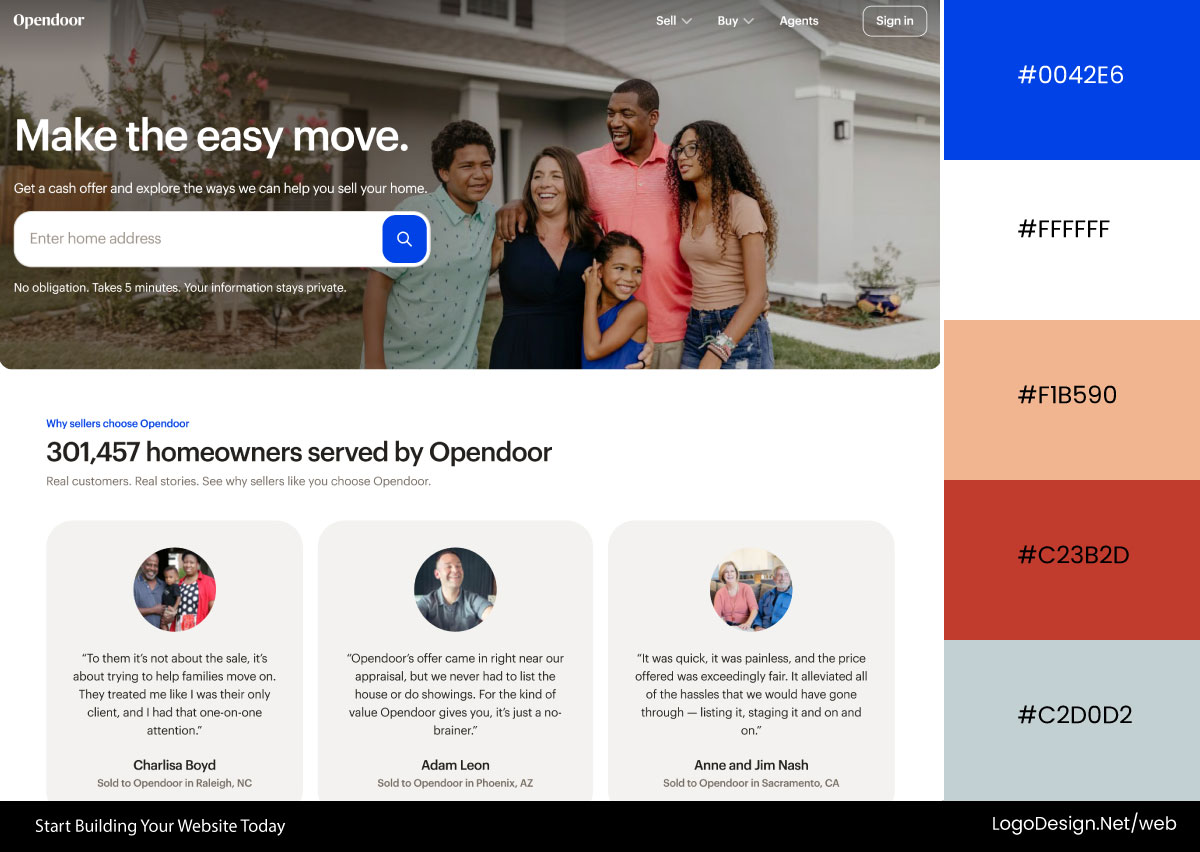
OpenDoor uses a soft gray-based interface with strong, dark gray typography for clarity. A bright royal blue accent defines CTAs and key information, reinforcing trust, simplicity, and a streamlined home-buying experience.
Download the Color Palette
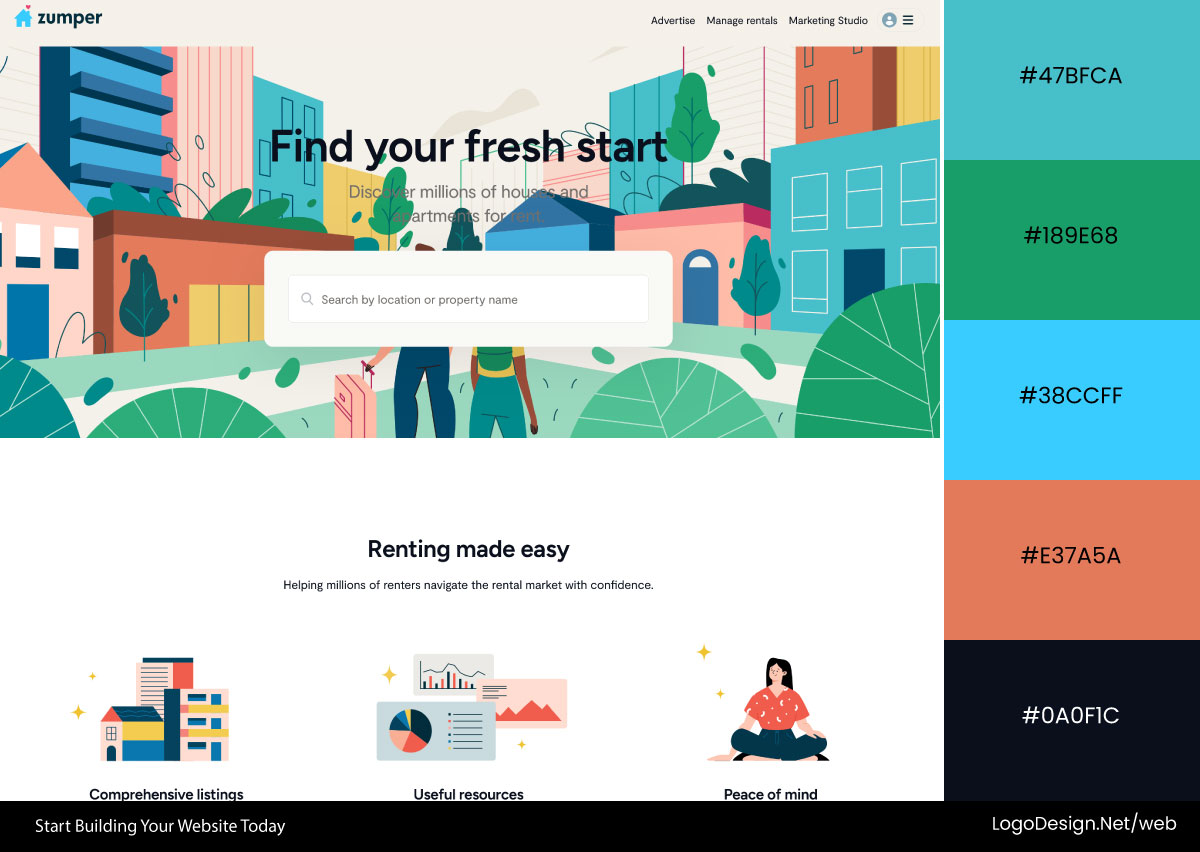
Zumper uses an alabaster gray base with deep charcoal-teal accents for CTAs and highlights. The interface is enriched with colorful illustrations using yellow, blue, red, and green, adding energy while maintaining structural clarity.
Download the Color Palette
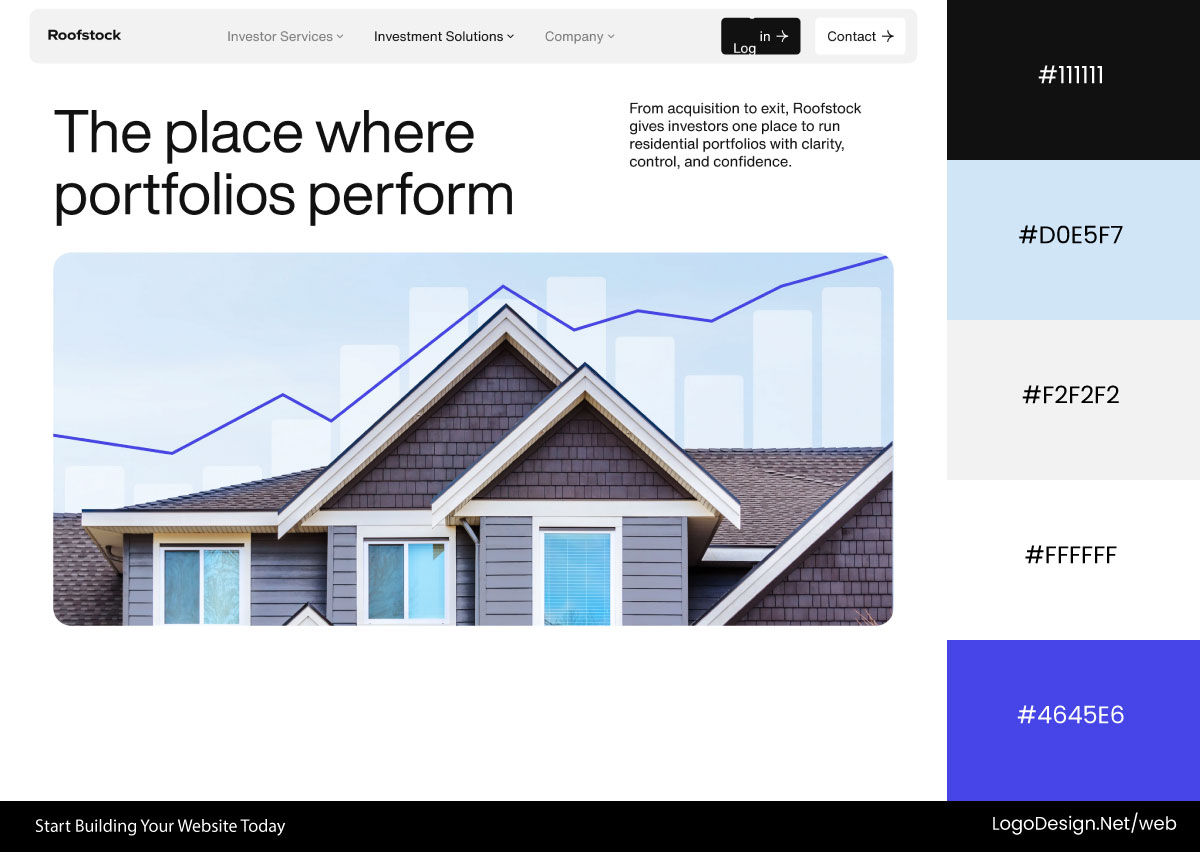
Roofstock alternates between white and light gray backgrounds with bold black typography for readability. Multiple shades of blue—ranging from light to deep navy—highlight key sections, reinforcing trust and financial confidence.
7. Law Firms and Legal
Law firm sites trade on authority, and the color is there to make you feel you’re in capable, serious hands. Deep navy and dark blues dominate because they read as established and unflappable; grays and black add a formal, no-nonsense edge, and white keeps it clean rather than stuffy.
Common colors: Navy blue, royal blue, ivory, black, charcoal gray, white, and occasional crimson red accents.
Download the Color Palette
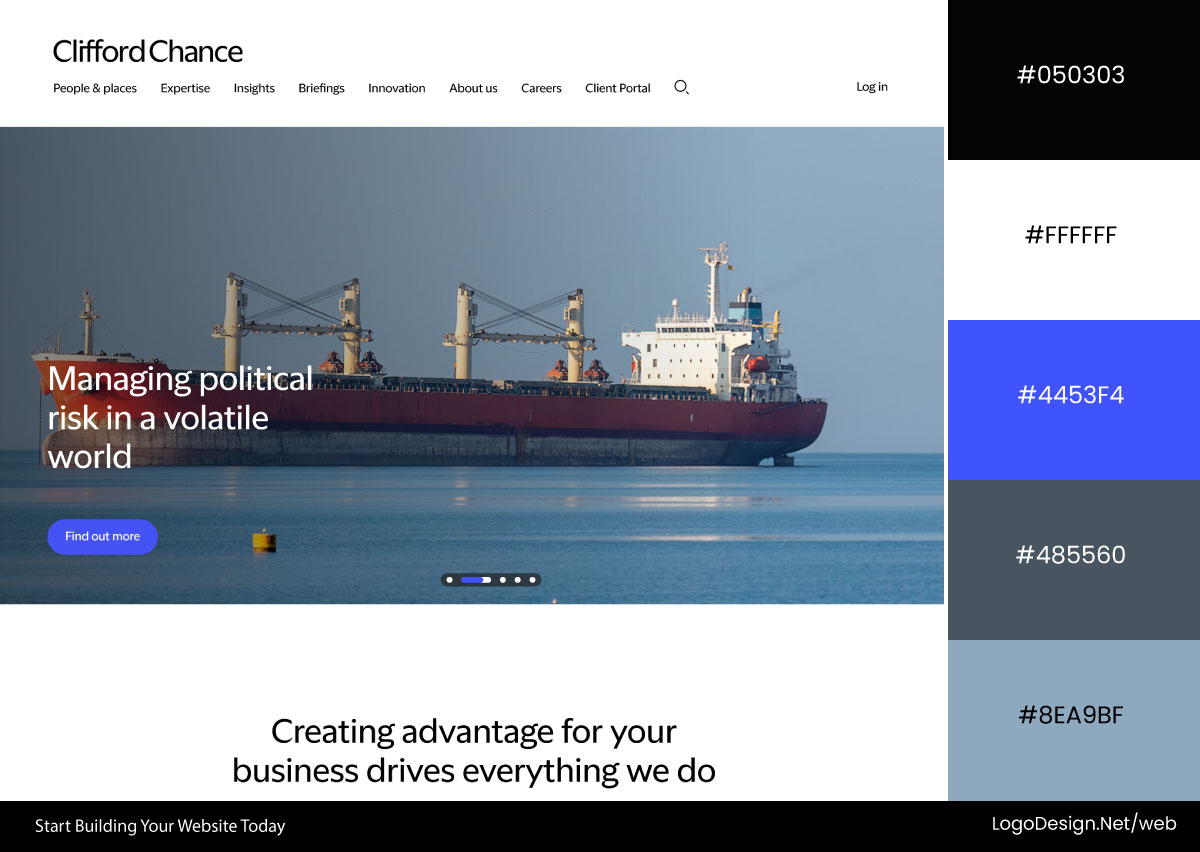
Clifford Chance uses a restrained black-and-white foundation that emphasizes clarity and professionalism. Royal blue accents highlight CTAs, navigation elements, and key information, adding trust signals without disrupting the firm’s formal tone.
Download the Color Palette
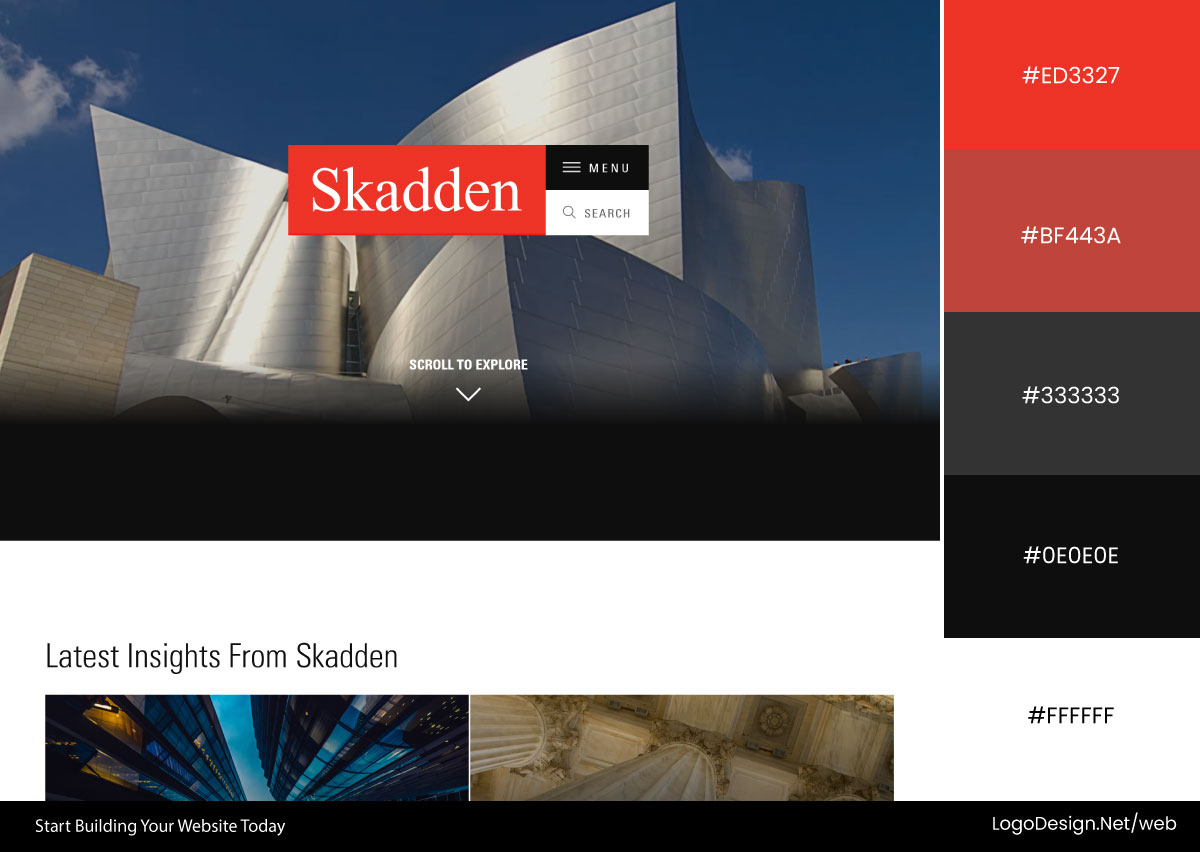
Skadden combines a clean white interface with large, dark-toned photography that conveys authority and gravitas. A vivid crimson red brand color punctuates CTAs, links, and highlights, creating strong contrast and memorability.
Download the Color Palette
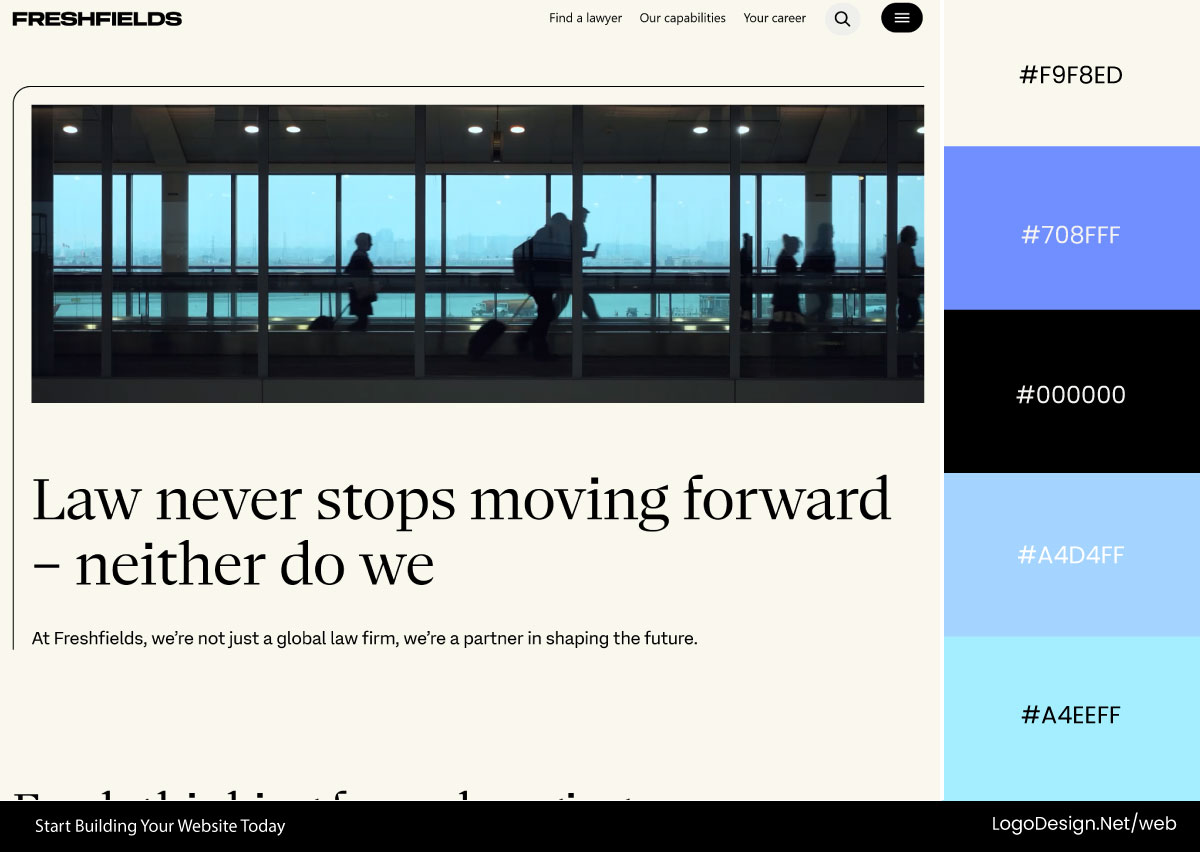
Freshfields pairs a warm ivory background with bold black typography to create a confident editorial feel. Soft powder-blue accents in navigation and interface elements complement imagery dominated by deep blues and charcoal tones.
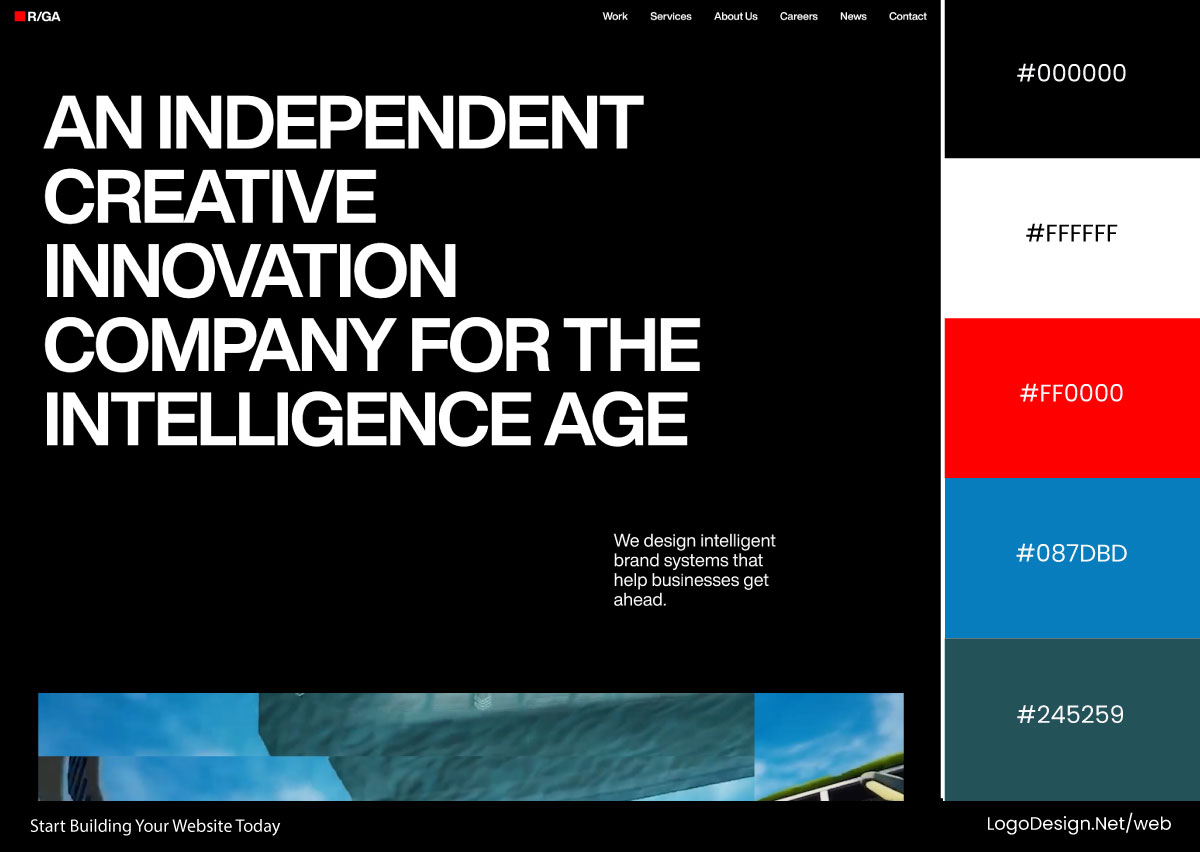
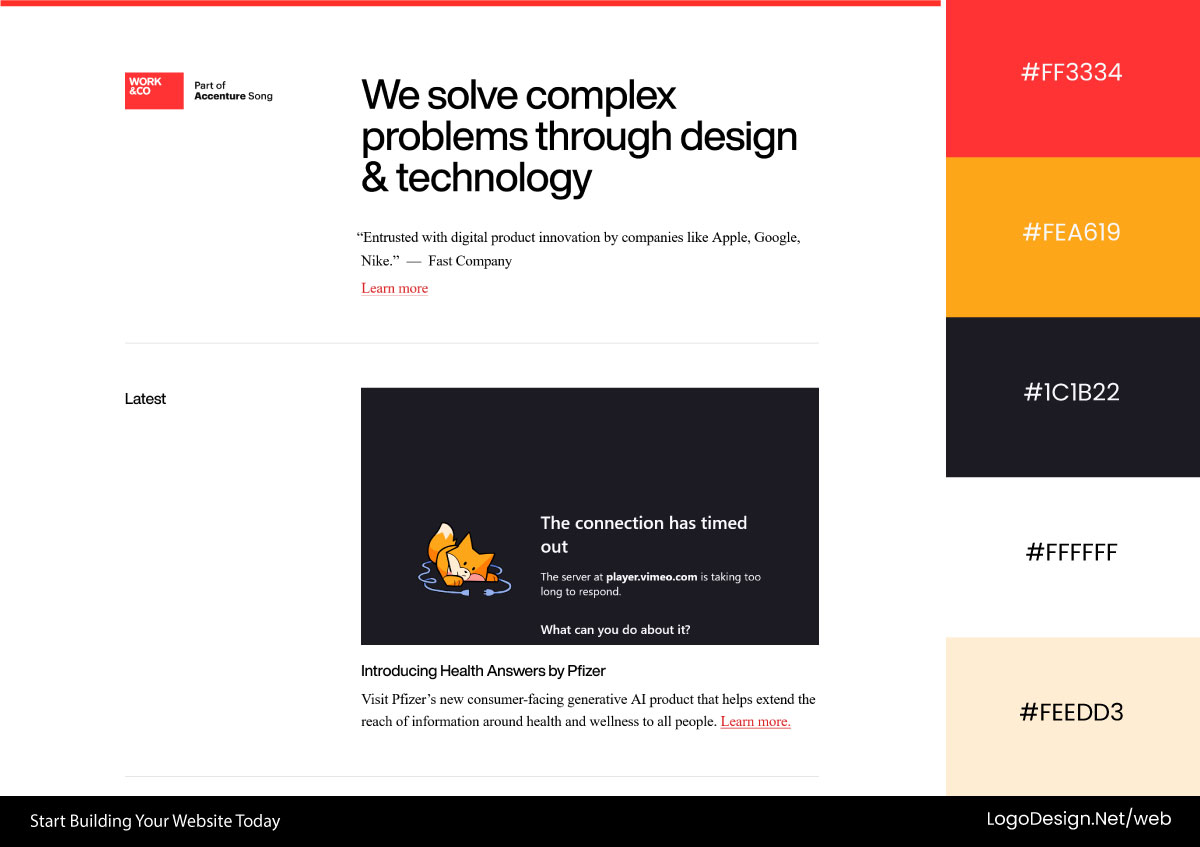
8. Agencies and Creative Studios
Creative agencies get to break the rules because a safe, forgettable site would undercut the whole pitch. Bold reds, hot pinks, and electric accents stand out against heavy black, showing they can handle color with confidence, while unexpected combinations signal personality and a tolerance for risk. The site itself becomes the portfolio.
Common colors: Black, white, charcoal, crimson red, hot pink, electric blue, and high-contrast accent colors.
Download the Color Palette
R/GA builds its identity around a near-black interface with bold white typography. Strategic red accents highlight key actions and content, while occasional blue and neutral tones add depth without diluting the dramatic aesthetic.
Download the Color Palette
Work & Co embraces an ultra-minimal black-and-white system where typography carries most of the visual weight. Bright red brand accents and muted red links provide subtle direction while preserving the site’s editorial feel.
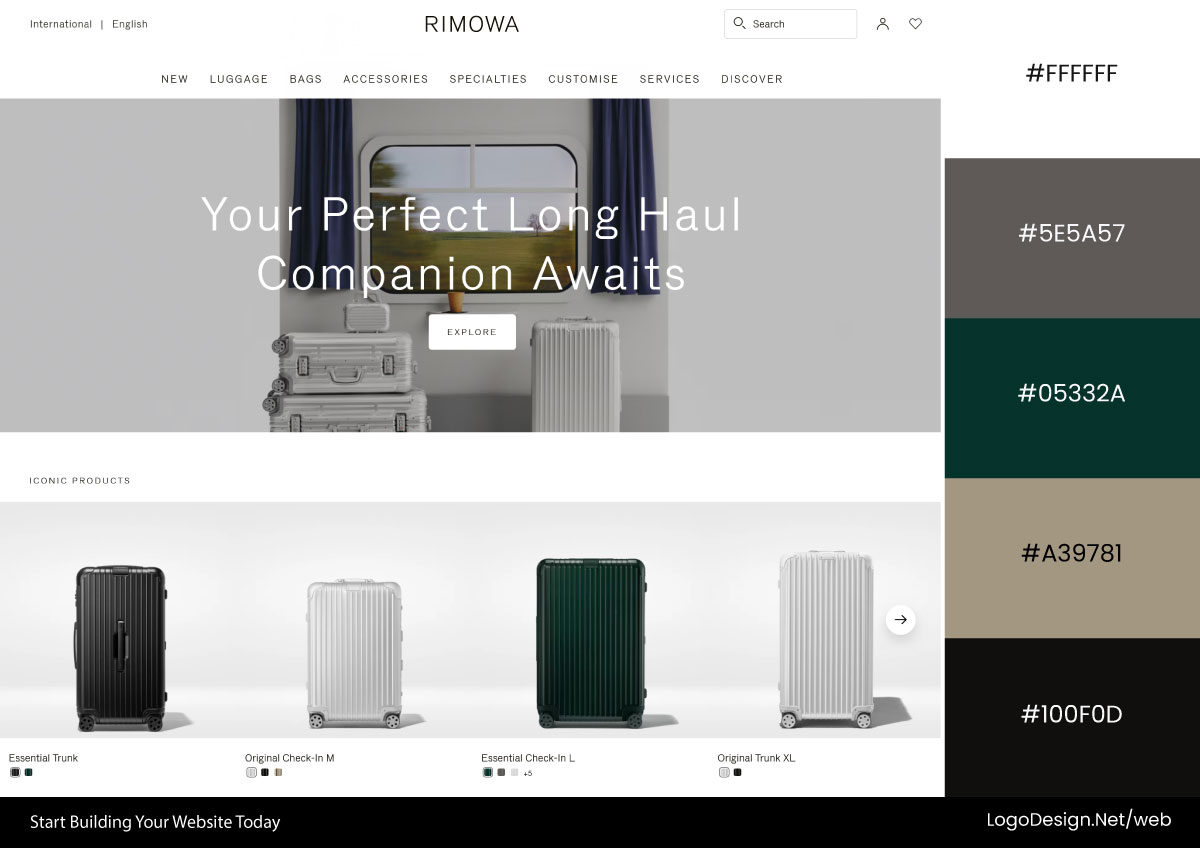
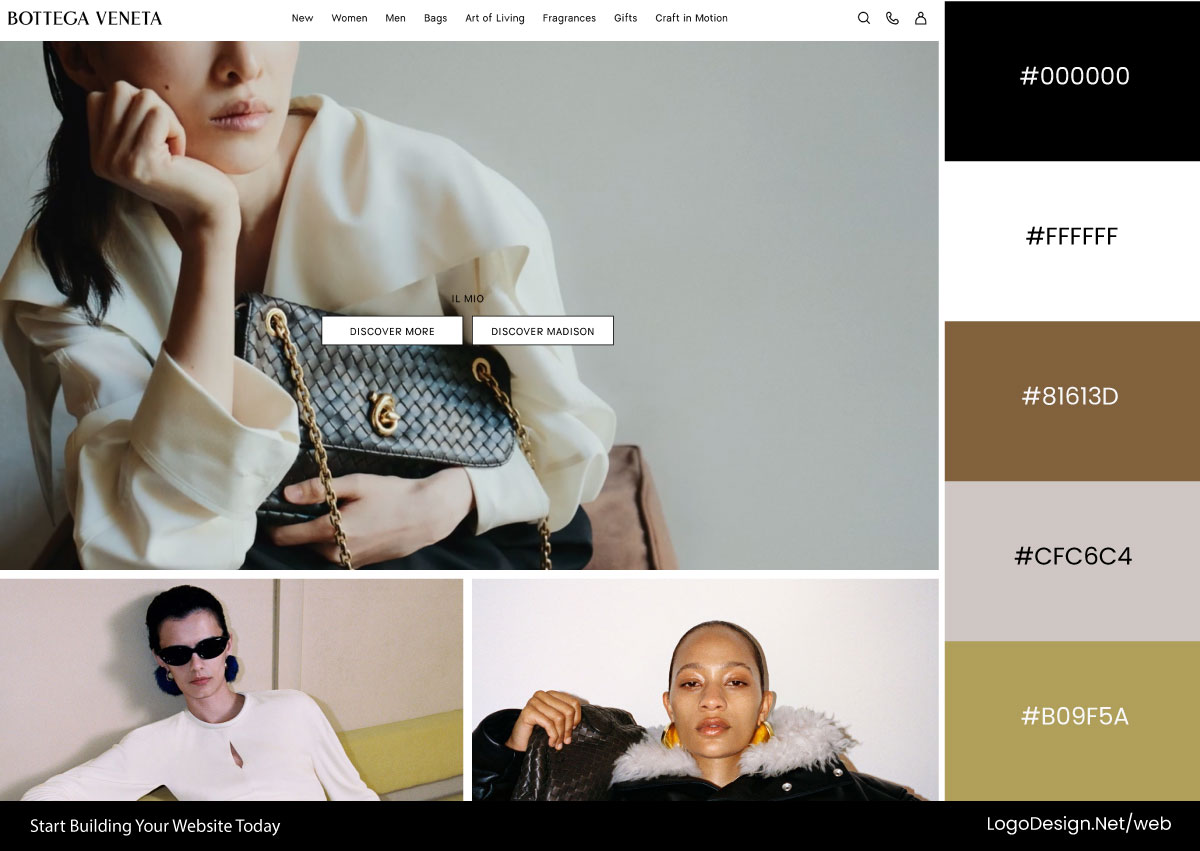
9. Luxury Brands
Luxury sites work by restraint, trusting that what you leave off the page signals more than what you pile on. Vast black or white space gives everything room to breathe; gold or a single rich jewel tone hints at quality without shouting, and contrast does the work that bright color would do elsewhere.
Common colors: Silver gray, ivory, beige, taupe, black, forest green, navy blue, blush pink, and other muted earth tones.
Download the Color Palette
Rimowa builds its visual identity around layered silver-gray tones, from bright metallic highlights to darker brushed finishes. Neutral product imagery reinforces sophistication, while a black footer adds contrast and an understated touch of luxury.
Download the Color Palette
Bottega Veneta uses a serene palette of soft beige, taupe, and muted mint tones. Deep navy and forest green accents appear selectively, creating a restrained, sophisticated atmosphere that prioritizes elegance over visual spectacle.
10. Non-Profits
Nonprofit sites have to earn your trust and tug at your heart at the same time, since they’re asking you to care and usually to give. Dependable blues and greens signal that the organization is legitimate and steady with your money, while warm oranges add hope and a human touch to the cause. White keeps the stories and faces front and center.
Common colors: Azure blue, teal, white, soft gray, vermilion orange, golden yellow, burnt orange, and blue-violet accents.
Download the Color Palette
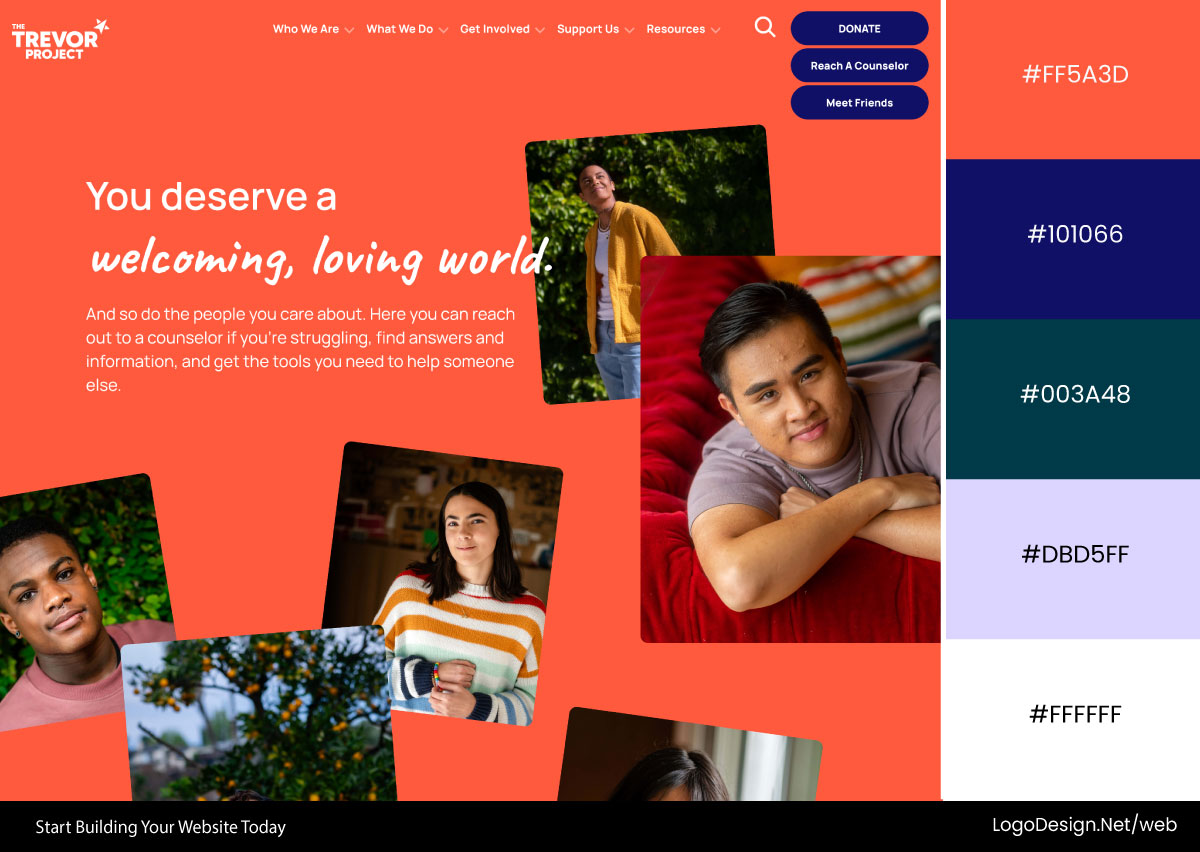
The Trevor Project uses a vibrant vermilion-orange foundation paired with white typography for immediate emotional impact. As the site unfolds, vivid indigo and blue-violet accents emerge, while deep charcoal-teal elements ground CTAs and navigation.
Download the Color Palette
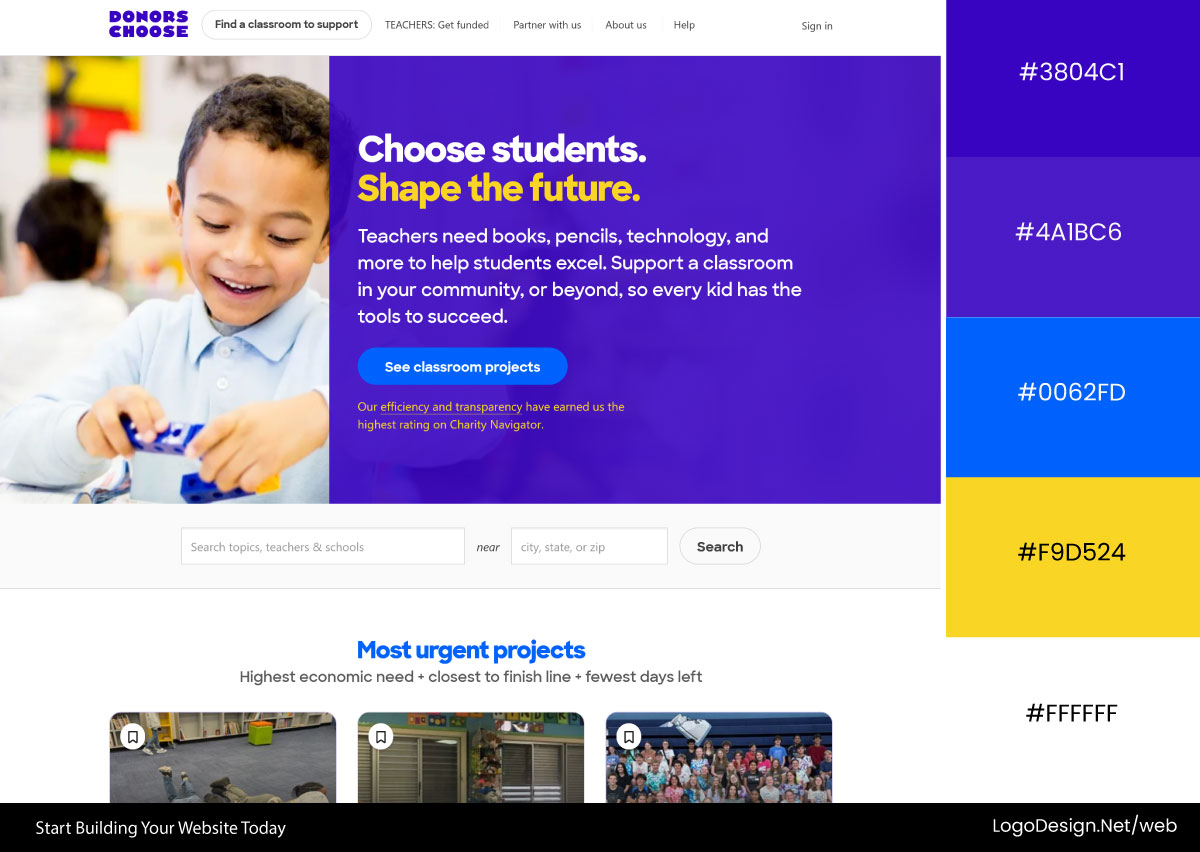
DonorsChoose centers its identity around a bright azure blue paired with generous white space. Warm golden-yellow accents highlight key messages, while occasional coral-pink details add energy without distracting from the platform’s mission.
Download the Color Palette
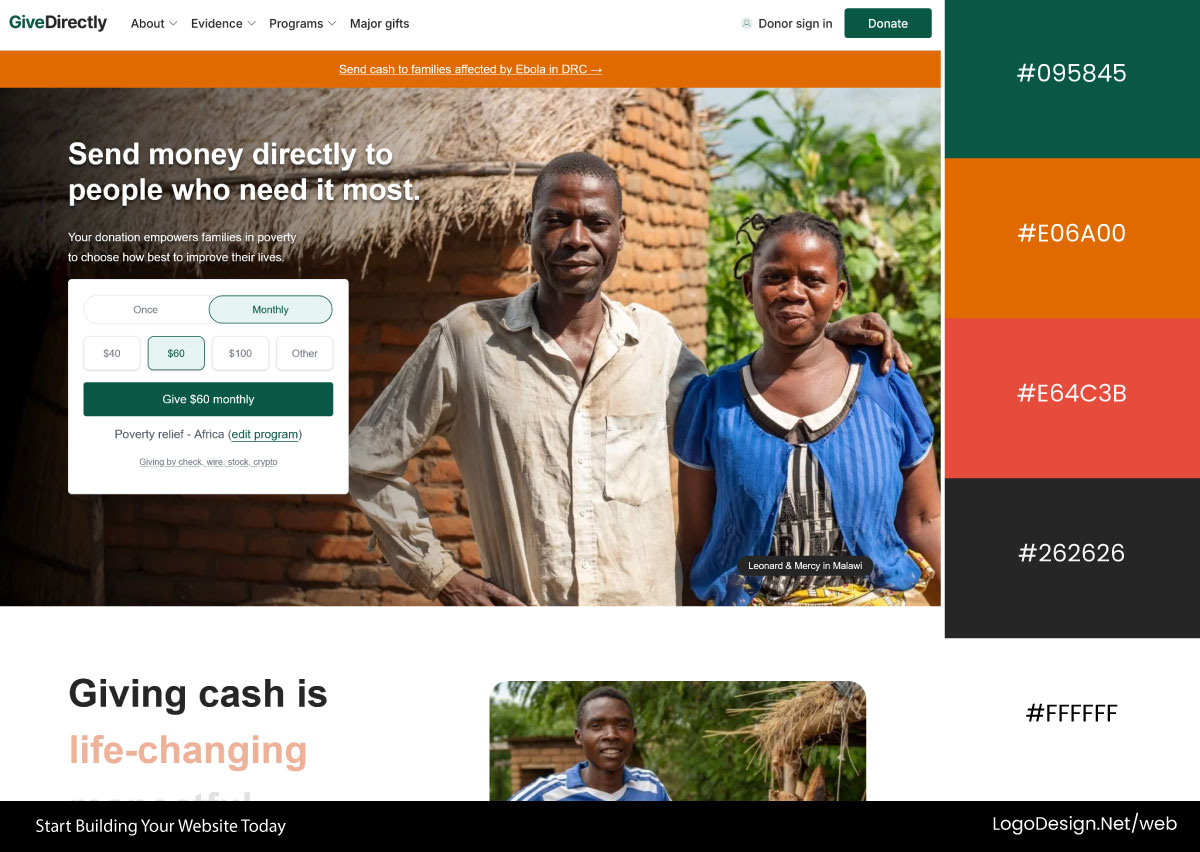
GiveDirectly employs a restrained palette of soft gray and pastel teal backgrounds that emphasize clarity and transparency. Muted burnt-orange accents draw attention to actions and impact stories while maintaining a calm, trustworthy tone.
Industry Conventions Are Starting Points, Not Rules
The usual mistake is treating the convention like gospel. Norms exist because they work, not because someone’s enforcing them. The brands that win learn the expectations, then choose where to play along and where to break ranks.
Fintech doesn’t owe anybody a blue. Healthcare doesn’t owe anybody green. The point isn’t to copy the competition. It’s about knowing what colors mean in your corner and using that on purpose. The strongest palettes are familiar enough to trust and different enough to remember.
Color Mistakes That Make Good Websites Fall Apart
Color can make or break a website. Poor color choices can confuse visitors, weaken your brand, and make a well-designed site feel unprofessional. Here are the most common color mistakes that hurt user experience and conversions:
1. Using Too Many Competing Colors
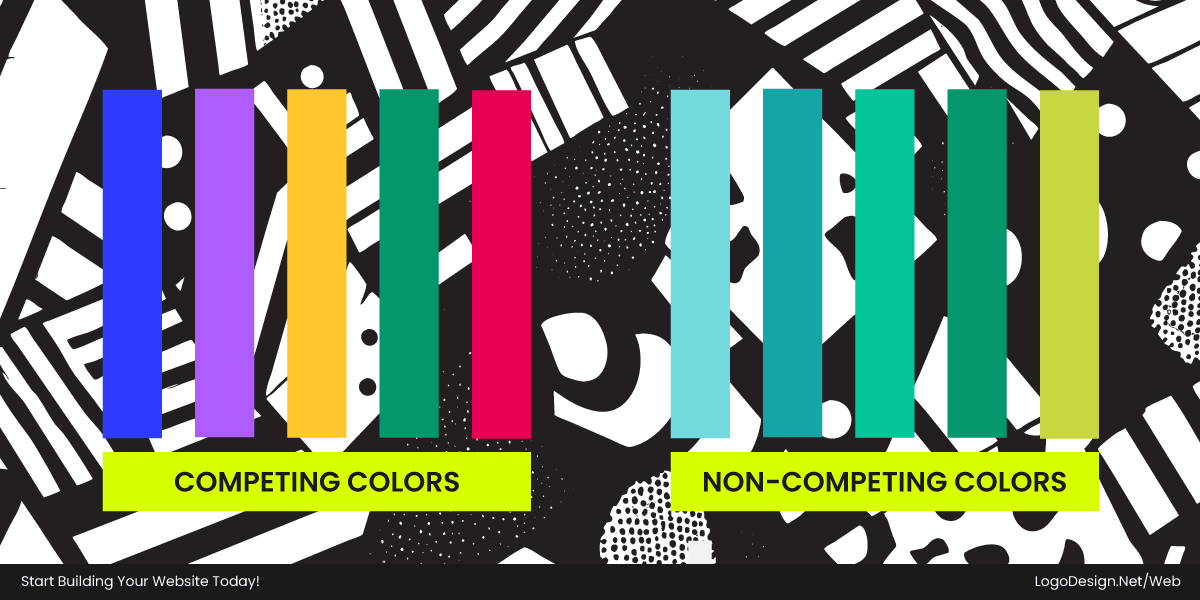
When a bunch of strong colors fight for attention, the eye doesn’t know where to land. Every bright color is basically shouting, "Look here," and when they all shout at once, the message cancels itself out, and the page just feels busy and exhausting. Calm it down by letting neutrals do most of the work and handing the spotlight to one color so people actually know where to look.
2. Weak Contrast Between Text and Background
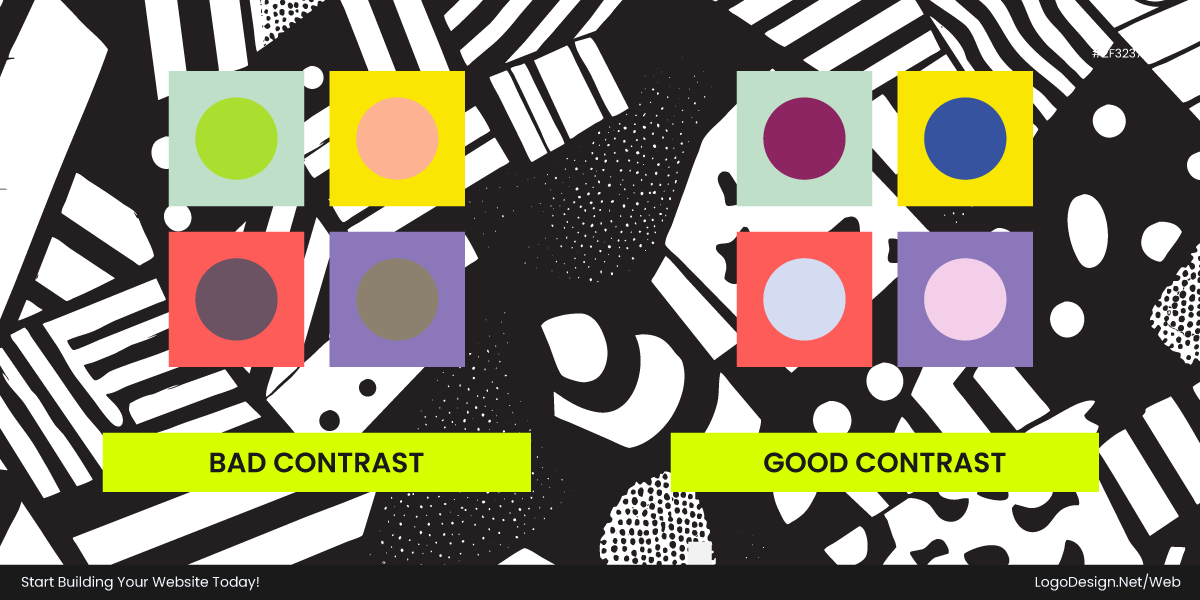
Pale text on a pale background makes people squint without quite realizing it, and that small effort adds up to slower reading and tired eyes. The catch is that it usually looks fine on the screen you designed it on, while quietly vanishing in sunlight or for anyone whose eyes need a little more light. Keep a real gap in brightness between the text and what sits behind it.
3. Overusing Accent Colors
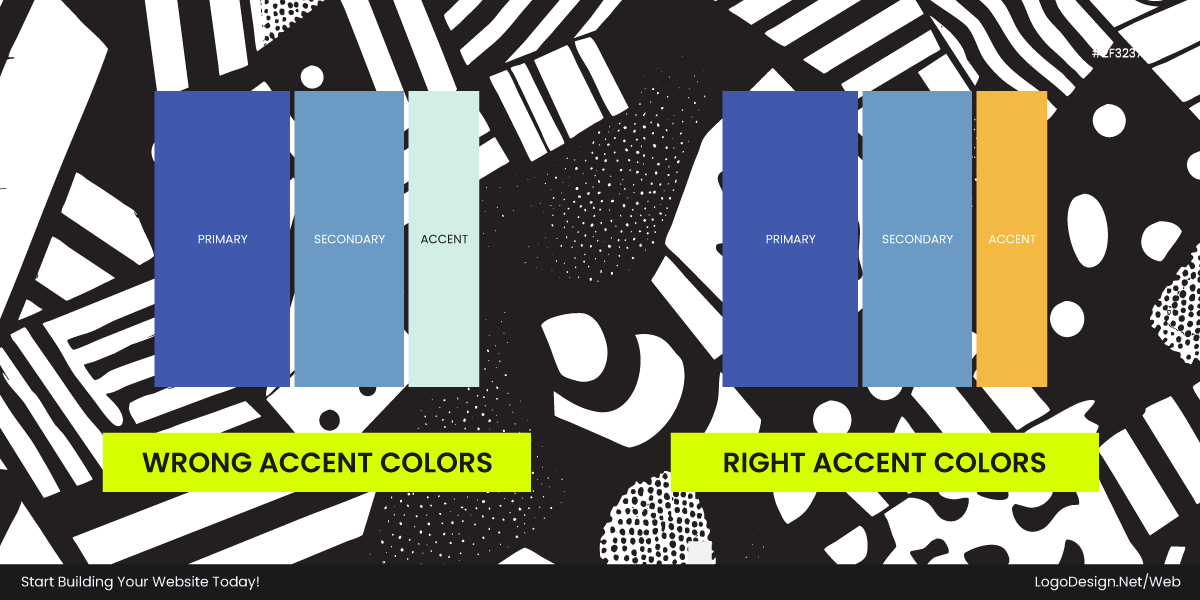
Your accent color only has power because it’s the exception. Splash it across every button, banner, and icon, and it stops meaning anything special, so the one thing you really wanted people to click just melts into the crowd. Treat it like a rare ingredient, mostly on the single action that matters most, and let the rest sit quietly.
4. Ignoring a Consistent Color System
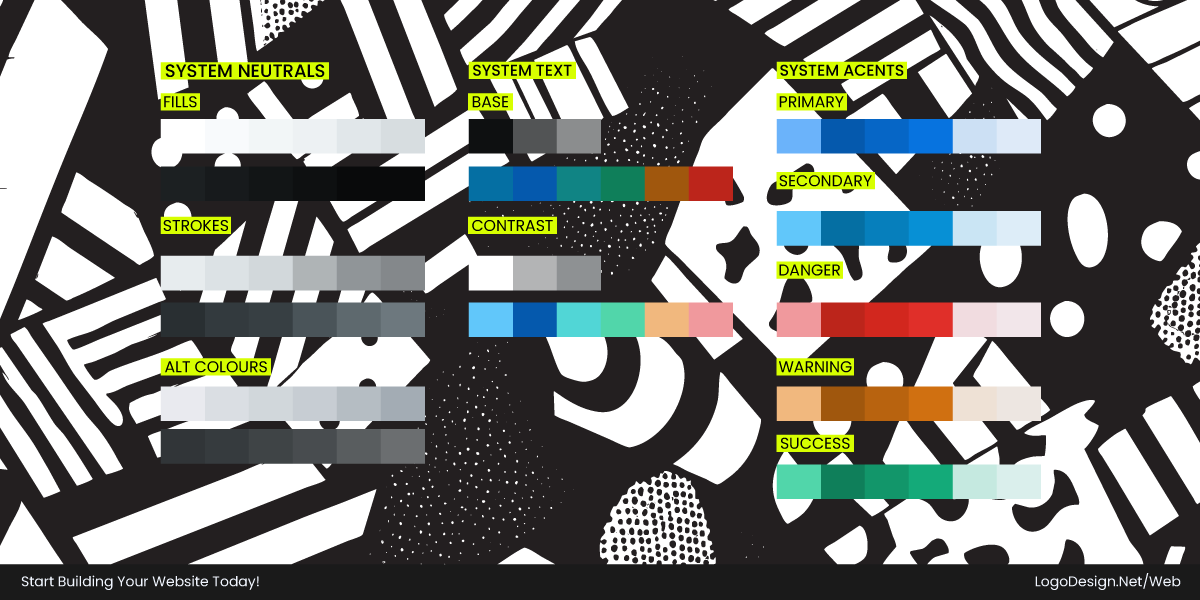
When there’s no agreed plan, colors get chosen on a whim, and before long the same idea turns up in three slightly different shades depending on the screen. It leaves people with a nagging sense that something’s a bit off, even if they couldn’t tell you what.
Pin down what each color is for once and stick to it everywhere, and suddenly the whole product feels like it came from one team with one head.
5. Using Brand Colors for Everything
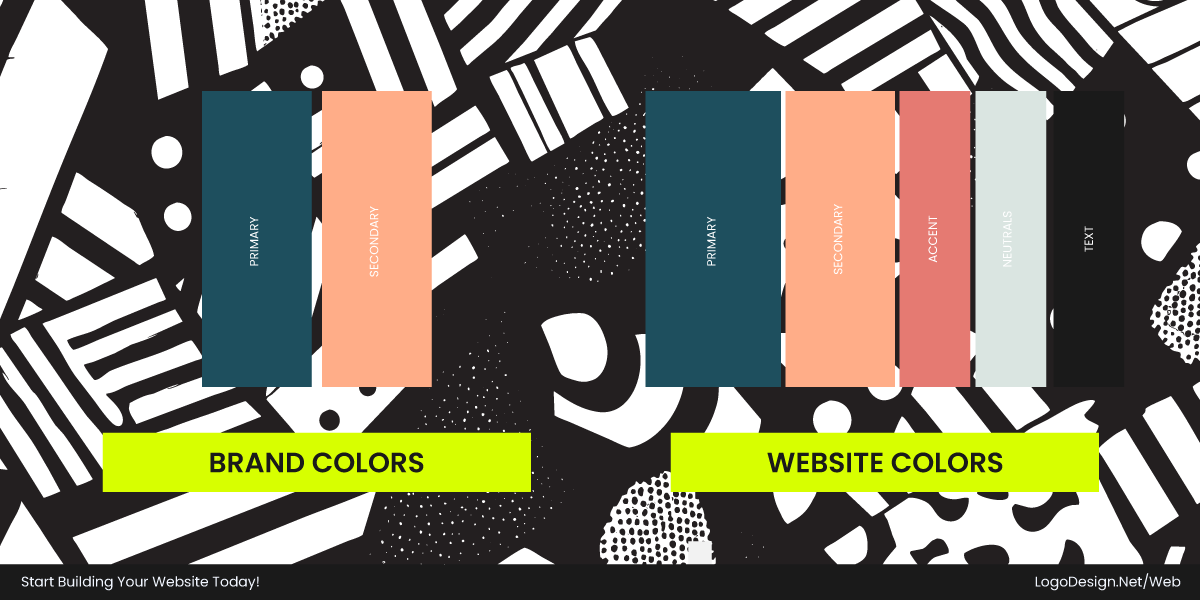
It’s tempting to drench everything in the brand and color, but when you pile it onto text, borders, and every panel, the screen turns heavy and hard to read. You also wear the color out, so it stops landing in the moments it’s actually meant to own. Save it for a few real highlights and let softer, neutral tones handle the day-to-day.
6. Poor Status Color Usage
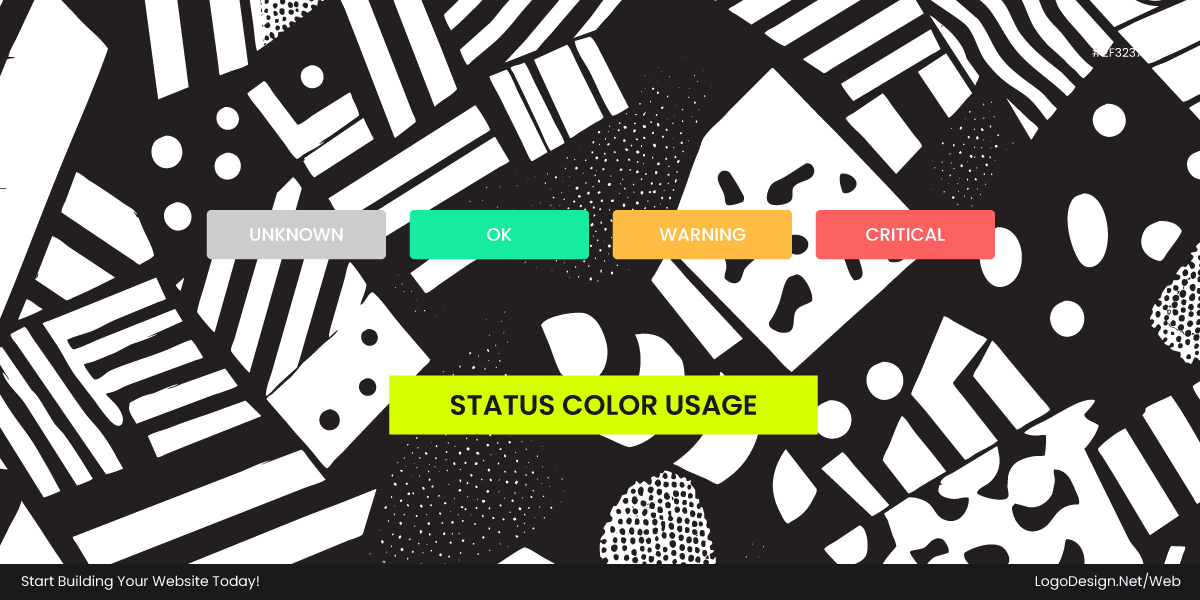
If a color means one thing here and something else over there, or your errors, successes, and warnings all blur together, people start misreading what the screen is telling them. On anything that matters, like money or health, a missed signal isn’t a small thing. Give each status its own steady color and back it up with a word or an icon, so nobody has to guess.
7. Not Accounting for Color Blindness
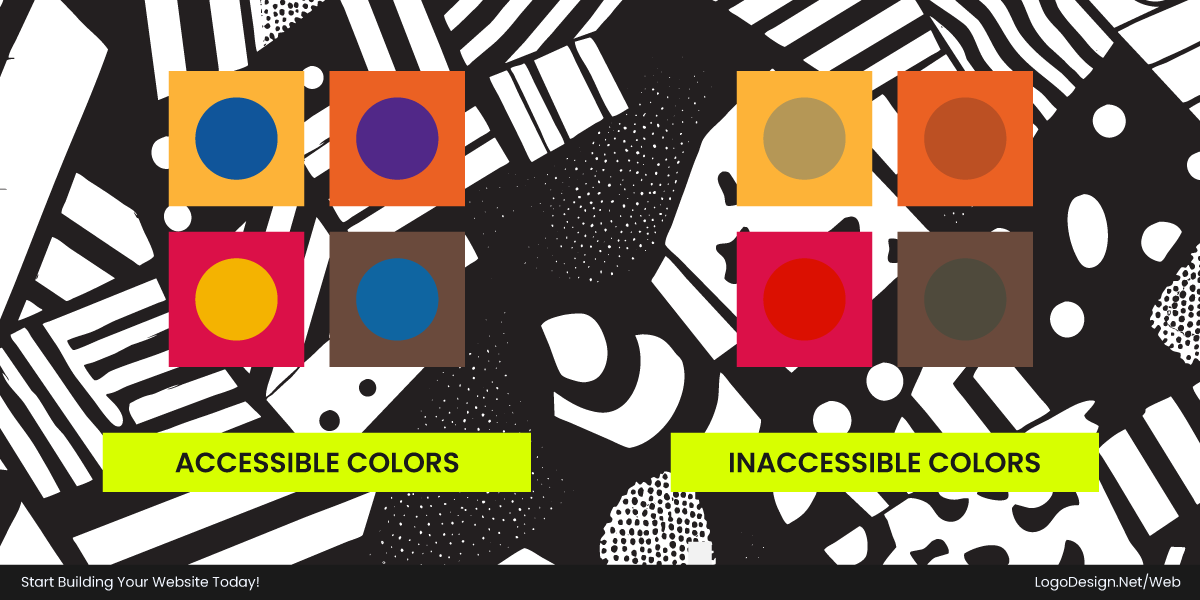
Lean on color alone to carry meaning, and you quietly shut out everyone who can’t see that difference. Red and green is the classic trap, so a chart or label built only on those two falls apart for a surprising number of people. Pair the color with a label, an icon, or a pattern, and the meaning still gets through even when the color doesn’t.
8. Too Many Similar Shades of One Color
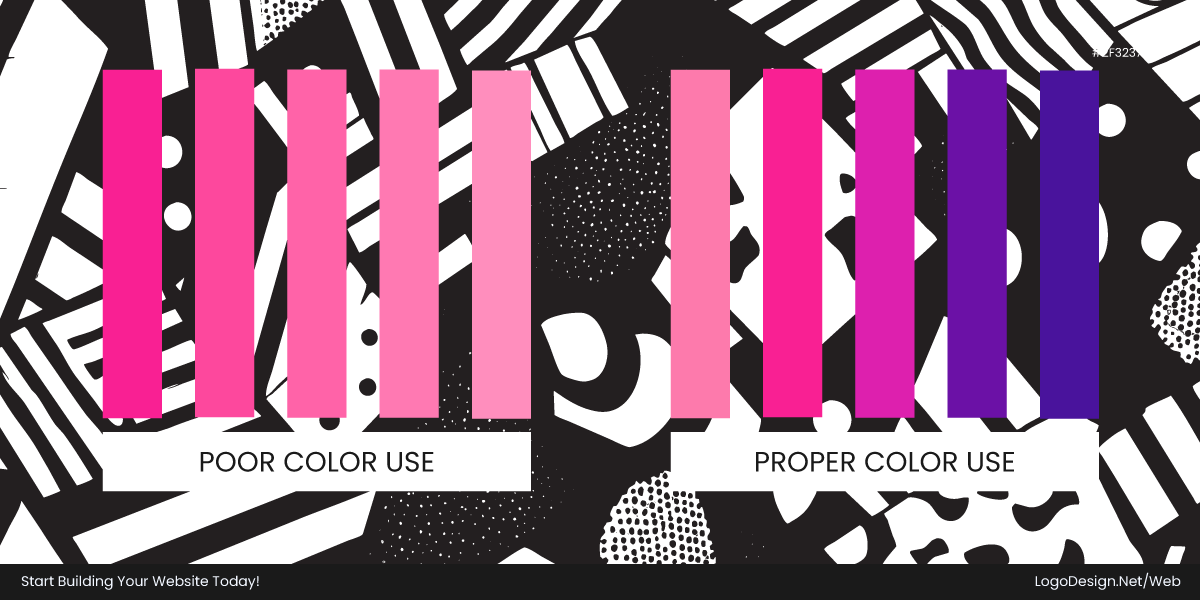
When your shades sit too close together, people get no clue about what’s clickable, what matters, or what’s switched off. It comes across as fiddly rather than polished, leaving users hovering, unsure what they’re even looking at. Space the steps out so each one is clearly its own thing, and give every step a job to do.
9. Using Trendy Colors Without Context
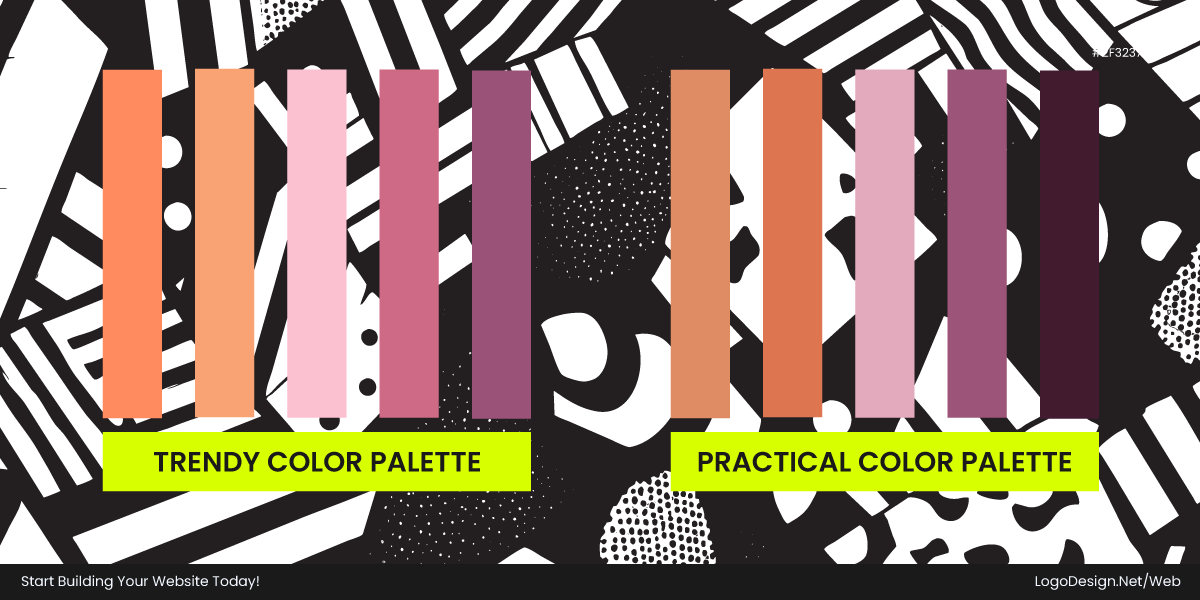
Picking colors just because they’re having a moment puts style ahead of the product’s purpose, and the look often clashes with what the product is really for. Trends fade fast too. So a palette that feels fresh today can look tired in a year or two. If you’re considering a website refresh, exploring popular color trends can inspire you to modernize your visual identity.
10. Forgetting Dark Mode
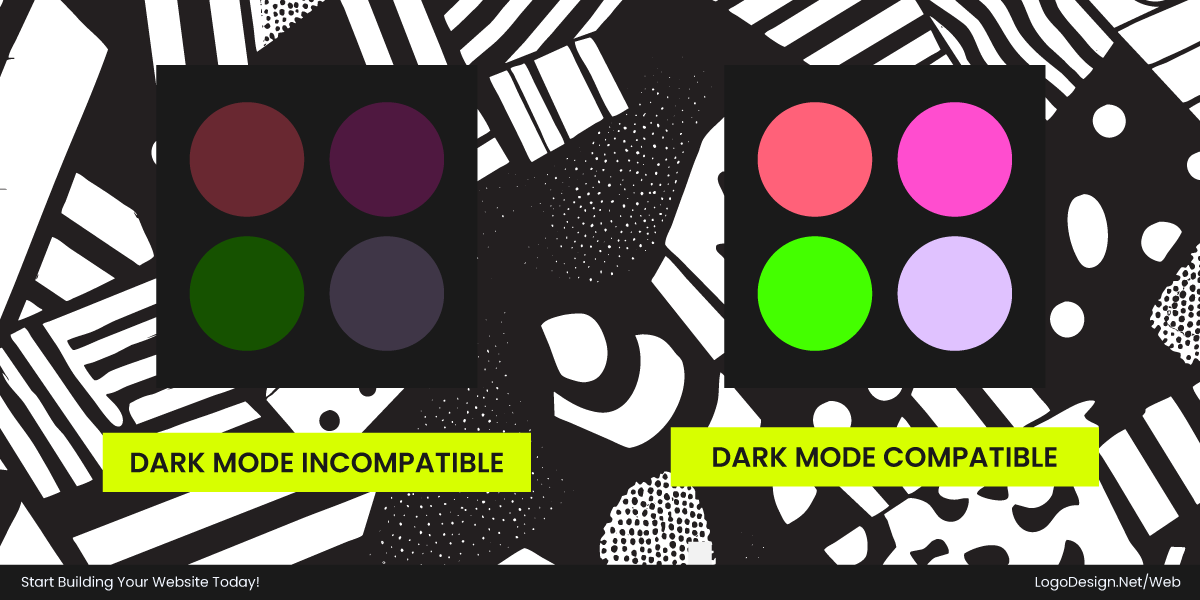
A palette built for light backgrounds almost never survives a straight flip to dark. Bright text on near-black can glow and wear the eyes out; strong colors start to buzz, and the borders that used to hold things together can disappear. Treat dark mode as its own thing, leaning on a soft dark gray instead of pure black and pulling those bright colors back a little.
If your brand extends beyond digital channels, understanding print color profiles helps maintain consistency across websites, packaging, and marketing materials.
Putting Color to Work on Your Website
Color was never just a coat of paint. It steers how people read you, how they use the site, and what they do next. The good schemes start with positioning, not with what you happen to like, and they use color on purpose: personality, hierarchy, and conversions.
And the good ones are built in layers. Brand colors handle identity; system colors handle reading and moving around. Accessibility goes in from day one, not bolted on once it’s too late. late. Color shouldn’t be the only thing conveying a message, and good contrast makes the page clearer for everybody, not just people who depend on it.
Get the basics right, and you stop fussing over color. It turns into a tool, doing its quiet work in that first 50 milliseconds and every minute after.