AI can whip up a website in minutes, but can it make it look great, rank well, and stay flexible? Use this checklist to evaluate your options and choose the best AI website builder.
Launching a website once meant weeks of back-and-forth with designers, developers, and content teams. Today, an AI builder can generate a fully structured site in minutes. AI builder websites have taken the IT and software industry by storm. From being experimental tools to successfully producing websites that are a hit.
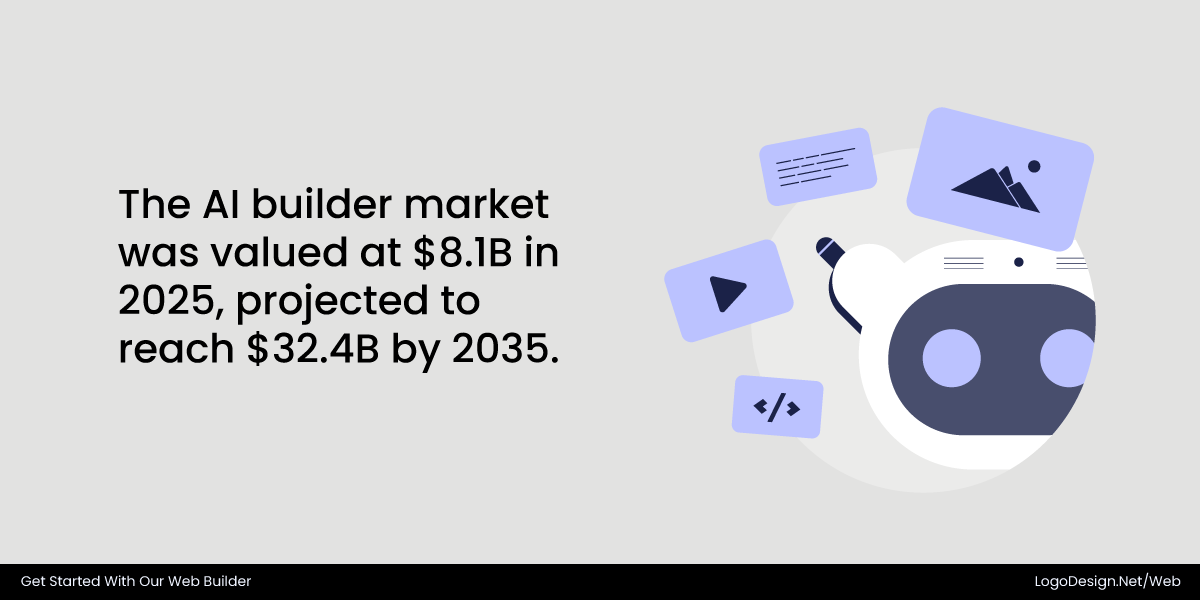
Artificial intelligence has fundamentally changed how digital presence is created, reducing production timelines. According to a report by Future Market Insights, the AI builder market will grow from 8.1 billion USD in 2025 to 32.4 billion USD in 2035.
For startups, small businesses, and entrepreneurs, the prospect is incredible. But is convenience more important than quality?
Not all AI website builders deliver the same result. Some create layouts that are aesthetically pleasing yet are not flexible. Others produce content quickly but struggle with search engine optimization or branding consistency. Selecting the wrong platform may result in restrictions that eventually affect scalability, performance, and user experience.
Businesses should evaluate how well the platform fits their objectives rather than choosing a website builder based only on factors like popularity or pricing.
Your Checklist for Picking the Best Website Builder
Let’s get started with the checklist.
1. Quality of AI-Generated Designs
An AI website builder should generate layouts that feel structured, modern, and strategically designed. Automation speeds up the process, but visual quality builds credibility.
Strong AI systems understand spacing, hierarchy, contrast, and alignment. Instead of stacking content blocks randomly, they organize information with intentional flow and clarity.
For the checklist evaluation of an AI-built website, consider the following:
- Do the layouts look professionally structured rather than template-heavy or repetitive?
- Are the suggested templates and color palettes aligned with current web design trends?
- Does the AI maintain proper typography hierarchy (headings, subheadings, and body text)?
- Can it automatically integrate branding elements like your logo, brand colors, and fonts?
Design consistency matters; a website should feel cohesive across all pages and not like separate sections stitched together.
Many builders also offer professionally designed website templates tailored for specific industries, making it easier to start with a layout that already reflects your business niche.
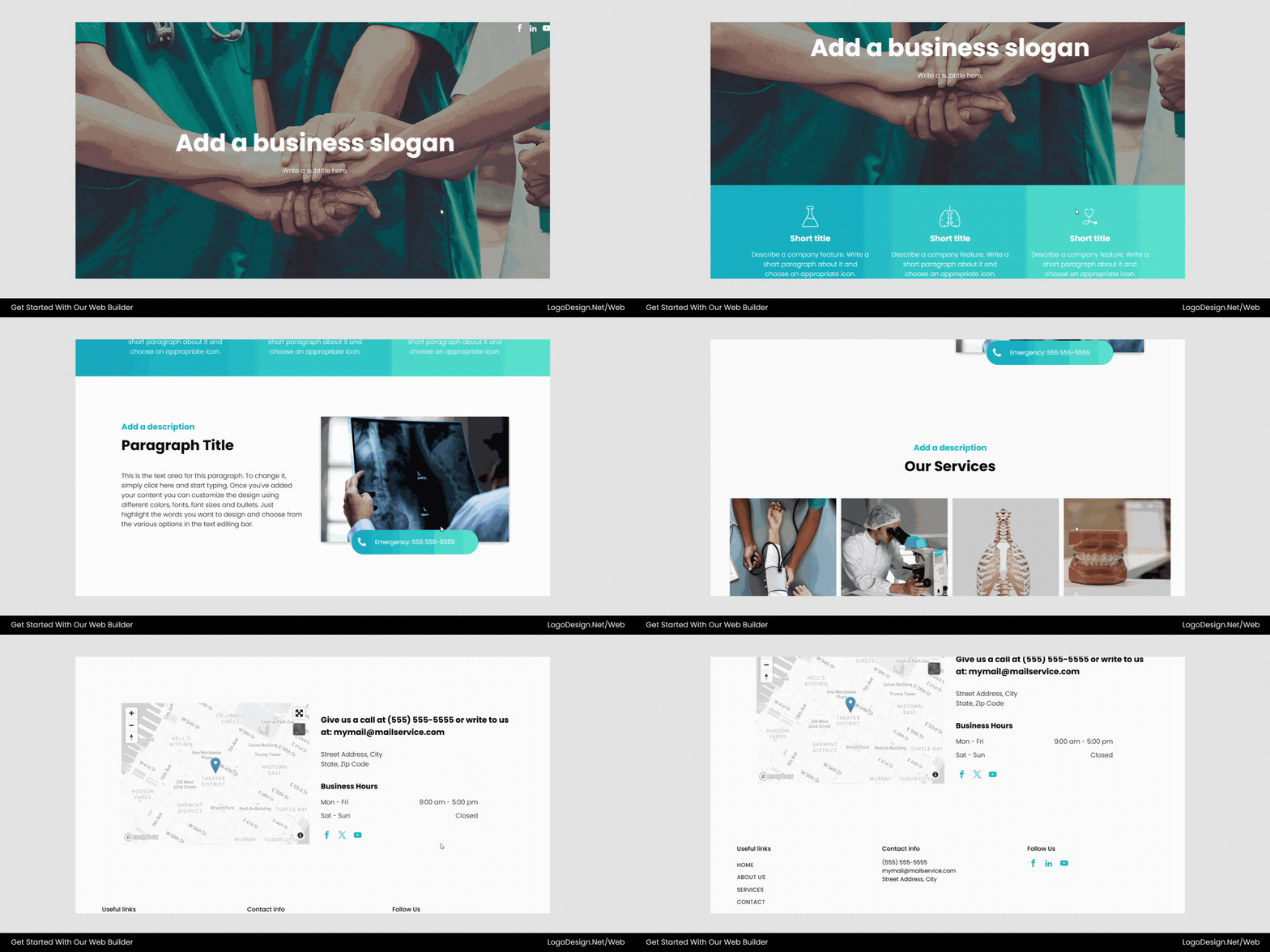
This healthcare website template by LogoDesign.Net features a clean, structured layout with a prominent hero banner that highlights the main message and call to action. Below it, minimal healthcare icons present key services in a clear and scannable way. The calm blue-and-white color palette and organized typography create a professional, trustworthy look suitable for healthcare providers.
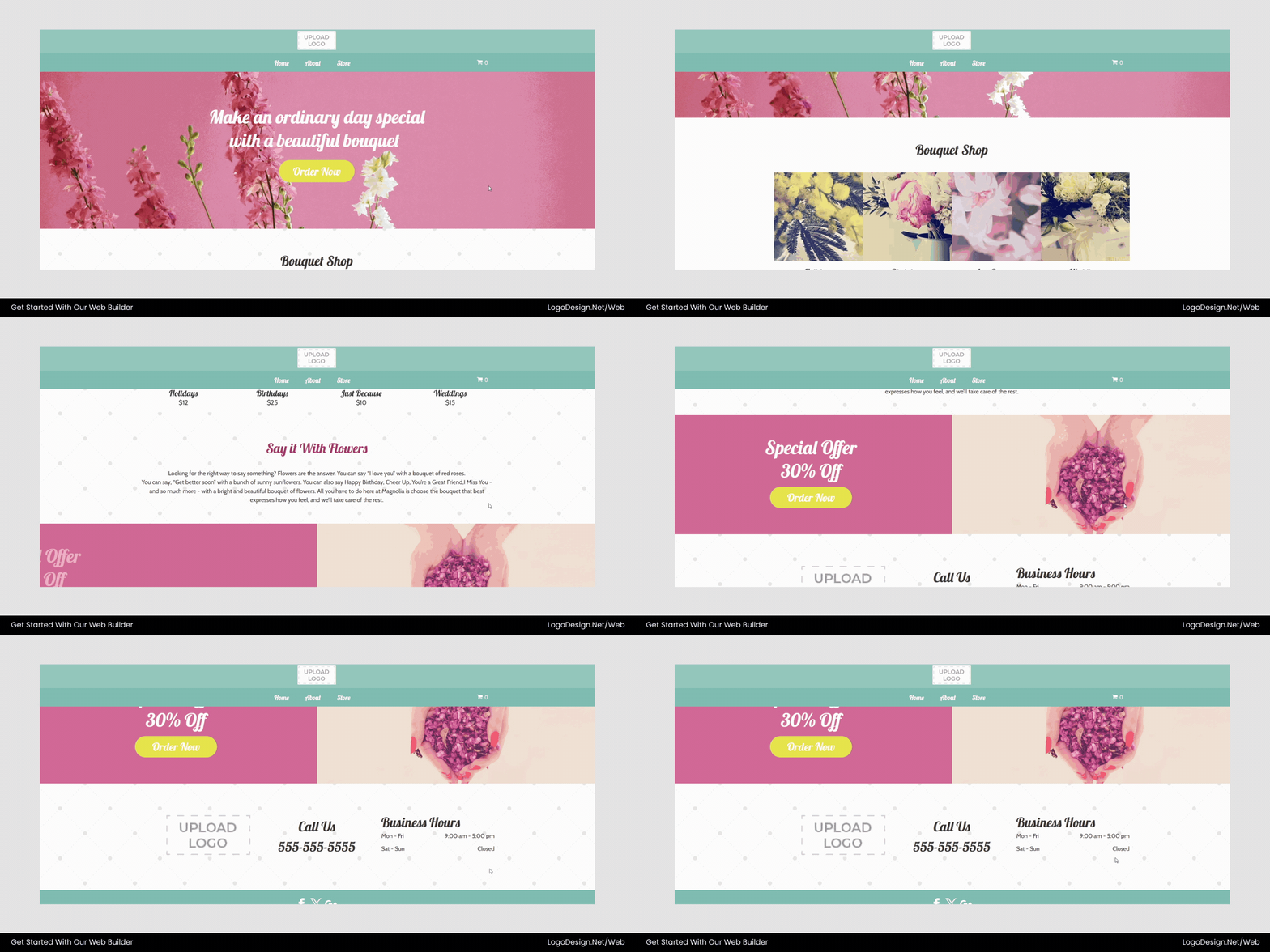
This online flower shop template by LogoDesign.Net features soft colors, elegant typography, and a visually appealing layout that reflects the delicate, artistic nature of a floral business. The design features a welcoming hero section with floral imagery, followed by neatly organized sections to showcase flower arrangements, services, or featured products. Gentle color tones and balanced spacing create a fresh, inviting atmosphere that aligns well with a flower shop’s brand identity.
2. Customization and Visual Control
AI should enhance creativity, not restrict it. While automation provides a strong starting point, businesses still need flexibility to refine their websites according to branding and audience needs.
Customization also allows businesses to experiment with design elements like brand colors and typography, ensuring the website reflects a cohesive visual identity. Choosing the right typography can influence user perception, readability, and brand recognition.
For the customization and visual control section, consider these key questions:
- Can you modify the layout structure after the AI completes the first draft?
- Are fonts, spacing, and color schemes fully customizable?
- Can you move, duplicate, or remove sections without breaking the design?
- Is it easy to add new elements such as testimonials, galleries, or CTAs?
Customization flexibility ensures your website doesn’t look identical to other websites on the same platform. The same principle applies when you create an original logo—differentiation builds recognition and trust.
LogoDesign.Net makes it easy to fully customize your website, giving you complete control over colors, fonts, spacing, layouts, and content blocks. The builder provides full color customization, allowing users to adjust everything from background colors to text styling, ensuring the website aligns perfectly with the brand identity.
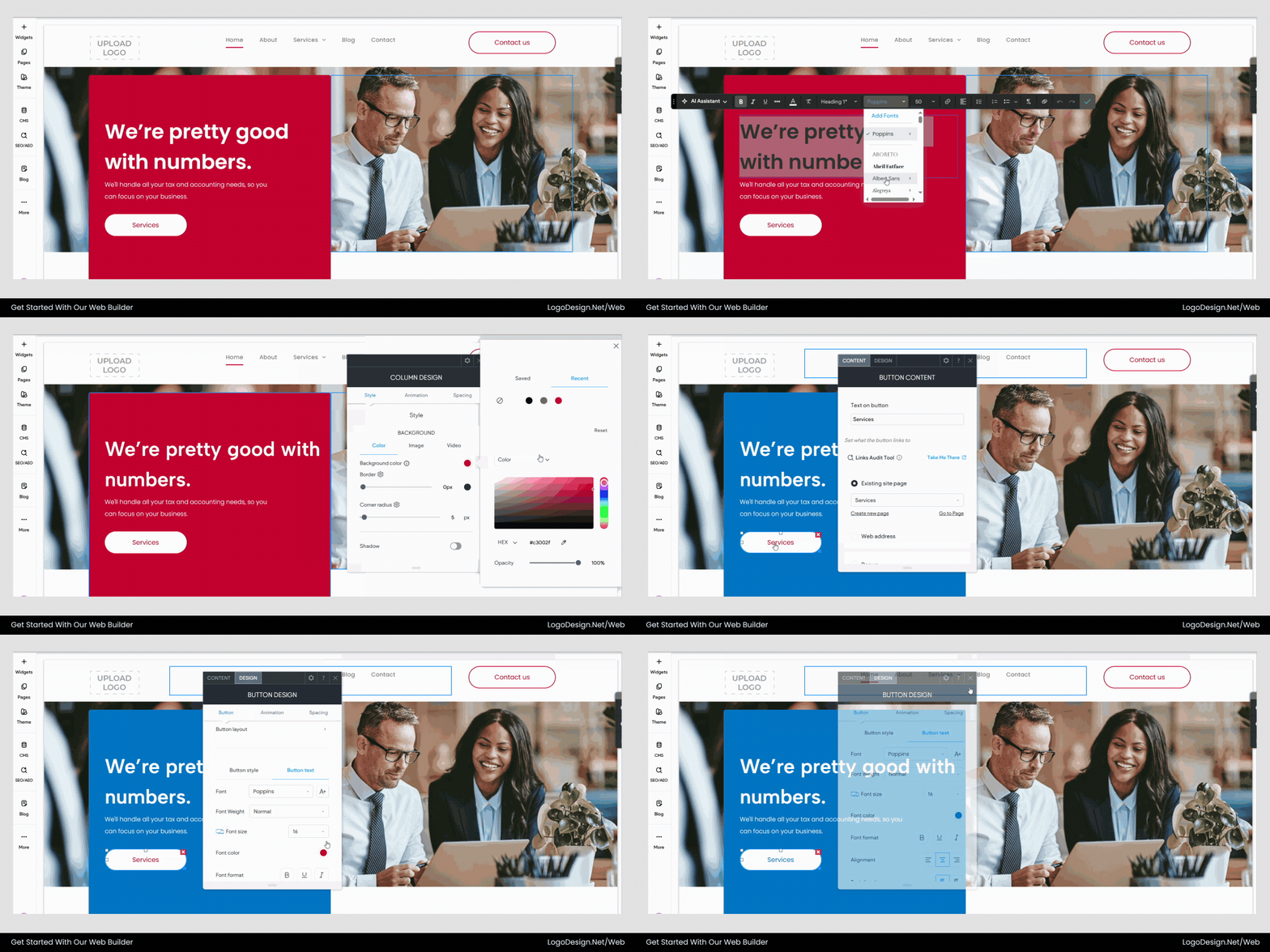
Customize colors, fonts, and layout styles to match your brand identity.
For instance, this interior design website template can be personalized to match your brand identity: you can adjust the hero banner, change section layouts, update typography, move or remove content blocks, and add new elements like galleries, client testimonials, or call-to-action buttons. Every detail is editable, allowing you to create a unique, professional website that reflects your style and design vision.
3. Content Relevance & Context Understanding
Strong AI website builders produce meaningful, context-aware content in addition to layout creation. After all, messaging converts visitors and not just the design.
You should examine an AI builder’s ability to manage copy generation appropriately. High-performance platforms don’t use generic filler text. Instead, they interpret your business type, target audience, and goals to produce relevant messaging.
For evaluation purposes, consider the following:
- Does the AI generate targeted, industry-specific copy (such as service descriptions, value propositions, and CTAs), or does it rely on placeholder content?
- Can it adapt tone based on your audience—professional, playful, corporate, or conversational?
- Does it follow SEO (Search Engine Optimization) fundamentals, including proper heading hierarchy (H1, H2, H3), keyword integration, and meta description suggestions?
- Are the CTAs clear, persuasive, and aligned with business objectives?
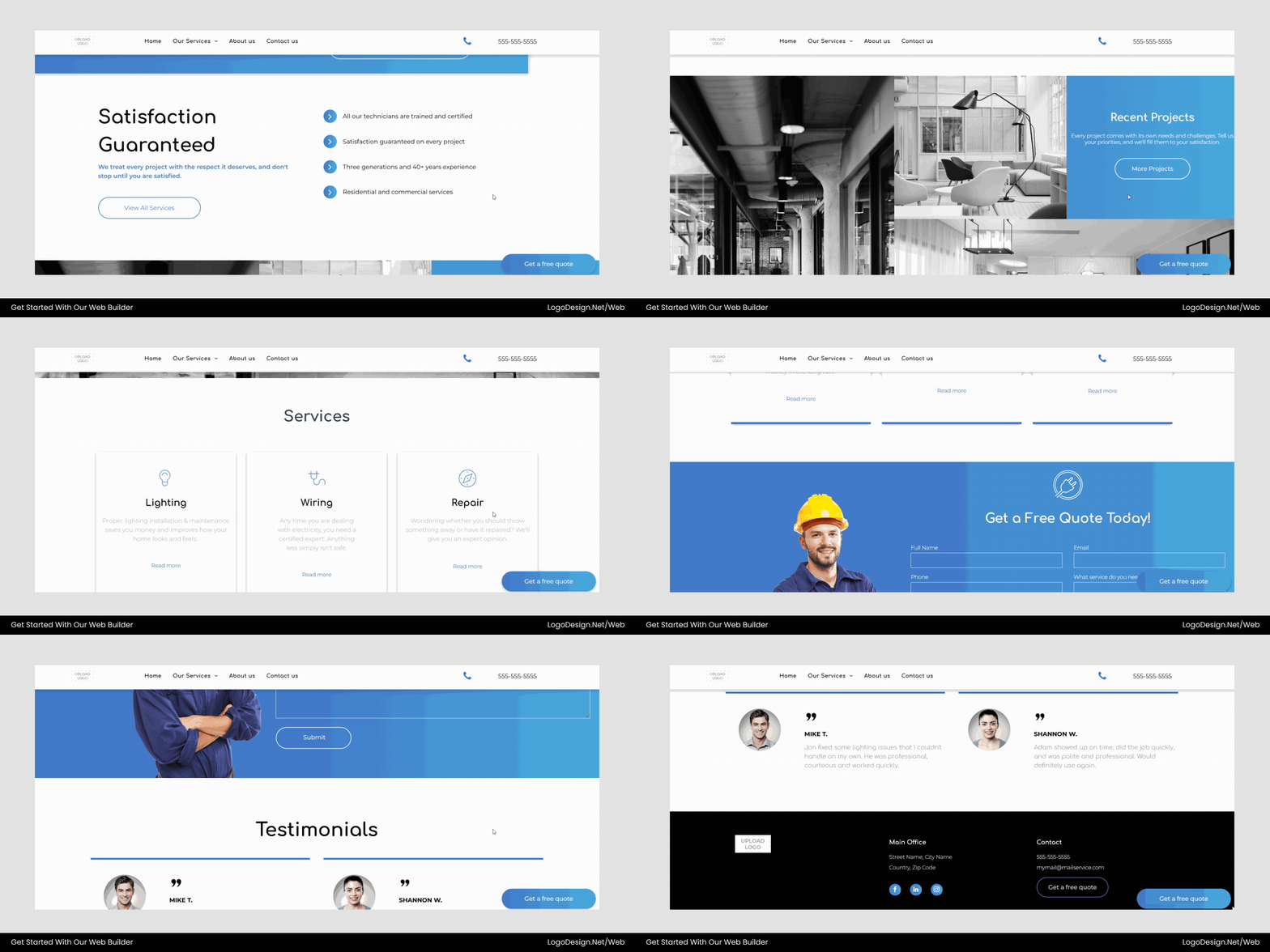
This electrician website template combines relevant content and a tailored design for electrical services. It features a hero section with an image of an electrician, service blocks highlighting wiring, installations, and repairs, and industry-aligned colors, typography, and icons. Every element—from service descriptions to CTAs—is crafted to be clear, professional, and audience-focused.
4. SEO & Performance Optimization
A visually appealing website means little if it loads slowly or fails to appear in search results. For sustainable growth, your website must be both fast and discoverable. A capable AI website builder should do more than generate pages—it should structure them in a way search engines can easily understand.
Clean, semantic code is essential. Proper HTML structure and clear heading hierarchy help search engines interpret content accurately, improving both rankings and user experience.
Use this checklist when you’re evaluating the SEO capabilities:
- Does the builder generate semantic HTML with correct heading structure and tags?
- Are images automatically compressed and optimized for faster load times?
- Does it provide built-in SEO tools such as editable meta titles, descriptions, and XML sitemaps?
- Is the structured data supported for enhanced search visibility?
- Can you customize URLs and alt text easily?
According to Google’s Core Web Vitals research, page speed and visual stability directly influence search rankings and user engagement. This makes performance optimization a critical factor when evaluating AI website builders.
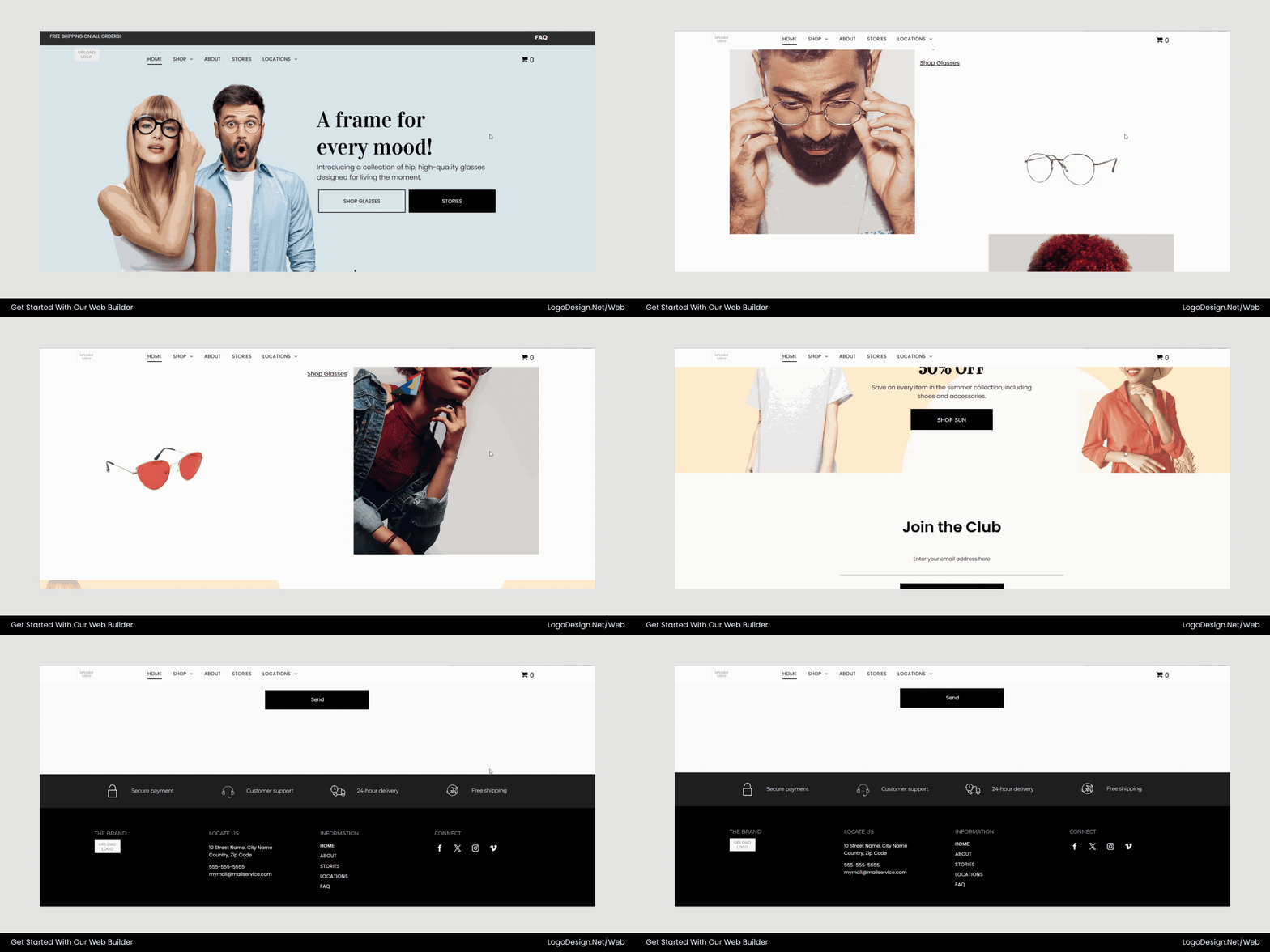
The eyewear store template shows how strong design can support search visibility. The page starts with a clear H1 heading introducing the brand, followed by structured, keyword-rich sections that describe products and collections—making the content easy for both users and search engines to understand.
The SEO dashboard on LogoDesign.Net allows users to optimize their websites directly within the builder.
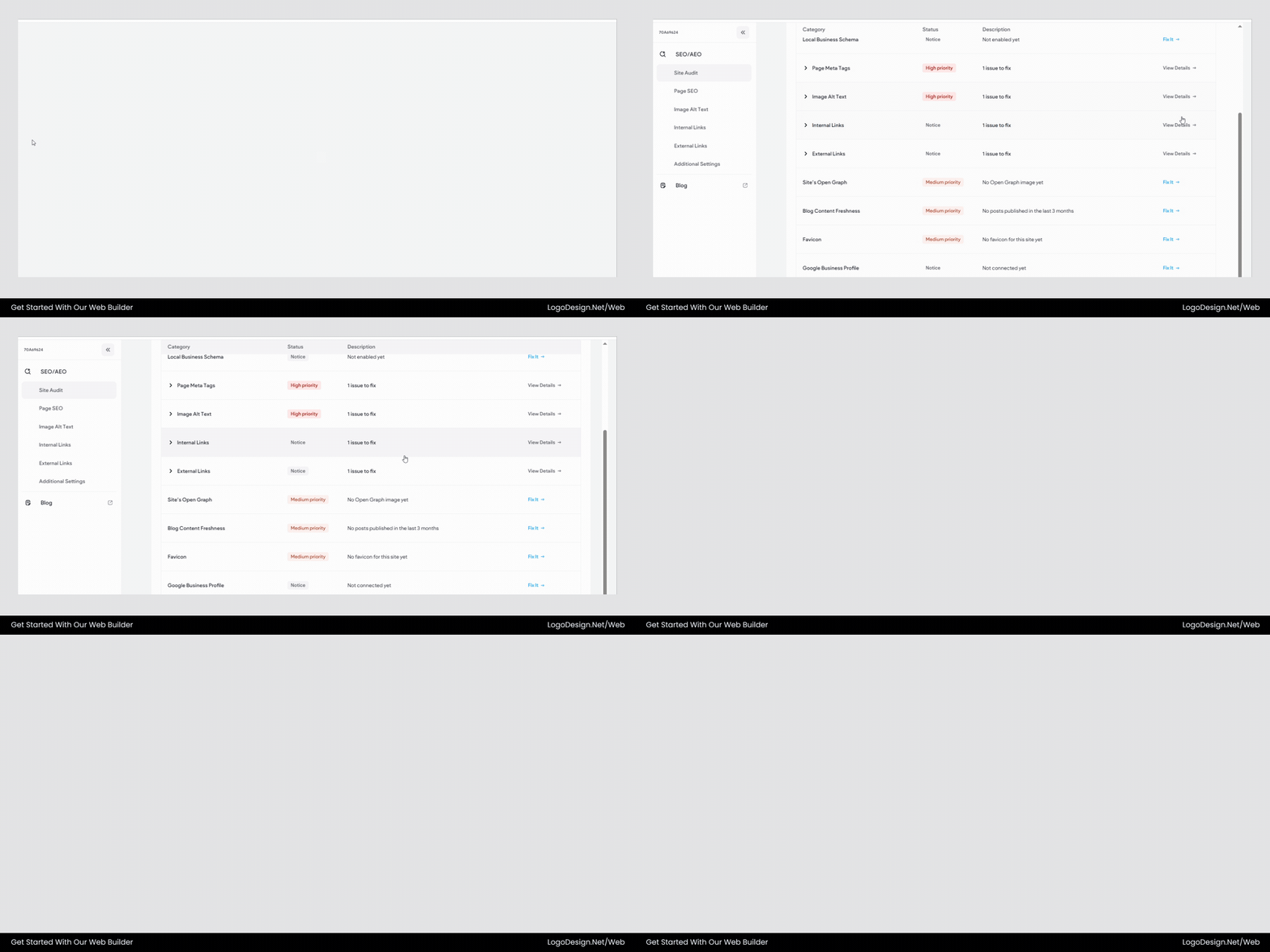
Optimize page titles, metadata, and URLs using the built-in SEO tools.
The builder supports essential SEO features, including editable meta titles and descriptions, optimized images for faster load times, XML sitemap generation, and search-friendly URLs, ensuring the site is built for both performance and discoverability.
These tools help improve search visibility without requiring technical knowledge.
5. Mobile Responsiveness and UX Integrity
A modern website needs to work well on all kinds of devices. Since most people browse on their phones, the mobile experience has a direct effect on engagement, conversions, and search results. From the very first draft, an AI website builder should prioritize responsiveness.
There’s more to responsive design than just shrinking the content to fit a smaller screen. It means ensuring that the visual hierarchy, readability, and usefulness are consistent across all viewports. No matter if you’re on a laptop, a tablet, or your phone, the spacing, typography, and navigation must all be easy to understand.
Check the following:
- Is the mobile layout clean, readable, and fully usable immediately after AI generation?
- Does switching between desktop and mobile views retain design consistency?
- Are the buttons large enough for touch interaction?
- Is the navigation menu easy to access and operate on smaller screens?
- Do images and sections stack logically without breaking the layout?
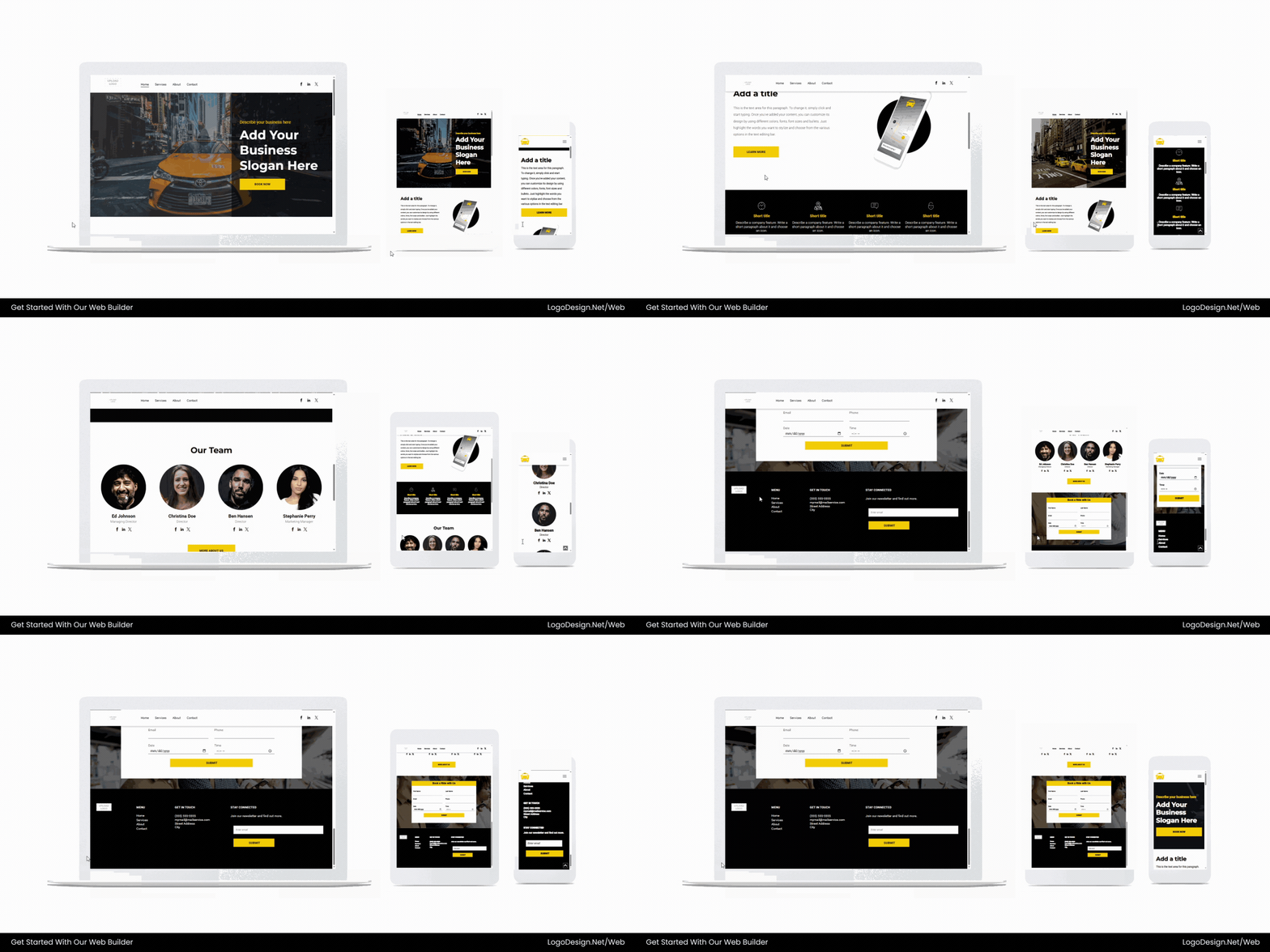
Preview your website instantly across desktop, tablet, and mobile screens before publishing.
This cab services web template features prominent booking buttons, clean service sections, and intuitive navigation. On mobile, it adapts to a streamlined single-column layout with accessible CTAs, ensuring a smooth, conversion-focused user experience.
Users can preview their website on the LogoDesign.Net website builder across desktop, tablet, and mobile screens before publishing. This ensures layouts remain responsive and readable across devices, which is critical for user experience and SEO. Websites built on the platform are mobile-friendly by default, automatically adapting layouts across devices.
Conversion rates are directly influenced by layout clarity and messaging structure. HubSpot’s benchmark studies highlight how strategic calls-to-action and clean design impact lead generation across industries.
6. Integrations & Functional Add-Ons
Websites are more than just digital brochures; they’re also important places for businesses to run. Functionality, such as collecting leads and tracking how visitors behave, determines how well your site helps your business grow. An AI website builder should do more than just create websites; it should also offer useful integrations that link your site to important tools.
Strong platforms make setup easier by embedding these features right in the menu. Integrations should be built-in, stable, and easy to set up instead of using third-party solutions.
Modern websites also integrate marketing tools that connect online and offline experiences. For example, businesses can create scannable codes using an online QR code generator to direct customers from packaging, flyers, or storefront displays directly to their website.
Evaluate whether the AI builder supports:
- Analytics tracking (such as Google Analytics or built-in reporting tools)
- Contact forms with customizable fields and spam protection
- Lead generation features like pop-ups or gated downloads
- E-commerce capabilities, including product pages, shopping carts, and secure checkout
- CRM or marketing integrations for email capture and newsletter automation
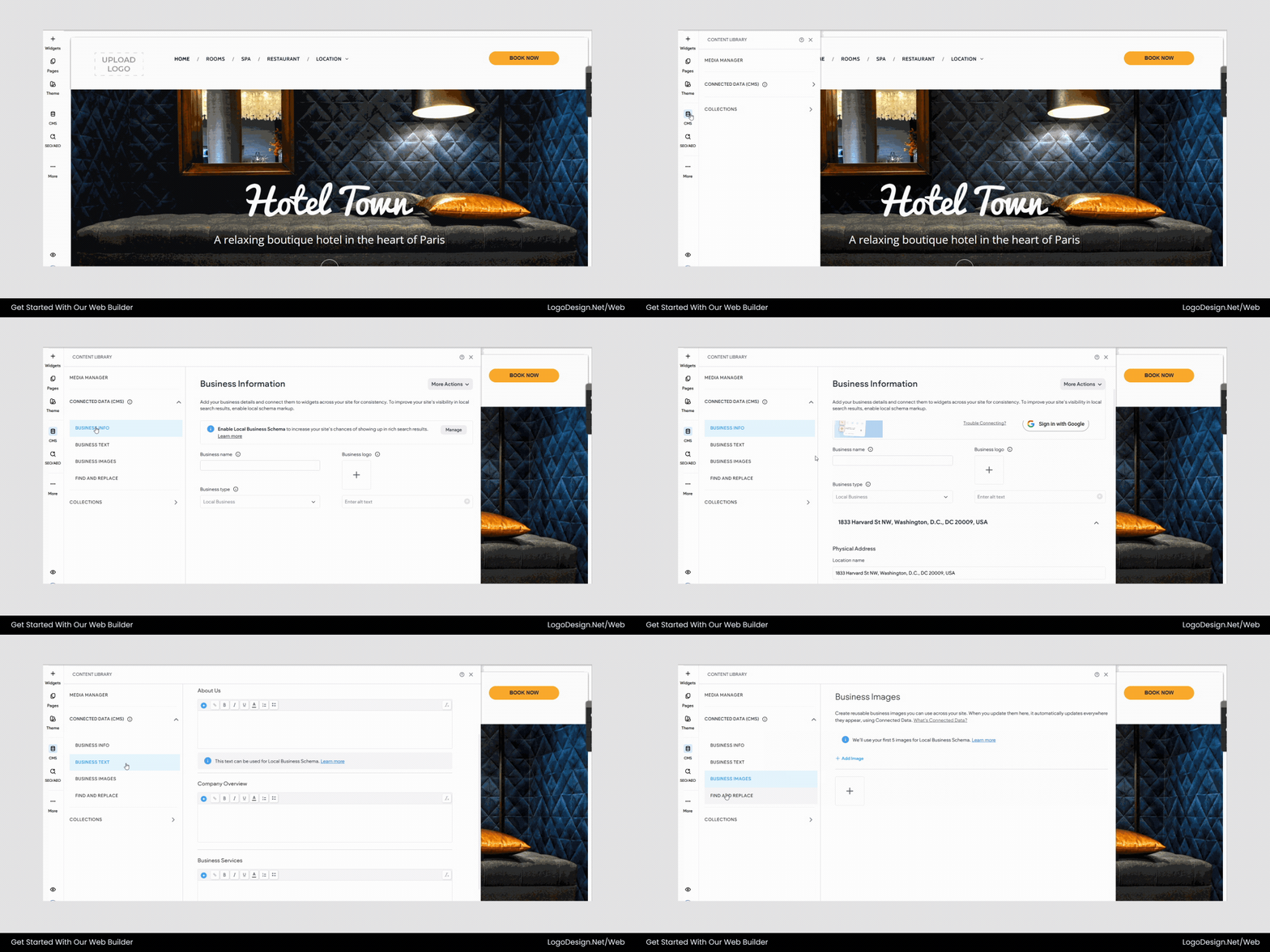
Manage pages and website content easily through the integrated CMS tools.
LogoDesign.Net’s built-in CMS allows users to manage website content efficiently. Business owners can edit pages, update blog posts, and modify site content without affecting the overall design structure.
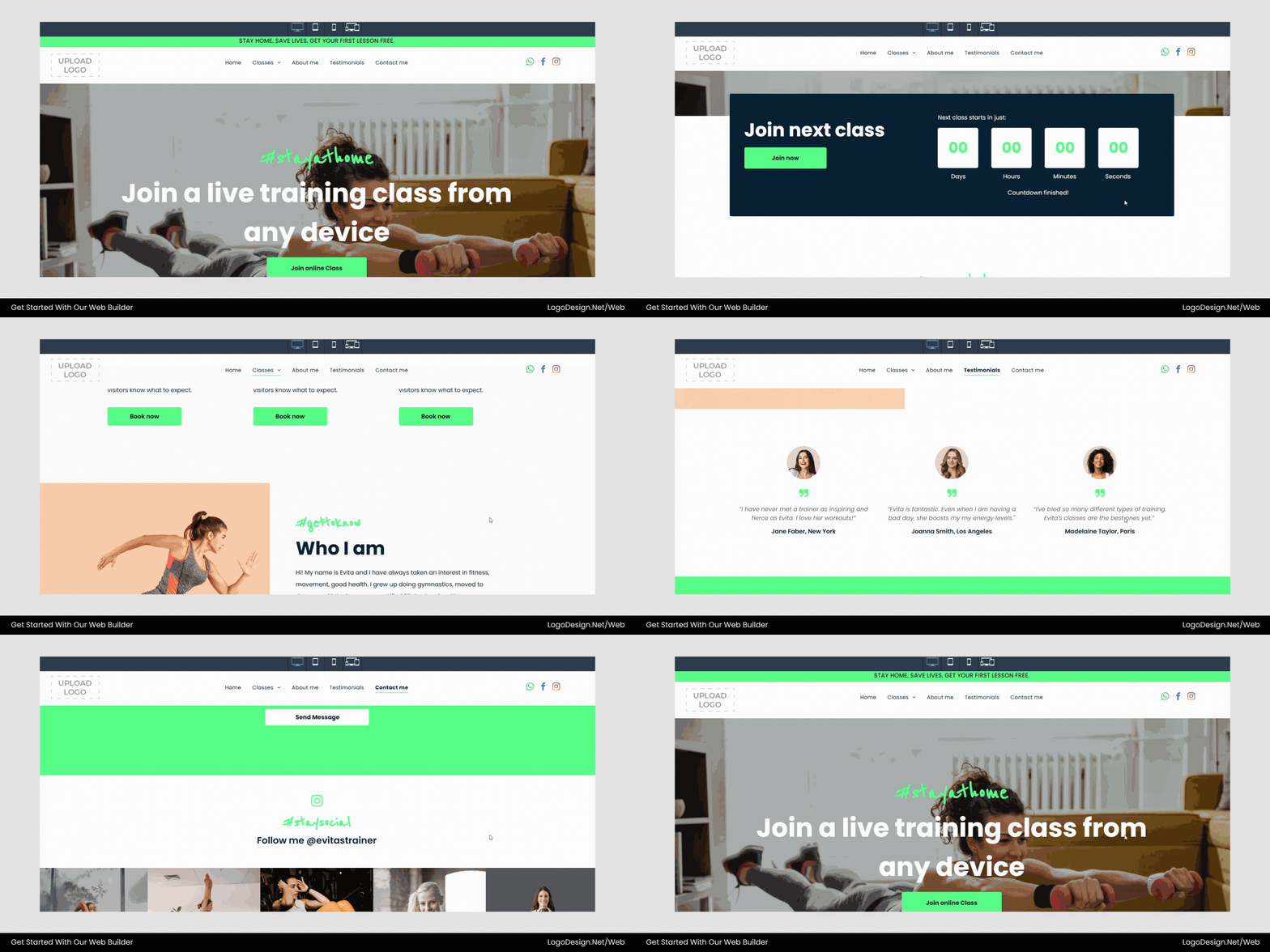
This yoga studio template shows how an AI website builder can support real business functionality. Designed for studios offering live or online classes, it includes sections for class schedules, instructor profiles, and quick sign-ups so visitors can easily explore and join sessions.
Built-in integrations allow the studio to track engagement, monitor class performance, and capture leads through contact forms and registrations, while analytics and marketing add-ons help grow and manage the studio’s audience directly from the website.
7. Workflow & User Experience
Even the most advanced AI technology can become frustrating if the platform itself is difficult to use. A clean, easy-to-use interface directly affects productivity, especially for businesses or small teams working on tight timelines.
An AI website builder that works well should help users through the process of making a site without overwhelming them. Platforms designed with simplicity in mind often resemble the best website builders for beginners, offering structured workflows that reduce complexity for first-time users. Every step, from signing up to publishing, should feel planned and have a reason.
Many entrepreneurs also use website builders as part of their broader business setup process. For example, new founders may first form an LLC and then create their website, logo, and branding assets on the same platform.
After testing the website yourself, answer the following queries:
- Is the dashboard organized and easy to navigate?
- Are AI prompts clear, concise, and helpful rather than vague?
- Does the builder provide contextual tips during setup?
- Can you preview changes instantly without complicated steps?
- Is publishing straightforward and free of technical friction?
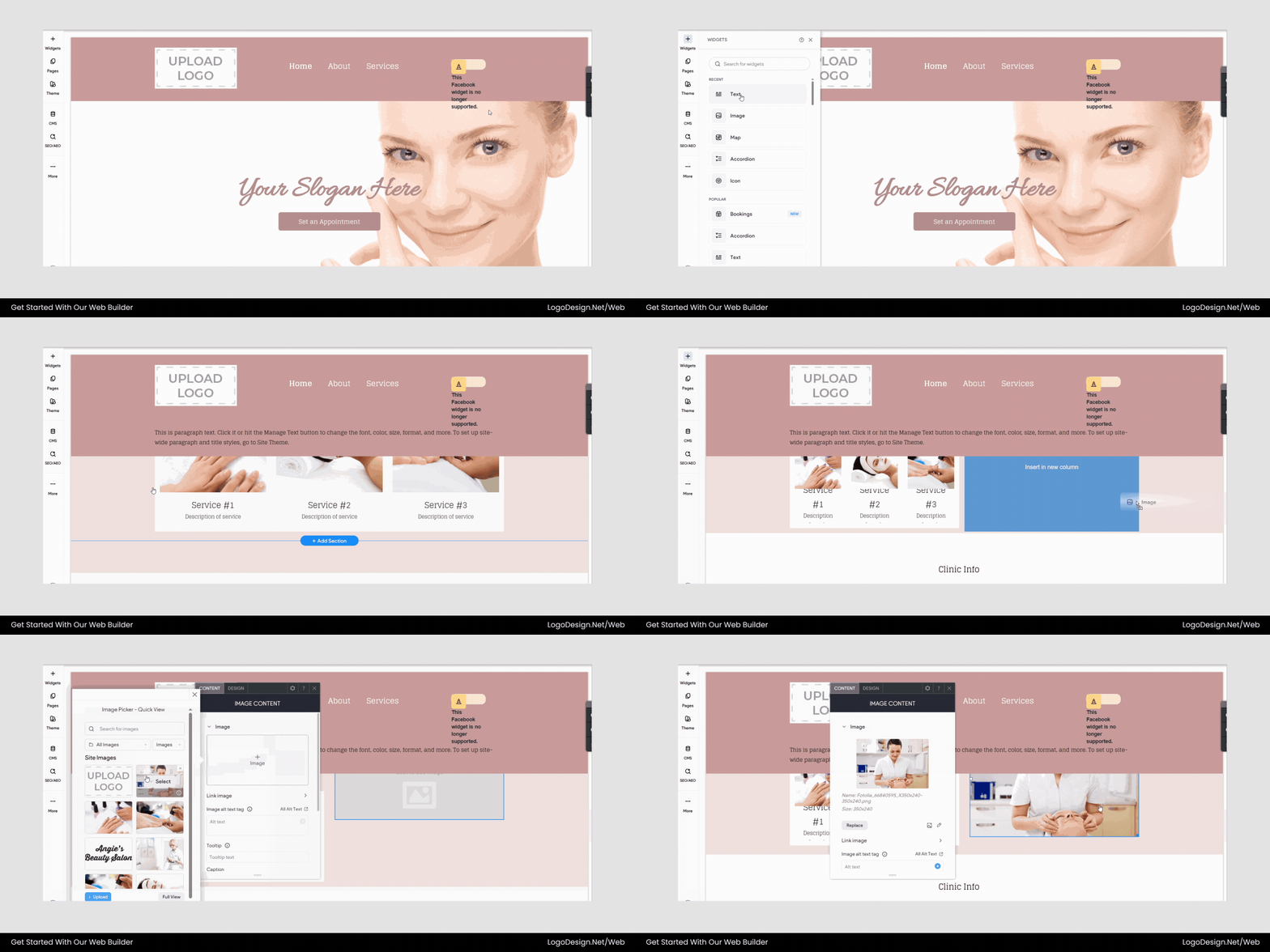
Add, remove, or rearrange widgets using the drag-and-drop editor.
LogoDesign.Net’s editor allows users to build pages visually using drag-and-drop functionality. Sections like galleries, service blocks, forms, and testimonials can be added or rearranged easily without coding.
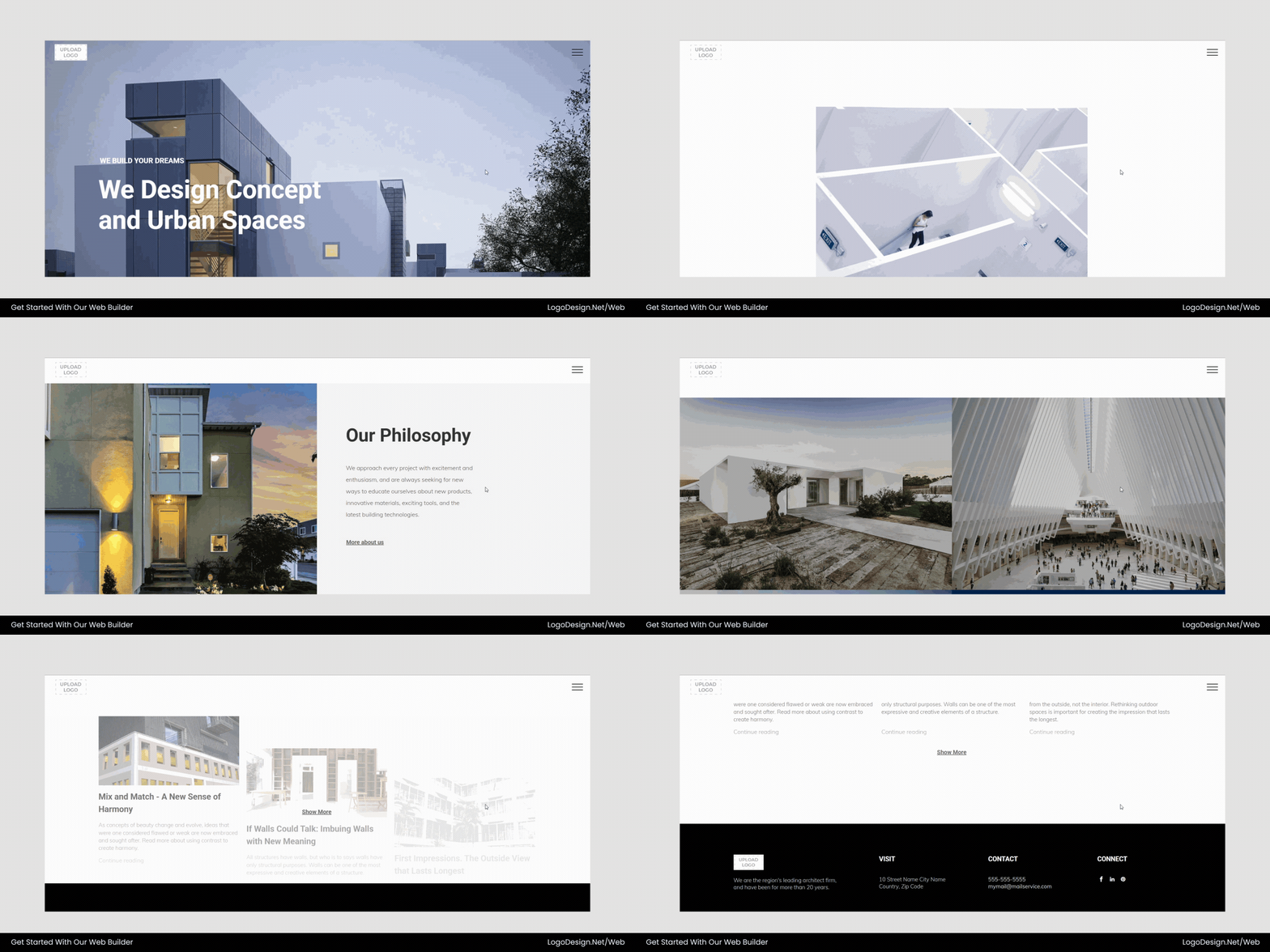
This architecture firm website template highlights how a clear structure improves user experience. The page opens with a strong visual introduction, followed by well-organized sections for services, design philosophy, and featured projects. The content flows naturally, guiding visitors through the firm’s expertise while reflecting the AI builder’s streamlined workflow that makes creating and publishing a professional website simple.
8. Support, Guidance & Documentation
Even the most intuitive AI website builder will raise questions during setup or customization. When that happens, access to reliable support can make the difference between a smooth launch and prolonged frustration.
Platforms that work well don’t assume that users can figure out everything on their own. Instead, they give you direction in layers. From training guides to quick customer service, they make sure that users feel supported at all times.
Look for the following:
- In-platform tutorials or onboarding wizards that guide you through setup
- Tooltips or contextual prompts explaining key features
- Live support options such as chat or ticket-based assistance
- A searchable knowledge base with step-by-step articles
- Community forums or expert-led resources for deeper insights
If you encounter an issue connecting a custom domain, the builder should offer a clear help article or live chat option rather than leaving you to troubleshoot alone.
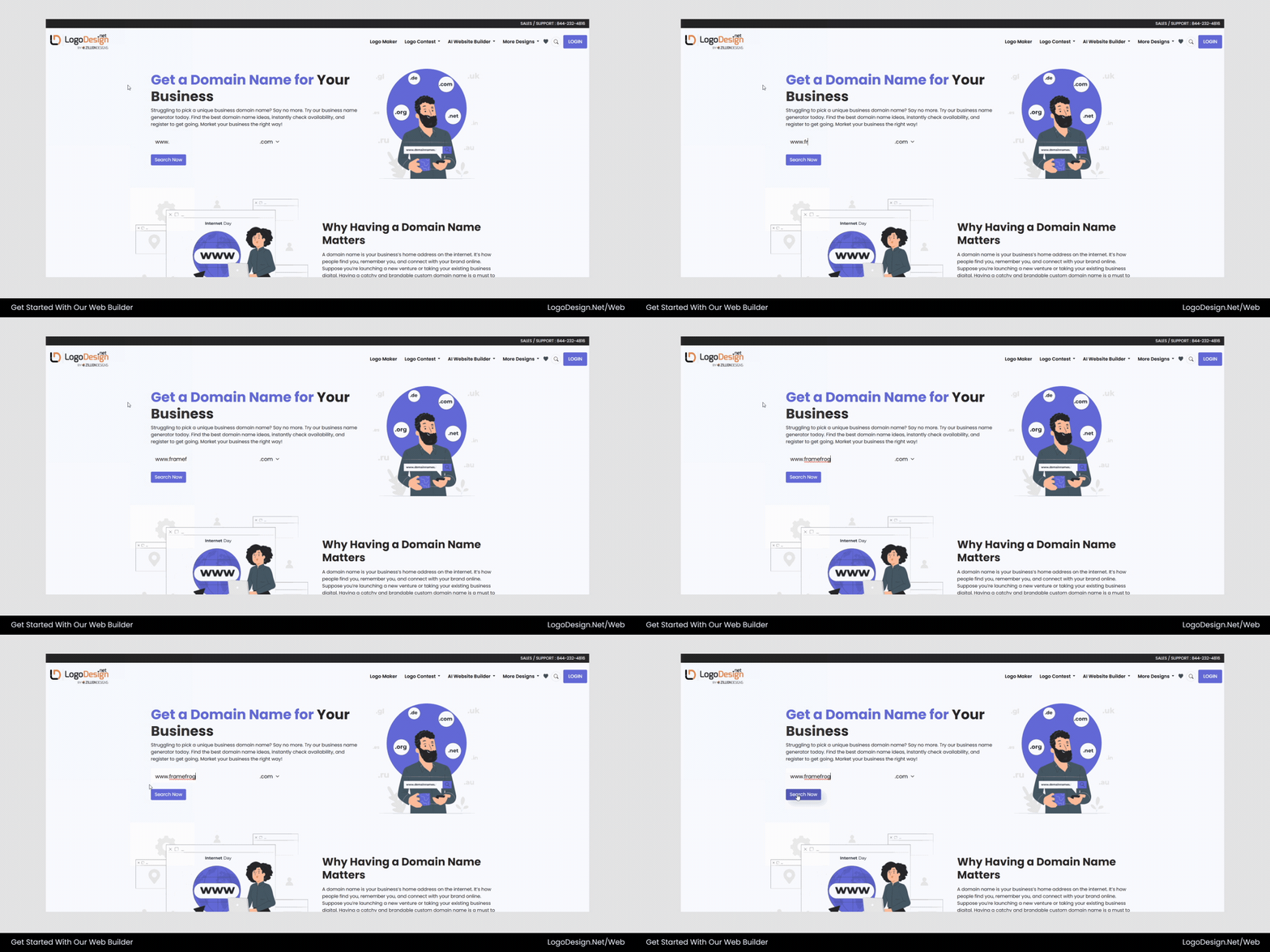
Register and connect your domain directly from the website builder dashboard.
The LogoDesign.Net platform allows users to register or connect a domain directly during the website publishing process. This removes the need for separate domain providers and simplifies launching a website.
Clear documentation is essential, much like guidance on using a logo maker effectively to avoid generic results.
9. Pricing Transparency & Value
AI website builders use different pricing models, such as monthly subscriptions, tiered plans, and usage-based plans. Affordability is important, but real worth comes from knowing what you’re getting for your money.
Clear pricing helps you avoid unexpected costs after the start. Some platforms advertise low entry fees, but they hide important features behind more expensive plans. Others might not let you use AI-generated pages or more powerful customization tools unless you pay more.
Clarify the following before committing:
What features are included at each pricing level?
- Are AI-generated pages, edits, or regenerations capped?
- Is hosting included in the plan?
- Are analytics tools, SEO features, or e-commerce capabilities locked behind premium tiers?
- Does the plan include a custom domain, SSL certificate, and storage?
A builder may have a basic plan that isn’t too expensive, but if it doesn’t include custom names or only removes branding at higher levels, the long-term cost may be higher than expected. Choosing the wrong platform may eventually require a redesign or even necessitate rebranding if limitations affect growth.
| Tool | Key Features | Monthly Pricing | Yearly Pricing |
| LogoDesign.Net Web Builder | AI-powered, drag‑and‑drop editor, industry-specific templates, domain support, mobile-responsive, built-in branding tools | FREE | FREE |
| Hostinger Website Builder | AI-powered, drag‑and‑drop editor, 150 templates, domain included, ecommerce support | $2.99 | $35.88 |
| Wix | AI website builder, drag‑and‑drop editor, 800+ templates, flexible design tools | $14 | $168 |
| Squarespace | Stylish templates, ready-made sections, flexible design, and e-commerce support | $16 | $192 |
| Webflow | Visual development tools, CMS, and advanced customization | $14 | $168 |
| SITE123 | Beginner-friendly, pre-designed sections, easy editor, responsive design | $5.81 | $69.72 |
Some builders simplify this process by offering built-in domain registration. With LogoDesign.Net, users can purchase and connect a domain instantly through the platform’s domain registration feature
, eliminating the need for third-party services.
Don’t just look at the monthly price; also look at how much it costs in terms of speed, design quality, and the ability to grow. A slightly bigger investment could save hours of work and keep you from having to move again in the future.
10. Future-Proofing & Continuous Improvement
Standards for the web and AI change very quickly. In a year, something that seems new today might not be so cool anymore. When choosing an AI website builder, you should think about more than just the launch. You should also think about how the site will work in the long run.
A platform that is always looking to the future improves speed, makes its AI models better, and adapts to keep up with the latest logo design trends. With regular changes, you can keep your website up-to-date, safe, and competitive without having to rebuild it from scratch.
Survey the following:
- Does the company regularly update and improve its AI capabilities?
- Are new design trends and UX best practices integrated into the platform?
- Are security updates and performance improvements handled automatically?
- Do existing websites benefit from system-wide enhancements?
The LogoDesign AI builder suggests page layouts and content sections based on your industry. For example:
- service sections for agencies
- product listings for stores
- portfolios for creatives
These recommendations speed up the website creation process while keeping the layout relevant to the business type.
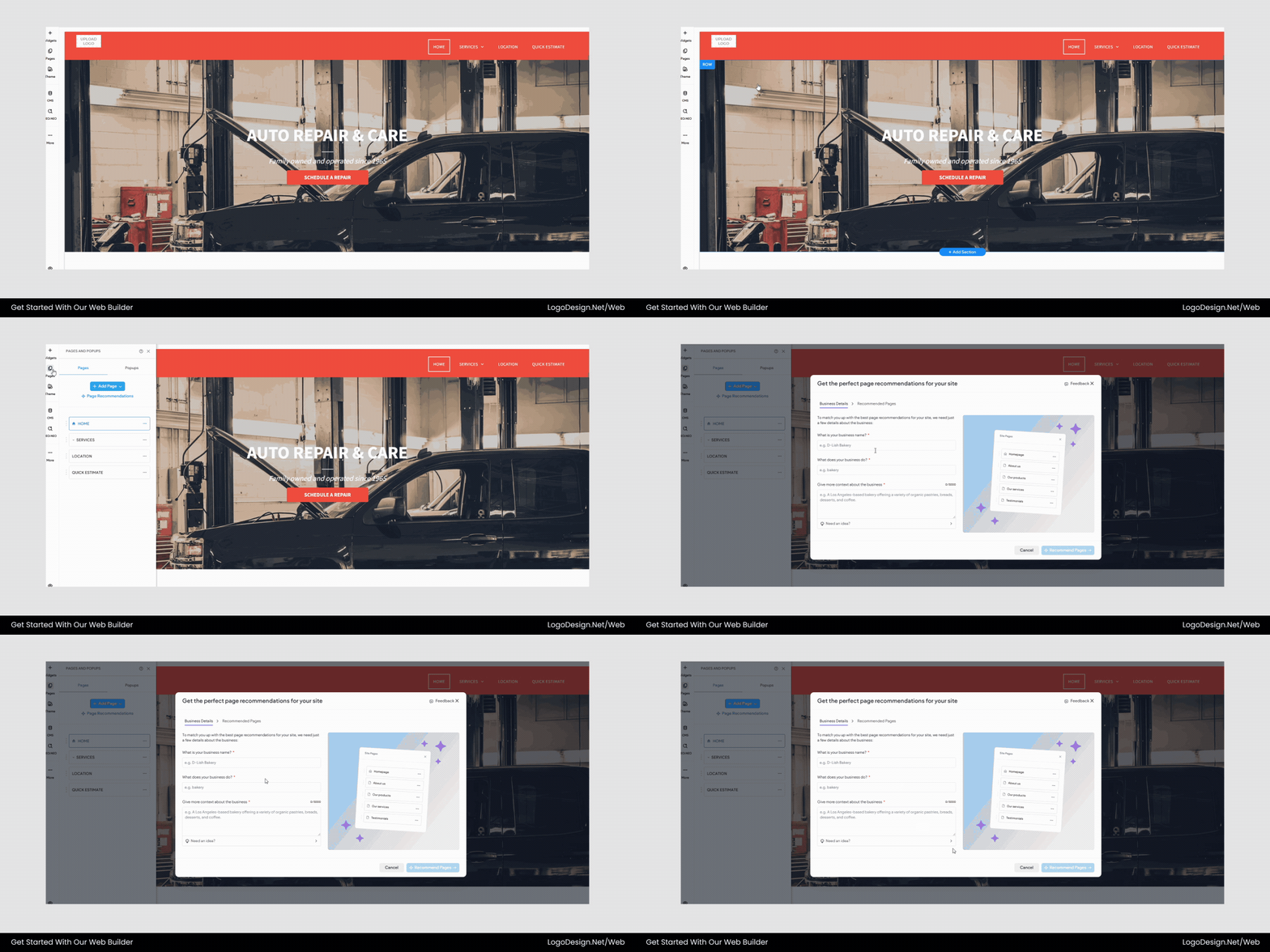
AI recommends page layouts tailored to your business type
If accessibility standards or search engine rules change, a good platform should be able to update its infrastructure to keep your website compliant and optimized without you having to do anything.
Comparing AI Website Builders: Design, SEO & Flexibility
Before committing to a platform, it helps to see how leading AI website builders compare across core evaluation criteria. The table below provides a side-by-side overview of major AI website builders to help you identify which solution aligns best with your business goals.
| Feature / Platform | LogoDesign.net (LDN) | Wix ADI | Durable | Bookmark AIDA |
| AI Website Generation Speed | Fast, guided AI setup | Fast | Very Fast | Fast |
| Design Quality & Branding | Strong brand-focused layouts | Good | Moderate | Moderate |
| Customization Flexibility | High visual control | High | Moderate | Moderate |
| AI Content Relevance | Context-aware business copy | AI-assisted | Basic AI copy | Basic AI copy |
| SEO Optimization Tools | Built-in SEO tools | Advanced SEO tools | Basic SEO | Basic SEO |
| Mobile Responsiveness | Fully responsive | Fully responsive | Fully responsive | Fully responsive |
| E-commerce Support | Available (varies by plan) | Strong e-commerce | Limited | Limited |
| Integrations | Marketing + analytics support | Extensive | Moderate | Moderate |
| Ideal For | Brand-driven businesses & startups | Growing businesses | Solopreneurs | Beginners |
Not all AI website builders prioritize the same strengths. Some focus on rapid deployment, while others emphasize brand consistency. Understanding these distinctions helps you choose a platform that supports both immediate needs and long-term growth.
Create Your Website with AI—Fast!
Not every AI website builder is the same. Some people put speed first, while others put quality of design output or advanced customization first. The best choice for your business will depend on its long-term growth plans, image needs, and goals.
This list helps you think about these differences in a smart way, so you can pick a platform that is both easy to build and built to last. Your website should support your brand’s identity, boost your trustworthiness, and grow with your business.
Before you launch your AI-generated website, make sure that your visual branding looks just as good. A professionally designed logo sets the tone for the layout, color scheme, and overall look of the brand. Explore LogoDesign.Net’s tools and resources to create a logo that complements your website and ensures your brand looks appealing everywhere online.