Free Logo Maker

Design a logo in minutes with our logo creator!

Generate a Media Logo for Free


Select

Pick Your Logo

Get a media logo that speaks your brand message loud and clear by using our tool. Just type in your agency name and our media logo creator will present you with tons of brand symbols. Pick your favorite communication logo template, and create a brand symbol that grabs attention at first glance.
Select
Customize

Edit Your Logo

Once you select your media agency logo, you can edit it. Take help from our AI-powered logo maker to add decorative shapes, text art, or search for icons related to media. You have full creative freedom to customize your communication media logo and create a brand identity that you can be proud of.


Download

Get Your Logo

Time to preview your final design on swag kits or print merch. If you like your design, proceed to download it from the My Design section. Get your files from our media communication logo maker in PDF, JPEG, and PNG files and use it as a brand symbol for your company.

Download

Start Using Our Free Logo Maker for

Unique Media Logo Elements

Logo Symbol

Logo Symbol

Communication media is a broad industry that covers broadcasting, public relations, print advertising, and mass media. So when picking up a symbol, go with the one that is related to your industry. Select from media icons such as radio, sound waves, film reel, play button, loudspeaker, TV, microphone, banner, camera shutter, newspaper, wifi signal, speech bubble, etc. Choose an icon that works with your media company logo design, not against it! Or go with abstract shapes that will also set you apart from the get go.


Color Palette

Color Selection

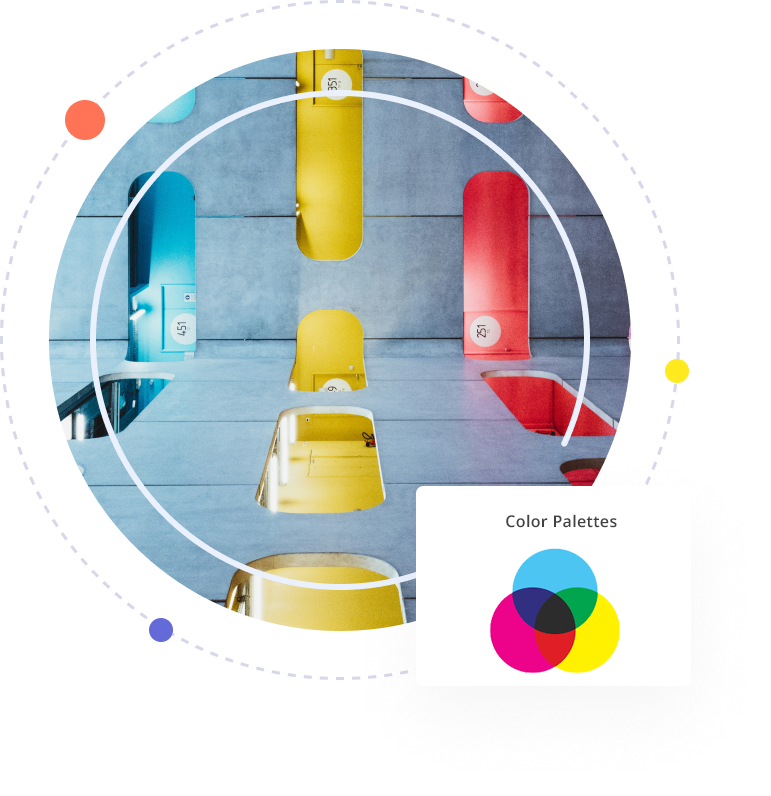
The communication business is all about finding a way to stand out from the noise. One way to do this is by using unapologetic brand colors to create a memorable logo for your media company. Blue and green are common colors because they convey reliability and confidence. Yellow and red entice excitement, passion, and enthusiasm–making them the perfect color choice for media agency logos. Do some research on your target audience to find out colors that resonate with your clients and audience.
Font Choice

Use Fancy and Script Fonts

Font Choice

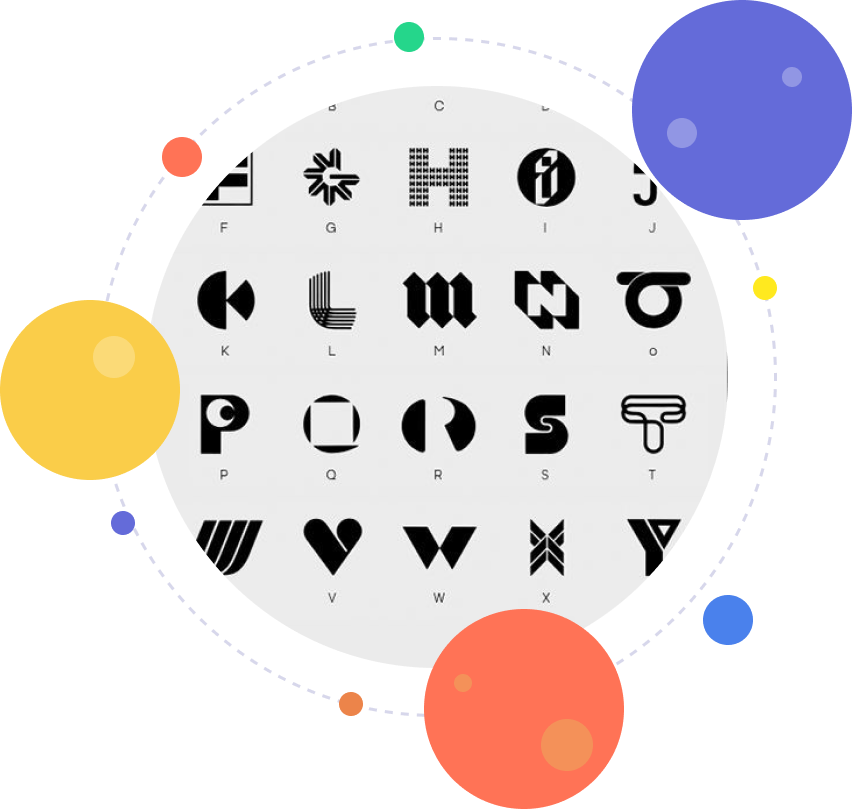
For your media company logo, the types of fonts you choose depend on the kind of communication or media business you are in. For instance, if you provide telecommunication services, then you can go with fonts like Bebas Neue, and Caslon. For a contemporary appearance, you can choose a minimalist lettermark using a sleek font. Think of the famous wordmark logos of Virgin Media or Netflix. Whatever font types you select, make sure they go with your logomark and brand colors.


Design Layout

Design Layout

The best logo style is the one that makes your audience focus on the brand name or logo text. Text-based logos such as lettermarks and wordmarks are minimal designs but they highlight your company name. But if you have a creative graphic in mind, you can design a monogram, or abstract logo, or create a mascot symbol for your media brand identity remember to remove all the clutter from your design. This will make your communication logo easy to reproduce for print or media purposes and increase brand recall.

Design Layout

Create Your Logo Now By Entering a Keyword

Frequently Asked Questions about Logo Maker

Why do you need a logo?

A logo is a visual representation of your brand, which is usually denoted by a graphic image, symbol, or emblem. It gives your business a recognizable face that customers can connect with. Your need for a logo depends on factors like personal preference, industry standards, audience perception, and current design trends.

But there’s more to it. A logo is part of your overall brand identity that helps communicate your message, mission, and values. It should clearly express your brand promise and evoke feelings of trust, confidence, and reliability.

Your logo also acts as your brand ambassador. Whether your business is online or offline, local or global, your logo represents you everywhere – on packaging, uniforms, vehicles, social media, websites, and more. That’s why businesses of all sizes, from startups to large enterprises, invest in strong, consistent branding.

You can create your own logo with LogoDesign.Net. It is one of the best free logo makers and offers a wide range of professionally designed templates to match your brand style perfectly.

What makes a good logo?

A good logo speaks for your brand, even when you're not in the room. It includes key elements like a symbol, company name, slogan, or trademark that help set your brand apart from the competition.

Beyond just looking nice, a good logo tells a believable brand story through simple graphics or thoughtful illustrations. When making a logo, make sure it is memorable, scalable, visually appealing, and adaptable to various branding needs. A well-designed logo works exceptionally, whether you use it on a website, app, banners, or other marketing materials.

How to make a unique logo?

Whether you decide to work with a graphic designer or use an online logo creator, creating a unique logo starts with the same foundation.

First, you need to understand what the brand stands for, what message it needs to convey, and which industry it belongs to. Then, research competitors, the target market, and audience preferences before diving into design.

Next, choose the type of logo you want: wordmark, letter mark, icon-based, or monogram. If you go with iconic logos, pick a symbol that reflects your brand, like a flower for something soft and natural. If you choose a wordmark or letter mark, focus on a clean, legible font selection that fits your brand tone.

Pro tip: always design your logo in black and white first to ensure it works without color. Then, explore color options based on color psychology, industry trends, and audience preferences. Once your palette is set, you can add design elements like gradients, shadows, or retro touches to give your logo a unique flair.

Should I use a logo maker or hire a logo designer?

Hiring a professional logo designer can give you a fully custom logo tailored to your brand, but it comes with a time and budget commitment. You’ll need to:
  • Find the right designer
  • Review portfolios
  • Negotiate pricing
  • Sign contracts
  • Go through rounds of revisions
  • Finalize design
The whole process can take weeks, which isn’t ideal if you’re a busy business owner or just starting out.

On the other hand, using a free logo maker online is a faster, more affordable option. With an advanced tool like LogoDesign.Net, you can browse hundreds of templates, customize them with your preferred fonts, colors, shapes, and effects, and create a logo in minutes.

Once you're happy with your design, you can instantly download high-quality vector files and start using your logo right away, all without breaking the bank.

When can I use my logo?

As soon as you download your logo, you're ready to go. You'll receive high-quality vector files like PNG, JPEG, and PDF, which means you can start using your logo instantly, with no waiting and no final steps needed.

Use your new logo across your website, social media profiles, YouTube channel, email signature, and more. It’s also perfect for branding materials like brochures, billboards, ads, and other marketing designs.

Our logo creator delivers professional-grade files and resolutions, so even graphic designers can easily use them for advanced branding projects. Want to learn more? Check out our FAQs to see how our logo creator works for you.

How do I make a company logo for free?

You can make a company logo for free with a DIY logo maker like LogoDesign.Net. It is one of the best free logo makers that offers plenty of logo templates you can choose from and edit to fit your brand. Just focus on the four main elements: company name, font style, color, and a symbol (optional).

Here’s how to get started:
Step 1: Browse our logo gallery and choose a symbol or letter design you like.
Step 2: Customize the logo by editing the colors, fonts, and text in our easy-to-use editor.
Step 3: Once you're happy with the design, download your logo in high-quality vector files.
Feel free to reach out if you need more help with how our online logo creator works.

How to trademark a logo?

A trademark is a unique symbol, name, or logo that legally represents your business, products, or services. In the US, you can trademark your logo through the U.S. Patent and Trademark Office (USPTO) to protect it from being copied or misused.

To begin, check that your logo isn’t already registered by searching the Trademark Electronic Search System (TESS) database. If it’s clear, you can start the online trademark application. You’ll need details like your business category, ownership info, the design elements of your logo, and the date you started using it commercially.

If you file without legal assistance, the application fee typically ranges from $275 to $325. Confirmation can take anywhere from six months to a year.

Keep in mind that logos created using a logo generator are usually copyrighted by the platform. To trademark such a design, you’ll need to purchase the full rights to the logo, which may require approval. For more details, check the terms of use on our site.

Does your software allow designing a logo without text?

Yes, our free logo maker online lets you design a logo without text.

Start by browsing our collection of logo symbols. Once you find a symbol you like, head to the logo editor studio. From there, you can easily remove the default text from the template and create a symbol-only logo. You can also add other shapes or icons, like hexagons, hearts, or abstract elements, to customize the design even further. Once satisfied with the look, simply choose colors and download your logo in minutes.

How can I create a logo with letters?

Letter logos are all about using the right fonts and design elements to represent your brand. Start by choosing the letter you want to use. Our logo creator has a full library of A to Z letter logos designed for different industries and styles.

Whether you need a sleek initial for a law firm or something creative for a yoga studio, you’ll find thousands of professionally designed options. Fonts range from serif and sans-serif to script and slab, so you have many options.

All you have to do is select a letter logo you like, head to the design studio to customize the colors, company name, and tagline, and then download your logo in vector formats ready for branding.

Can I create my own logo with taglines?

Of course, you can easily create a logo with a tagline using our best free logo maker online. One of the best parts of designing your own logo is the ability to customize it fully, including adding your slogan.

Our logo tool lets you insert a tagline right alongside your company name. Just click the “Add Text” button to include your slogan, then choose different fonts for each part if you'd like, like a bold sans serif for the name and a script font for the tagline.

You can also experiment with placement: try the tagline in one or two lines, below or above the symbol, or even add extra text like your founding year. Once done, download your logo vector files and start using them anywhere.

How much does a logo costs?

The cost of a logo can range from absolutely free to thousands of dollars, depending on your brand’s needs and the method you choose.

If you hire a professional designer, you'll go through a longer process: finding the right person, discussing your vision, filling out a creative brief, reviewing design concepts, and making revisions. While this can deliver a custom logo, it also costs more and takes time.

Alternatively, using a DIY online logo creator like LogoDesign.Net is a faster and more affordable option. You can create and download a professional-looking logo starting at just $37, without needing any design experience.

Is your logo maker free for all?

Absolutely! Our logo maker is free for anyone to use, anytime, anywhere in the world. You can browse our entire library of symbols, letters, and templates without any restrictions. There’s no cost to design or customize your logo; payment is only required if you decide to download the final version. So go ahead, explore our logo generator and start creating your design today!


Frequently Asked Questions About Communication & Media Logos

What are the different ways to get communication logo designs for free?

Depending on your design budget and business requirements, there are four ways you can get a communication logo design for your brand.

  • Hire a graphic designer
  • Start a logo design contest
  • Browse graphic stock websites
  • Use online logo makers

While none of the options are completely free, using the online logo maker is the most budget-friendly choice that gives you the most value for your money.

Searching through the industry list, you are able to view a long list of communication logo images and broaden your horizons about the different kinds of communication and media logo ideas. If you already have a specific design in mind, simply use the search phrase in the search bar and see the gallery show you a list of relevant communication arts logo concepts.

What symbols can I use in my news media logo design?

As a news media business owner, you're well aware about the important role a representative logo plays in the growth of a brand. While lettermark and wordmark logos are the most popular choices for news media logo designs – BBC, CNN, and MSNBC – some brands do opt for symbols.

Depending on your niche, try looking for media logo symbols that have an instant connection to the news media. Icons such as letters incorporated with speech bubbles, digital power buttons, and globe icons etc. could be the most appropriate choices.

If you do decide to go for lettermark media logos, pay close attention to typography as it’s the most fundamental feature of text-based logos.

Can I get free media logo samples from your online logo maker?

Of course! Our online logo design gallery has a huge number of free media logo samples for you to choose from. From advertising logos featuring powerful alphabet letter logo designs, and from professional TV logo templates to modern social media logos – our graphic designers have created it all.

Browsing our awesome media logo designs gallery doesn't cost a thing here. With an easy and fast logo maker tool at your service, you can also pick, choose, and edit as many designs as you like – without paying anything. The only time you are charged a fee is when you finalize a media business logo as your brand image and want to download it for business use.

How can I download my social media logo vector file?

It’s as easy as 1, 2, 3. Simply select a template for your social media logo. Go to the customization panel to customize and modify the design as per your branding needs. Once done, click on the Download button to get your social media logo vector downloaded in minutes!

The logo file will be sent to you in a number of high-res digital file formats. These formats include .PDF, .JPEG, .JPG, and .SVG – not to mention your very own social media logo png which makes the use of your logo file infinitely convenient over a number of marketing assets.

For a complete list of file formats available, please visit our How It Works section.

How does a communication logo differ from a media logo?

A communication logo design is not vastly different from a media logo as both represent the same industry. However, some subtle differences between the two classify them apart.

  • The media company brand logo refers mostly to mass communication (newspapers, TV, Internet, etc.) while a communication logo is about exchange of communication through media.
  • Another difference is about symbols. Newspaper logos, Wi-Fi signals, and satellite symbols may be more appropriate as media logo samples. For communication, think of speech bubbles graphics, microphone icons, and email logos, etc.

Now, equipped with this newfound design knowledge, head over to our logo gallery right now and start creating your very own media or communication logo design.